
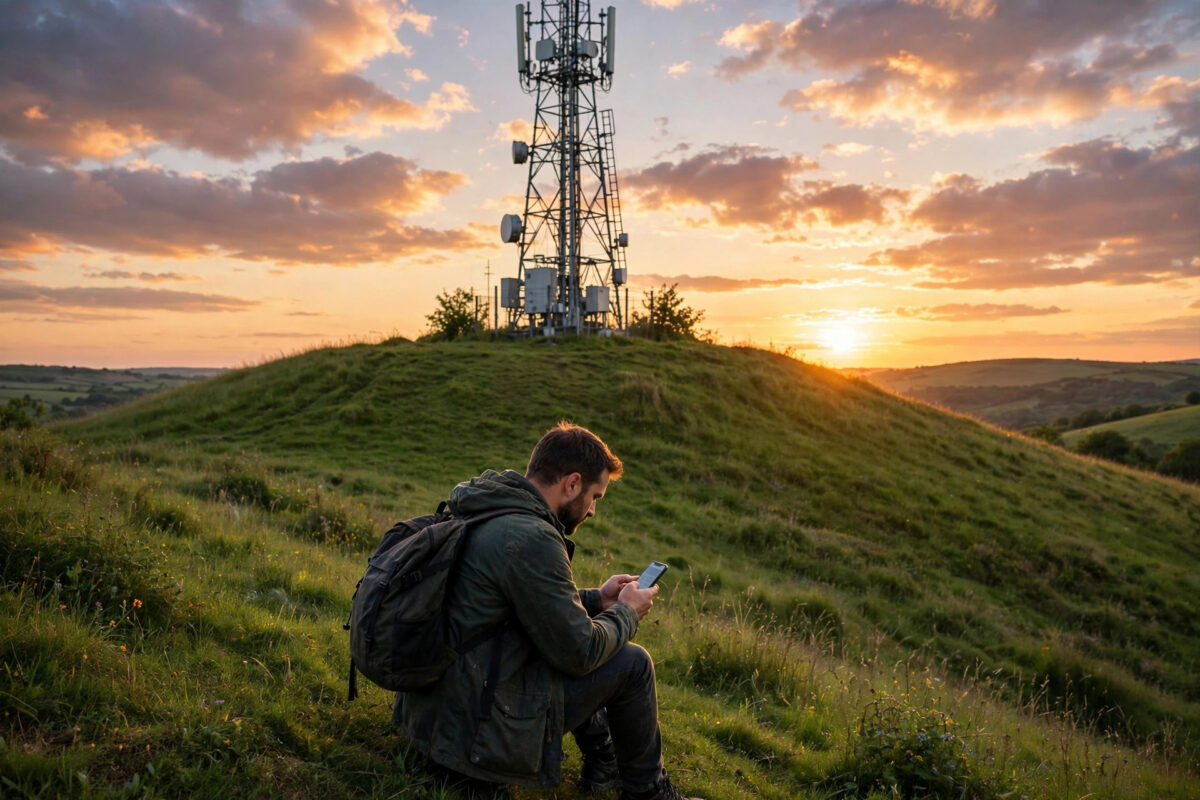
Knowing where your nearest mobile tower is sounds like trivia, but it is surprisingly practical knowledge. It tells you which side of your house gets the best signal, where to point an external antenna or booster, why one network works at your address and another does not, and whether a weak signal at home is likely to improve. Towers are not secret, and you do not need specialist equipment to find them. This guide shows the free maps, apps, and phone tricks that reveal your nearest mast, plus how to confirm which tower your phone is actually using, because nearest does not always mean serving.
Quick Answer
To find the nearest mobile network tower to your home, use a free tower mapping website or app that shows mast locations for your network, or check your regulator or provider’s coverage tools. Then confirm with your phone: apps that show live cell information display the exact tower (cell ID) your phone is connected to, and walking in different directions while watching signal strength tells you which way that tower lies. Combining the map with live phone data gives you certainty.
Method 1: Online Tower Maps
Several free websites plot mobile masts on a map, built from official records and crowdsourced measurements from millions of phones.
- Open a tower locator site or app and enter your postcode or allow location access.
- Filter by your network provider, because the map will show masts for every operator and only yours matter for your signal.
- Look at the masts around your home and note the closest ones, their approximate distance, and their direction from you.
- Check which technologies and bands each mast offers if the site lists them. A nearby mast without your network’s 5G or main 4G band explains more than distance alone.
Crowdsourced maps have a bonus: they often show real measured coverage from users’ phones street by street, which is more honest than predicted coverage. Remember that newer masts may be missing and some listed sites may be planned rather than active, so treat the map as a strong guide and verify with your phone using the methods below. Ofcom’s official coverage checker gives the regulated view of which providers serve your address well, which pairs nicely with a mast map.
Method 2: Ask Your Phone Which Tower It Is Using
Your phone knows exactly which cell it is connected to. Network information apps on Android display the cell ID, band, and signal readings live, and tower databases can match many cell IDs to a location on the map. On iPhone, the Field Test screen (dial *3001#12345#*) shows the serving cell information, although Apple restricts precise cell ID data more than Android does.
- Open a network info app at home and note the band and signal strength (RSRP).
- Walk slowly towards the window on one side of the house, watching whether RSRP improves (moves closer to zero).
- Repeat on the other sides and upstairs. The direction where the signal improves fastest points towards your serving tower.
- Go outside and walk a short distance in that direction, then the opposite. If the signal keeps improving one way, you have your tower’s direction confirmed.
This live method is the one that matters for placing equipment, because your phone might be served by a mast that is not the closest one — for example, if the nearest mast belongs to another network, is congested, or does not carry the band your phone prefers. Our guide on how to check which network band your phone is using explains how to read those live screens in detail.
Method 3: Spot the Mast Yourself
Once you know the rough direction, masts are easy to recognise. On rooftops in towns, look for groups of rectangular panel antennas clustered near the roof edge, usually in threes facing different directions. In the countryside, look for lattice towers, slim monopole poles, or panels on farm buildings, church towers, and electricity infrastructure. Street works cabinets and lamp posts increasingly carry small cells in busy areas. A short walk with your phone’s signal reading in hand usually ends with you staring at the right structure.
How to Use This Knowledge
- Find your home’s best signal spot. It will be on the tower side of the house, ideally with a window facing the mast. Our guide on how to improve mobile signal strength at home builds on this with boosters and Wi-Fi calling.
- Aim external antennas. 4G and 5G routers with antenna sockets work best when their antennas point at the serving tower with as clear a line of sight as possible.
- Choose or switch networks wisely. If your provider’s nearest mast is three miles away and a rival’s is on your street, that is a powerful reason to switch.
- Diagnose changes. If your signal suddenly worsens, check whether your serving cell ID has changed — your usual mast may be down for maintenance and your phone is clinging to a distant one.
- Set realistic expectations. Distance plus hills or woodland between you and the mast means weak signal is structural, and a booster or different network is a better plan than waiting for your phone to improve.
Common Mistakes to Avoid
- Assuming the nearest tower is yours. It may belong to another network entirely. Filter maps by provider and confirm with live cell data.
- Confusing small cells and Wi-Fi points with masts. Lamp post units serve small areas and may not be your main connection.
- Judging by map distance alone. A mast two miles away with clear line of sight often beats one half a mile away behind a hill.
- Climbing or approaching mast sites. Towers are private, secured, and carry warning signs. All the information you need is available from the street and your phone.
A Smart Check Before You Move House
One of the best uses of tower knowledge is before you sign for a new home. Signal strength at a property is as much a part of modern life as water pressure, yet most buyers never test it. Stand in the property with your phone, note the signal reading in the rooms where you will work and sleep, and check the mast maps for each network at that address. If your current network’s mast is miles away while a rival’s sits two streets over, you have learned something worth real money: either budget for a good broadband connection and Wi-Fi calling, or plan to switch networks when you move. Landlords and sellers increasingly expect these questions, and a five-minute check during a viewing prevents years of daily frustration.
Conclusion
Finding your nearest tower takes ten minutes with a map, your provider’s filter switched on, and your phone’s live signal screen. Confirm the direction by walking and watching the readings, and you will know exactly where your signal comes from — knowledge that makes every other fix, from a window seat for calls to a properly aimed router antenna, suddenly straightforward.
Frequently Asked Questions
How close does a tower need to be for good signal?
There is no fixed distance, because terrain and frequency matter more. Low-band signals can serve several miles in open country, while in a dense city your serving cell may be a few hundred metres away. Signal quality at your phone is the real test.
Can I find towers for a specific network?
Yes. Tower map sites and apps let you filter by operator, and each provider’s own coverage checker confirms predicted service at your postcode. Always filter, because maps show every network’s masts by default.
Why is my phone connected to a far tower instead of the near one?
The near tower may be another network’s, may lack the band your phone prefers, may be congested, or may be down for maintenance. Phones choose by a mix of technology, band, and quality, not distance alone.
Do tower maps show 5G masts?
Most do, with filters for technology where the data exists. Crowdsourced maps also show where users have actually measured 5G, which is often more useful than the official predicted coverage.
Is it legal to look up tower locations?
Completely. Mast locations are public information used by planners, buyers checking coverage before moving house, and engineers. Just observe from public ground and never enter a secured site.



Leave a Reply