
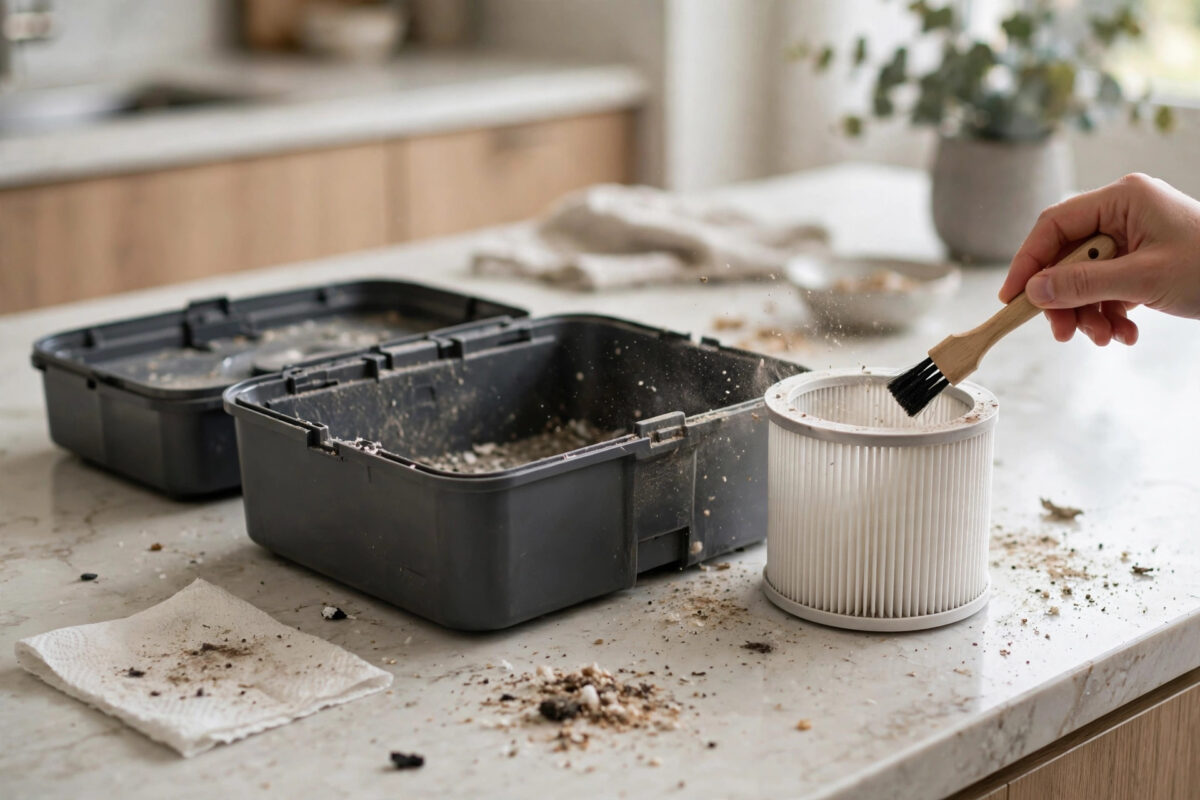
You have just emptied the dust bin, put it back, and pressed Clean. Instead of cleaning, your Roomba stops and reports error 26, the low airflow error. It feels unfair, because you cleaned it to help it, not to break it. In most cases nothing is broken. Air simply cannot move freely through the bin, filter, and fan path, and cleaning the bin has disturbed dust deeper into that path.
Error 26 is the robot protecting its cleaning head motor. When airflow drops, the motor has to work harder and can overheat. Follow the full routine below instead of just shaking the bin again, and the error usually clears for good.
Quick Answer
Remove the bin and clean or replace the filter, wash and fully dry the bin if your model allows it, and clear dust from the bin contacts and the fan intake inside the robot. Then reboot the Roomba and run it again. Error 26 after bin cleaning is almost always a clogged filter or dust pushed into the airflow path, not a failed motor.
What Error 26 Really Means
Your Roomba pulls air in through the brushes, through the dust bin, and through a fine filter before the air leaves the robot. Sensors watch how hard the cleaning head motor is working. If the air route is blocked, pressure changes and the motor draws more current than it should.
When that happens, the robot stops and reports error 26 to protect itself. Common blockages include a filter coated in fine dust, a bin that is not seated fully, damp dust stuck inside the bin after washing, and a mat of hair around the extractors that chokes the intake.
Cleaning the bin can trigger the error in a sneaky way. When you shake or bang the bin over a rubbish bin, loose fine dust can settle deep into the filter pleats. The bin looks empty and clean, but the filter is more blocked than before.
Step 1: Clean the Filter Properly
The filter is the number one cause, so start here and do it well.
- Remove the dust bin from the back of the robot.
- Open the bin door and take out the filter.
- Tap the filter gently against the inside of a rubbish bin, pleats facing down, until no more dust falls out.
- Use a soft, dry brush to sweep dust from between the pleats.
- Hold the filter up to the light. If you can barely see light through it, or it looks grey and felted, replace it.
- Put the filter back the correct way round and close the bin door until it clicks.
Do not wash the standard filter unless the maker says your filter type is washable. Water ruins most paper-style filters and makes airflow worse, not better. Filters are wear parts. In a busy home, plan to replace the filter every two to three months, and add the job to our robot vacuum maintenance checklist so it never gets forgotten.
Step 2: Wash and Fully Dry the Bin
Many Roomba bins can be rinsed with water, but only after the filter is removed. This removes the sticky film of dust that dry shaking leaves behind.
- Remove the filter and set it aside in a dry place.
- Rinse the empty bin with warm water only. Do not use strong detergents.
- Shake out as much water as you can.
- Leave the bin open in the air for at least twenty-four hours to dry fully.
- Check the bin is bone dry inside, including the corners, before refitting the filter.
- Slide the bin back into the robot until it clicks firmly into place.
A damp bin is a classic cause of error 26 straight after cleaning. Moist dust turns into a paste that blocks the mesh and the airflow sensor area. If you need the robot today, use a spare dry bin, or dry the bin fully with time rather than rushing it back in.
Step 3: Clear the Rest of the Airflow Path
If the filter and bin are clean, walk the whole air route and clear every stop on it.
- Remove the brush rollers, often called extractors, and pull off hair and string from the ends and the yellow caps.
- Check the green or grey end caps turn freely. Hair packed inside them adds drag to the motor.
- Wipe the inside of the bin compartment in the robot with a dry cloth, especially around the metal contacts.
- Look into the suction intake behind the rollers for stuck debris, small toys, or clumps of dust.
- Spin the front caster wheel and clear its axle, so the head sits flat and seals well to the floor.
Also check the bin full sensors. On many models these are small clear windows inside the bin and matching sensors in the robot. A film of dust there can confuse the robot about airflow and bin state. Wipe them gently with a dry cloth.
Step 4: Reboot the Robot and Test Clean
After physical cleaning, clear the stored error so the robot tests airflow fresh.
- Take the robot off the dock and place it on a clear, hard floor.
- Press and hold the Clean button for about twenty seconds until the light ring swirls, then release it to reboot.
- Wait until the robot finishes starting up and plays its ready tone.
- Put it back on the dock for a few minutes so it starts the test with a good charge.
- Start a short clean in one room and stay nearby for the first five minutes.
- Listen to the sound. A healthy robot has a steady tone. A rising, straining whine suggests a blockage remains.
If the robot completes the short clean, run a full clean next. If error 26 returns within seconds in the same spot every time, check for a software or job issue too. Delete any paused job in the app and start a fresh one. For the exact reboot steps for your model, see iRobot’s official Roomba support pages, as button holds differ slightly between series.
Step 5: Know When It Is a Motor or Sensor Fault
Sometimes error 26 keeps returning even with a new filter, a dry clean bin, and clear rollers. That pattern points deeper.
- Error returns instantly on every start: the cleaning head motor or its sensor may have failed.
- Error returns only on carpet: worn rollers are dragging and overloading the motor on high-pile floors.
- Error returns after ten minutes: the motor may be overheating as it warms up, which is a wear sign.
- Burning smell or grinding noise: stop the robot at once and do not run it again until it is checked.
At this stage, note when the error started, what you cleaned, and what you replaced. Support teams solve cases much faster with that short history than with a simple report that the error will not go away.
Mistakes to Avoid
- Washing a non-washable filter. It feels clean but collapses inside and blocks air badly.
- Refitting a damp bin. Always give a washed bin a full day to dry.
- Only shaking the bin and ignoring the filter. The bin is rarely the blockage. The filter is.
- Using a vacuum or air blower hard on the filter. Strong force can tear the fine material. Tap and brush gently.
- Running the robot with no filter fitted. Dust then reaches the motor and fan, turning a small fault into a costly one.
- Clearing the error without cleaning anything. The robot will simply stop again, sometimes mid-room under furniture.
Conclusion
Error 26 after cleaning the bin is almost always an airflow problem you created by accident and can fix by hand. Clean or replace the filter, wash and fully dry the bin, clear the rollers and intake, then reboot and test. If the error survives a new filter and a spotless air path, treat it as a motor fault and get support involved before the damage spreads.
Frequently Asked Questions
Why did error 26 appear right after I emptied the bin?
Shaking the bin pushed fine dust deeper into the filter, or the bin was refitted while damp or not fully clicked in. Clean the filter, dry the bin fully, and reseat it until it clicks.
Can I wash my Roomba filter with water?
Only if your exact filter is marked washable. Most standard Roomba filters are dry-clean only. Tap out the dust, brush the pleats, and replace the filter when light no longer passes through it.
How often should I replace the filter to avoid error 26?
Every two to three months in a typical home, and sooner with pets or lots of carpet. A cheap new filter fixes this error more often than any other single step.
My error 26 comes back with a brand-new filter. What next?
Check the rollers and end caps for packed hair, clean the bin sensors, and reboot the robot. If it still fails on every start, the cleaning head motor is likely faulty and needs service.
Is it safe to keep restarting the robot past error 26?
No. The error protects the motor from overheating. Repeated restarts without cleaning can burn out the motor and turn a free fix into a paid repair.



Leave a Reply