
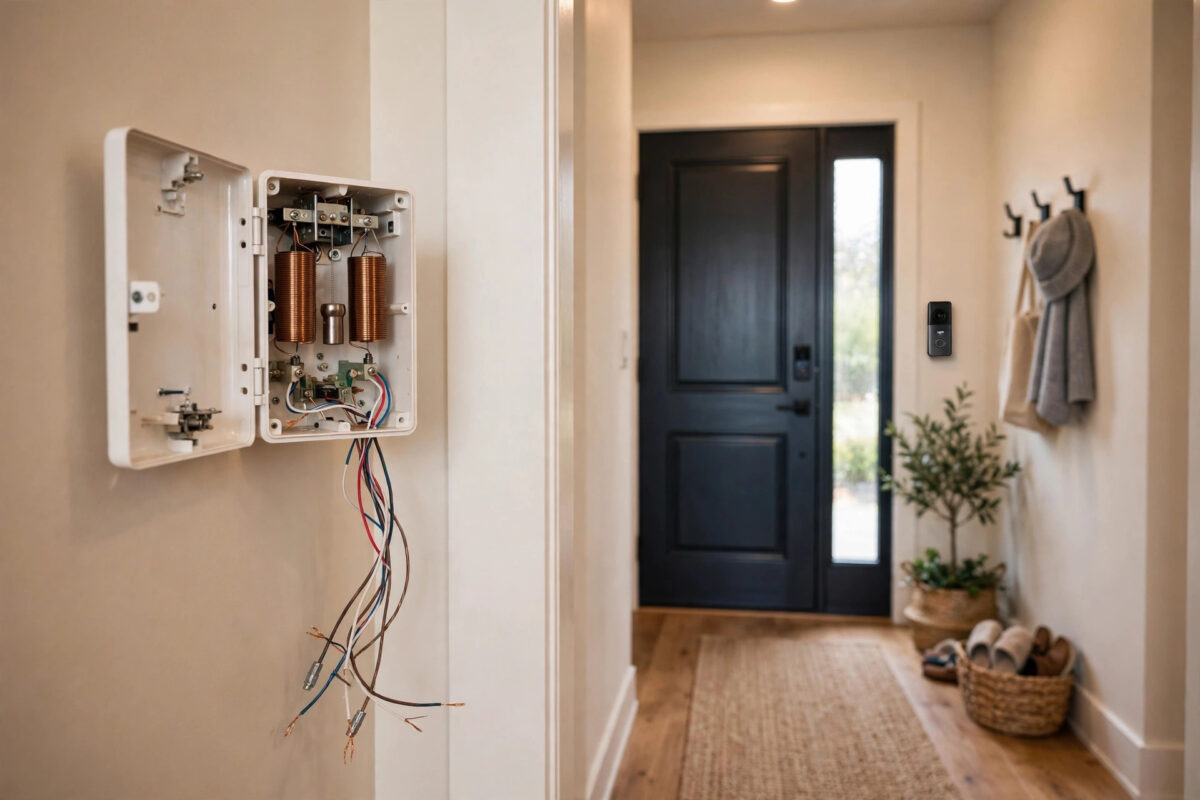
A wired Ring doorbell that works perfectly in the app but leaves your indoor mechanical chime silent, or worse, buzzing and ringing on its own without stopping, is a special kind of irritating. The camera is fine. The wiring is the problem, and wiring problems follow clear rules once you know what each part of the old doorbell circuit actually does.
Mechanical chimes are simple devices, but they were designed for a plain button that draws almost no power. A Ring doorbell draws power all the time through the same wires, and that constant draw is the root of most chime faults, from ghost ringing to a chime that never sounds at all. This guide works through both symptoms safely and in order.
Quick Answer
If a wired Ring doorbell makes the mechanical chime ring nonstop, the chime is usually getting constant power because of a wiring fault, a missing or failed power kit, or an incompatible chime. If it never rings, check the in-home chime setting in the Ring app, confirm the transformer provides 16 to 24 volts AC, and verify the wires are secure. Turn off power at the breaker before touching any wiring.
How a Mechanical Chime Circuit Works
A traditional doorbell circuit has three parts. A transformer lowers household power to low voltage, usually 16 volts AC. Wires run from the transformer to the chime and the front door button. Pressing the button completes the circuit for a moment, a plunger inside the chime strikes a metal bar, and you hear the familiar ding-dong.
A Ring doorbell replaces the simple button with a powered camera that sips electricity continuously through the chime circuit. To keep that small constant current from making the chime hum, buzz, or strike on its own, Ring supplies a small power kit that is fitted inside the chime box. Correct wiring plus that power kit is what keeps an old chime and a modern doorbell living happily together.
Safety First: Read This Before Touching Wires
Important safety note: Always turn off power to the doorbell transformer at your breaker panel before touching, loosening, or moving any doorbell or chime wires. Doorbell wiring is low voltage on the secondary side, but the transformer itself is connected to household mains power, and terminals inside the chime and transformer can still give a shock or cause a short that damages the transformer. Switch the breaker off, test that the chime no longer responds, and only then open covers. If you find burnt wires, a hot or humming transformer, or anything you do not recognise, stop and call a qualified electrician.
Symptom One: The Chime Rings Nonstop or Buzzes
A chime that rings by itself, hums constantly, or buzzes and vibrates is receiving power when it should not be. Work through these causes from most to least common.
The Power Kit Is Missing or Fitted Wrongly
This is the leading cause. If the power kit was never installed inside the chime box, or its wires were connected to the wrong terminals, the doorbell’s constant power draw flows straight through the chime coil. The result is humming, phantom rings at random hours, or a plunger that sticks and strikes repeatedly.
- Turn off power to the doorbell transformer at the breaker.
- Remove the chime cover, which usually pulls or unclips off.
- Look for the small Ring power kit and confirm it is connected exactly as shown in the Ring app setup for your chime, bridging the correct front and transformer terminals.
- Check that no bare wire ends are touching each other or the metal back plate.
- Refit the cover, restore power, and test with one press of the doorbell.
A Stuck Plunger or a Short in the Wiring
Dust, paint from decorating, or a bent plunger rod can leave the mechanism half-engaged so vibrations set it off. With the power off, gently clean inside the chime and make sure the plungers move freely and spring back. Also inspect the wires at the doorbell itself. If the two bare wire ends behind the Ring unit touch each other, the circuit completes permanently and the chime will ring nonstop. Separate them, trim damaged insulation, and refit them firmly to separate terminals.
An Incompatible Chime
Not every chime works with a video doorbell. Some electronic chimes, intercom-style units, and very old or tube-style chimes behave unpredictably with a constant power draw. Ring publishes a compatibility list for mechanical chimes. If yours is not on it, the practical options are fitting a compatible mechanical chime or disabling the chime connection and using a plug-in Ring Chime or an app-connected speaker for indoor alerts instead. Checking the official Ring support site for chime compatibility and wiring diagrams before buying parts will save you a wasted purchase.
Symptom Two: The Chime Never Rings at All
Silence has its own checklist, and the first item is not wiring at all. It is a setting.
Check the Ring App Setting First
- Open the Ring app and open your doorbell’s Device Settings.
- Go to General Settings and find the doorbell chime type or in-home chime settings.
- Make sure the chime type is set to mechanical and that the in-home chime ringing option is turned on.
- Ring the doorbell and listen. App settings are changed during updates and device swaps more often than people realise.
Check the Transformer Voltage
Wired Ring doorbells need a transformer rated between 16 and 24 volts AC with adequate power, commonly 30 volt-amps for newer models. Many older homes still have 10 or 12 volt transformers from decades ago. That may have rung a simple chime, but it cannot power a camera doorbell and strike the chime as well, so you get app alerts with a silent chime, or a weak half-strike sound.
The transformer is usually found near the consumer unit, on a wall near the chime, or in a cupboard or loft. Its rating is printed on its casing. If it is undersized, replacing it with a correctly rated unit is a job many confident homeowners do with the power off, but because it involves mains connections, hiring an electrician is the safer and often required route.
Check Every Wire Connection
With the power off, work along the circuit. At the doorbell, both wires should be tight on their terminals and not corroded. At the chime, the front and transformer terminals should hold their wires firmly. Loose screws and green corrosion on old copper are common in chimes that have sat undisturbed for years. Clean, trim back to bright copper if needed, and refit securely. Also confirm the Ring unit is set up as wired in the app, because a doorbell running in battery mode may not trigger the chime the way you expect.
Once the wiring is solid, a voice assistant can announce visitors as a backup alert, and the walkthrough on setting up a smart speaker with Alexa or Google Home for doorbell announcements shows how to link the two so you never depend on the chime alone.
Common Mistakes to Avoid
- Skipping the power-off step: Working live risks shocks, shorts, and a burnt-out transformer for the sake of saving one minute.
- Never fitting the power kit: It is in the box for a reason. Leaving it out is the most common cause of ghost ringing.
- Guessing chime terminals: Front, rear, and transformer terminals are not interchangeable. Follow the labelled diagram for your setup.
- Ignoring an old transformer: No app setting can make a 10 volt transformer power a modern video doorbell properly.
- Overtightening tiny screws: Chime and doorbell terminals are small. Snug is enough; forcing them snaps terminals and creates new faults.
- Painting over the chime mechanism: Painted plungers stick, and stuck plungers ring, buzz, or fall silent.
Conclusion
Nonstop ringing and total silence look like opposite problems, but both come from the same small circuit: transformer, wires, power kit, and chime. Turn the power off first, confirm the app is set to a mechanical chime, fit the power kit correctly, check the transformer rating, and make every connection clean and tight. Work through that order calmly and your chime will do its one job properly again, ringing when a visitor presses and staying quiet the rest of the time.
Frequently Asked Questions
Why does my mechanical chime ring by itself at night?
Ghost ringing is usually the doorbell’s constant power draw passing through the chime because the power kit is missing or wired incorrectly. Temperature changes overnight can make a marginal connection worse, which is why phantom rings often happen in the small hours.
Can I just disconnect the mechanical chime completely?
Yes. You can disable the in-home chime in the Ring app and rely on phone alerts, a plug-in Ring Chime, or a smart speaker for indoor announcements. Make sure any disconnected wires are safely insulated and the power kit arrangement still matches Ring’s guidance for your model.
What transformer does a wired Ring doorbell need?
Most wired Ring models need 16 to 24 volts AC, and newer models perform best with around 30 volt-amps of capacity. Check the rating printed on your existing transformer. Units rated 10 or 12 volts are a very common cause of silent chimes and sluggish doorbells.
Is it safe to change doorbell wiring myself?
The low-voltage side is manageable for many people if, and only if, the power to the transformer is switched off at the breaker first and you follow the wiring diagram carefully. Anything involving the transformer’s mains connection or damaged wiring belongs to a qualified electrician.
Why does the chime sound weak or only strike once?
A weak single strike usually means low voltage reaching the chime, often from an undersized or failing transformer, corroded connections, or very long thin wire runs. Check connections first, then the transformer rating, before assuming the chime itself has failed.



Leave a Reply