
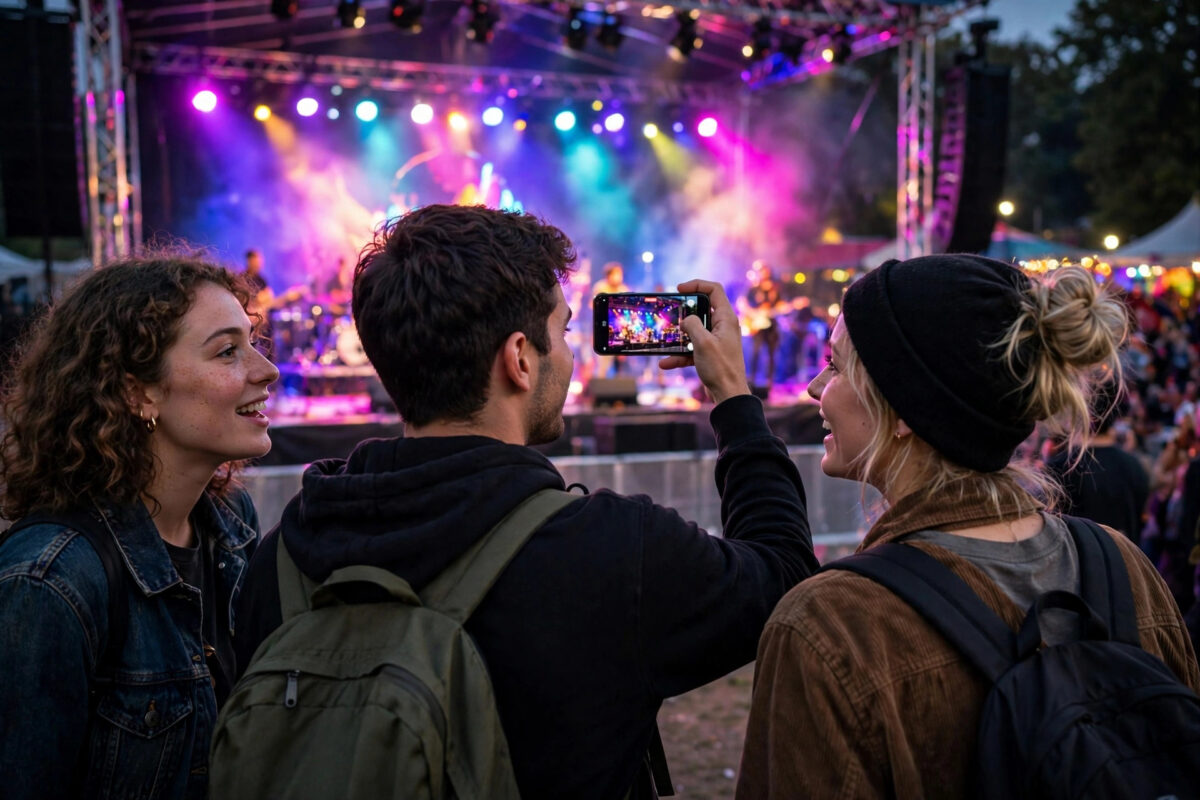
Concert clips, birthday candles, city lights at night — the moments you most want to share are the ones Instagram Stories ruins worst. Low-light videos already carry grain and softness from your phone’s sensor, and then Instagram’s compression smooths them into a blurry, blotchy mess. Creators often blame their phone, but the real story is a chain: a noisy source, aggressive in-app processing, and compression that treats noise as detail to be erased. Break the chain at any point and your night stories improve noticeably.
Here is how to capture and upload low-light stories that survive Instagram.
Quick Answer
Instagram lowers story quality in low light because dark, grainy video compresses badly. Improve it by adding light before recording, locking exposure so the phone does not keep brightening and adding noise, recording with the main camera app at 1080p instead of inside Instagram, turning on Upload at highest quality, and uploading on strong Wi-Fi. Avoid digital zoom and heavy filters, which make night footage fall apart.
Why Low Light and Compression Are Enemies
In the dark, your phone raises its ISO sensitivity to gather light. That creates noise — random grain dancing across the frame. To a compression algorithm, that grain looks like rapidly changing detail, and since story uploads get a limited data budget, the algorithm smooths everything aggressively. Faces go waxy, skies band into blocks, and moving lights smear.
Two extra factors pile on:
- Instagram’s in-app camera: It records with basic processing and compresses early, which is brutal on night footage.
- Automatic exposure hunting: If the phone keeps adjusting brightness mid-clip, every change forces more compression work and more artefacts.
Fix 1: Add Light Before You Add Settings
No setting beats actual light. Turn on a lamp, face your subject toward existing light, move closer to the stage or streetlight, or use your phone’s screen light or a friend’s torch held off-camera. Even a small increase in real light lets the sensor lower its ISO, which cuts noise at the source — the single biggest quality win for night stories.
Fix 2: Record With the Main Camera App, Never in Instagram
- Open your phone’s camera app and switch to video.
- Set 1080p resolution. The phone’s full image processing — including its night optimisation — works here, unlike in Instagram’s basic camera.
- Record the clip, then share it to your story from the gallery.
Your phone maker spent years tuning night video processing. Instagram’s in-app camera uses almost none of it. This one habit change is worth more than every other tip combined.
Fix 3: Lock Exposure and Focus
On most phones, long-pressing on the subject in the camera locks focus and exposure (AE/AF lock). Do this before recording a night scene. Locking stops the phone from pumping brightness up and down as lights move through the frame, which keeps noise stable and far easier for compression to handle. If the locked exposure looks slightly dark, accept it — a slightly dark, clean video compresses far better than a bright, noisy one, and viewers’ screens will still show it well.
Fix 4: Avoid Zoom and Use the Main Lens
Digital zoom in the dark crops into an already noisy image and magnifies every flaw. Walk closer instead. Also prefer the main wide lens over the ultra-wide or telephoto at night: the main lens almost always has the largest aperture and best low-light sensor, so it starts with the cleanest image.
Fix 5: Turn On Highest Quality Upload and Use Wi-Fi
- In Instagram, go to Settings, then Media quality.
- Turn on Upload at highest quality and disable data-saving options while posting.
- Post night stories on a strong Wi-Fi connection and keep the app open until the upload finishes.
Instagram explains in its help pages on upload quality that highest-quality processing takes longer and depends on your connection — for night footage, that extra processing time is exactly what you want.
Fix 6: Be Careful With Filters and Edits
Grain-adding filters, heavy contrast looks, and sharpening all explode under compression at night. If you edit, do it gently: slight exposure lift, mild noise reduction if your editor offers it, and no extra grain effects. Also frame your shot at the story’s native shape so Instagram does not zoom in and enlarge the noise — our guide on stopping stories from cropping vertical videos shows how to lock in the right 9:16 frame.
Phone Settings That Quietly Help at Night
Dig one level deeper into your camera app and you will find settings that trade resolution for cleaner night footage. Many phones offer a dedicated night or low-light video mode; use it for story clips even if it caps resolution, because its noise handling is designed for exactly your situation. If your phone lets you choose between frame rates, prefer 30fps over 60fps in the dark: each frame gets more time to gather light, and the resulting footage is visibly cleaner — and compression friendlier — than a noisy 60fps clip.
Also disable any “beauty” or smoothing video filters your camera applies by default. They feel flattering in preview but smear detail in ways that compression then amplifies. And keep your lens clean: a fingerprint smudge that is invisible in daylight turns night lights into hazy streaks, and no upload setting can undo a dirty lens.
Common Mistakes to Avoid
- Filming inside the Instagram app at night: The worst possible pipeline for dark footage.
- Raising brightness in the editor afterwards: It lifts the noise, not just the scene, and compression then smears it.
- Using flash continuously at close range: It blows out faces and leaves backgrounds pitch black. Diffused ambient light looks better.
- Judging the upload in the first minute: Stories, like reels, get a better encode shortly after posting. Recheck before deleting.
A Realistic Expectation to End On
Even with every habit in this guide, a night story will never look as crisp as a daylight one — physics and compression both say so. The goal is not perfection; it is closing the embarrassing gap between the video in your gallery and the video your followers see. Creators who shoot in the camera app, add a little light, lock exposure, and upload on Wi-Fi routinely produce night stories that look intentional and atmospheric instead of accidental and blurry. That is the realistic win, and it is entirely within your control starting with your very next story.
Conclusion
Instagram is not singling out your night videos — dark, noisy footage is simply the hardest material to compress. Give it a cleaner start: real light, the main camera app, locked exposure, the main lens, and a highest-quality upload on Wi-Fi. Your evening stories will still be compressed, but they will look like the moment you remember instead of a blur.
Frequently Asked Questions
Why do my night stories look fine in my gallery but bad on Instagram?
Your gallery shows the original file. Instagram shows a compressed copy, and compression punishes noise. The noisier the original, the bigger the gap between the two versions.
Does an iPhone or Android handle night stories better?
Phones with strong night video processing produce cleaner sources, which compress better on any platform. But the habits in this guide — camera app, locked exposure, more light — improve results on every phone.
Should I record night stories in 4K to keep quality?
Usually not. Instagram downscales to about 1080 anyway, and 4K night footage is often noisier per pixel. A clean 1080p recording generally survives story compression better.
Can noise reduction apps fix a bad night video before posting?
They can help a little. Gentle noise reduction before upload gives the compressor a cleaner signal. But no app can recover detail that was never captured — light at recording time is still the real fix.
Why do stories with moving lights, like concerts, look worst of all?
Constant motion plus flashing brightness changes is the hardest possible content for compression: almost every pixel changes every frame. Locking exposure and standing a bit further back, so the frame changes less wildly, noticeably improves concert clips.



Leave a Reply