
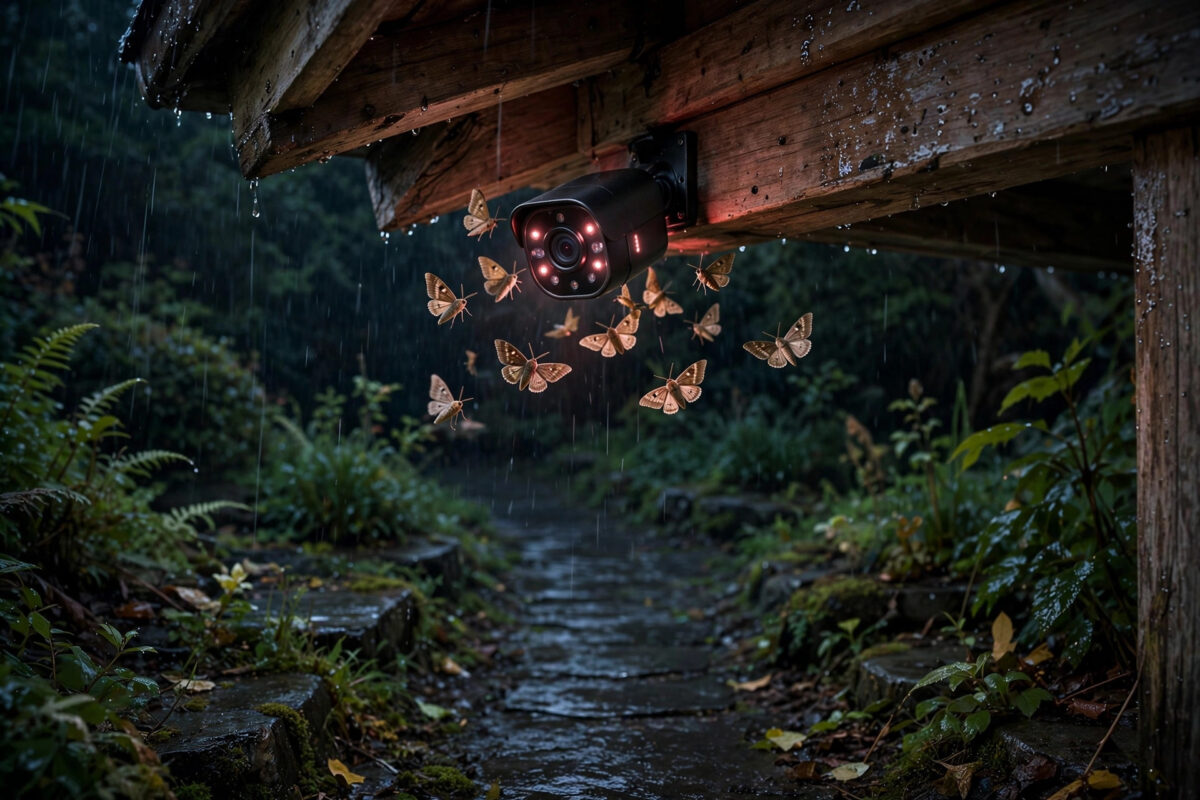
At night, a Wyze Cam watching a quiet yard can turn into the busiest camera you own. A light drizzle, a few moths around the infrared lights, or a spider building a web near the lens can produce dozens of motion alerts before morning. None of them are intruders, but together they bury the one clip that might actually matter.
This problem is especially common outdoors and in garages, porches, and sheds. Rain and insects look small to you, but close to the camera lens, lit up brightly by infrared light, they look huge and fast — exactly the kind of movement motion detection is designed to catch. The answer is a combination of settings, placement, and lighting changes rather than any single switch.
Quick Answer
Lower your Wyze Cam detection sensitivity, shrink the detection zone to exclude the sky, lights, and the area right in front of the lens, and turn on Smart Detection for people so rain and bugs do not send notifications. Move the camera under cover, keep a separate light source away from the lens to draw insects elsewhere, and clean webs and water spots off the camera regularly. These steps together cut most rain and insect alerts while keeping real visitors visible.
Why Rain and Insects Trigger Wyze Cams So Easily
Wyze Cams detect motion mainly by comparing changes between video frames. When many pixels change quickly, the camera assumes something moved. Rain creates hundreds of tiny changing streaks, especially when the infrared night vision lights it up close to the lens. A single raindrop passing an inch from the camera can look bigger than a person across the yard.
Insects are worse. At night the infrared LEDs make moths and flies nearby glow bright white, and a fluttering moth fills the frame with fast movement. Spider webs are a special case: the web sways, catches light, and sits right in front of the lens, so the camera sees constant bright movement all night.
Why It Is Always Worse at Night
In daylight, rain and bugs are small, dim, and spread across a detailed scene, so the camera can more easily treat them as background. At night, the picture is black and white, contrast is harsh, and anything near the infrared lights becomes the brightest object in view. Auto night vision switching on and off in borderline light can also create sudden picture changes that look like motion. Most night alert storms are really a lighting problem that detection settings alone cannot fully solve.
Step-by-Step Settings to Change First
- Open detection settings. In the Wyze app, select your camera, tap the settings gear, and open Detection Settings. Here you will find sensitivity, detection zone, and night vision controls.
- Lower the motion sensitivity. Move the sensitivity slider down in steps of about ten. Many outdoor cameras work well in the thirty to fifty range. Test for a night before lowering further, so you do not start missing real people.
- Set a tight detection zone. Turn on Detection Zone and shade only the ground, path, door, or driveway you care about. Exclude the top of the frame, nearby lights, bushes at the frame edge, and especially the area that catches rain falling past the lens.
- Turn on Smart Detection for people. If your camera and plan offer Cam Plus or similar smart detection, enable Person Detection and, in notification settings, choose to be notified for smart events rather than for all motion. Rain and insects may still be recorded as motion clips in some setups, but they will stop buzzing your phone.
- Control night vision manually. If the camera flickers between colour and night vision at dusk, set Night Vision to On or Off instead of Auto for a trial period. A stable picture produces fewer false change events.
- Reduce the infrared glow if your model allows it. Some models let you set infrared lights to near or far, or turn them off when a separate light covers the area. Less intense light right at the lens means less blinding glare from rain and bugs.
- Restart the camera. After changing several detection settings, restart the device from the settings menu so everything applies cleanly.
Wyze explains its detection and notification options in its own help centre, and the Wyze support guide to detection settings and zones is worth checking if your app screens differ slightly from the steps above, because Wyze updates its app layout fairly often.
Placement and Lighting Fixes That Make the Real Difference
Settings reduce alerts, but placement removes the cause. If your camera sits fully exposed, rain will always cross the lens and insects will always gather at the lights. Small physical changes usually outperform any slider.
- Move the camera under an eave or porch roof. Even a shallow overhang keeps most rain off the lens and out of the near frame, and it reduces the streaks that trigger detection.
- Add a separate light away from the camera. A porch light or low garden light placed several feet away gives insects somewhere else to gather and lights the scene so the camera depends less on its own infrared LEDs.
- Angle the camera slightly downward. A view focused on the ground and the approach path includes less sky, less falling rain in the distance, and fewer flying insects crossing the top of the frame.
- Keep the area in front of the lens clear. Trim plants that sway close to the camera, move hanging decorations, and check weekly for new spider webs across corners near the mount.
- Use the right camera for the location. If the camera is outdoors, make sure it is a model rated for outdoor use, mounted as its manual describes, so moisture does not fog inside the lens and create constant false movement.
If you are comparing outdoor placement options more broadly, our guide to stopping security camera false alerts at night covers the same lighting and positioning principles for other brands, and many of the checks transfer directly to Wyze setups.
A Simple Night Test Routine
After making changes, test deliberately. Walk the zone at the distance a visitor would be and confirm you are notified as a person. Then check the next morning after a rainy night and count how many false clips remain. Change only one major thing between tests, so you can tell what helped.
Dealing With Spider Webs Specifically
Webs deserve their own routine because one web can ruin weeks of settings work. At night, open live view and look for bright threads that move slightly. Brush them away gently with a soft, dry brush and clean the front of the camera. The reliable fix is regular cleaning and a separate light that draws bugs away from the lens.
Common Mistakes to Avoid
- Maxing out sensitivity for a large yard. High sensitivity makes rain and insects impossible to ignore. Cover distance with good placement and zones, not with maximum sensitivity.
- Leaving the detection zone as the full screen. Sky, lights, and the near-lens area are where weather and bugs cause trouble. They should normally sit outside the zone.
- Expecting notifications to equal recordings. You can often keep motion recordings for review while only receiving notifications for people. Turning everything off loses useful evidence.
- Mounting the camera next to a bright light. A lamp right beside the camera is an insect magnet at the worst possible place. Separate the light from the lens by a few feet.
- Cleaning the lens with rough material. Scratched or smeared lenses scatter infrared light and make night false alerts worse. Use a soft cloth only.
- Giving up after one rainy night. Weather varies. Judge a change over several nights, including one wet night, before deciding it failed.
Conclusion
Rain and insect alerts on a Wyze Cam are not a sign the camera is broken. They are what happens when sensitive frame-change detection meets bright infrared light, nearby bugs, and falling water. Lower the sensitivity in steps, draw a tight detection zone, let smart person detection control your notifications, and fix the physical side with shelter, a downward angle, and a separate light that pulls insects away from the lens. Add a quick weekly web and lens check, and your nights will go quiet again — except when a real person actually walks into view.
Frequently Asked Questions
Why does my Wyze Cam send dozens of alerts on rainy nights?
Rain close to the lens is lit brightly by the infrared lights and changes many pixels at once, which the camera reads as motion. Sheltering the camera under an eave, lowering sensitivity, and shrinking the detection zone greatly reduce these alerts.
Can I stop insect alerts without missing real people?
Yes. Keep sensitivity moderate, use a detection zone focused on the ground and path, and turn on person detection so notifications are based on people rather than all motion. A separate light away from the camera also draws insects away from the lens.
What sensitivity level should I use on a Wyze Cam outdoors?
There is no single perfect number, but many outdoor users settle between thirty and fifty. Start there, test by walking your path at night, and adjust in small steps until rain is ignored but you are still detected reliably.
Why does a spider web look so big on my camera?
The web sits inches from the lens and reflects infrared light brightly, so it fills the frame and glows. The spider crossing it appears huge for the same reason. Regular gentle cleaning and checking live view at night for bright threads keeps it under control.
Does Cam Plus help with rain and bug notifications?
Smart detection plans help because you can choose to be notified about people instead of every motion event. Rain and insects may still appear as recorded motion in some cases, but they should no longer send you constant phone alerts.



Leave a Reply