
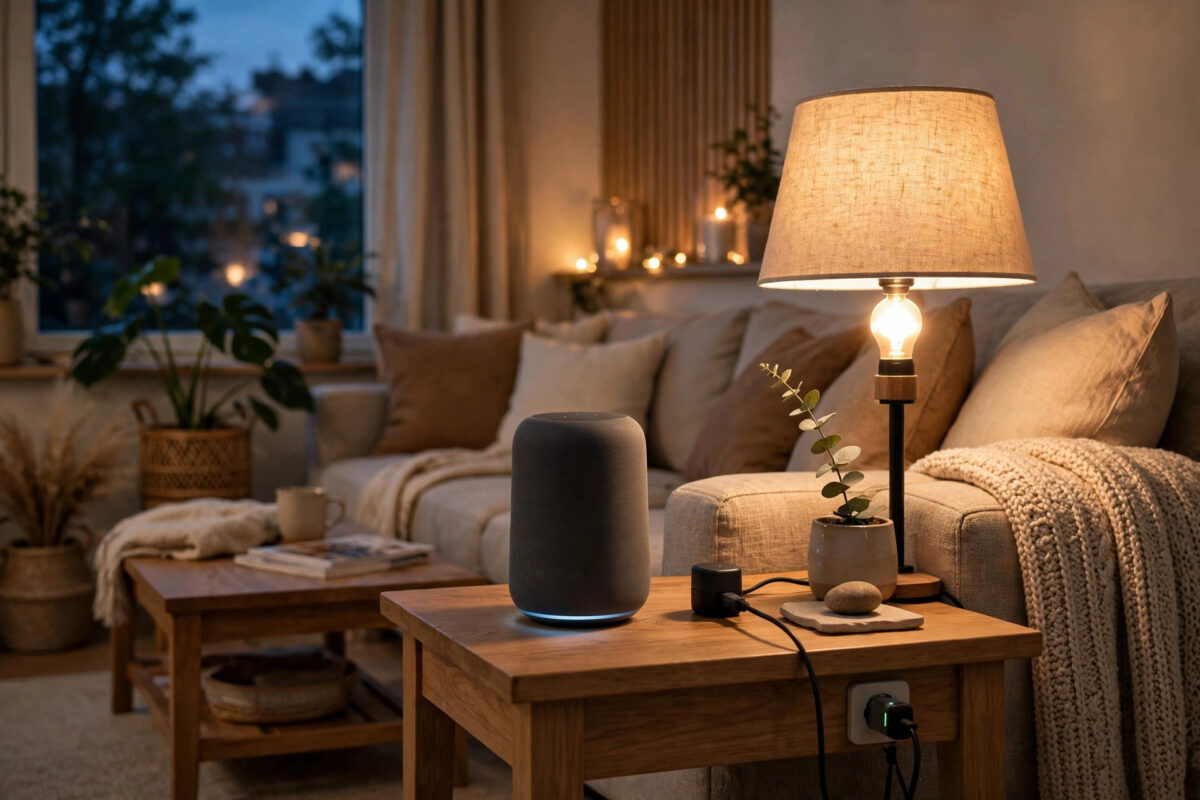
Starting a smart home sounds expensive and complicated, but a genuinely useful basic setup needs surprisingly little: a solid Wi-Fi network, one control method (a phone app or a voice assistant), and two or three well-chosen devices. Everything else can grow slowly, one payday at a time. This guide lists exactly what you need, what you can skip, and the order to buy in.
Quick Answer
To start a basic smart home you need: (1) reliable home Wi-Fi with good coverage, (2) a smartphone with your chosen platform app — Google Home, Amazon Alexa, Apple Home, or SmartThings, (3) one smart speaker or hub if you want voice control, and (4) a few starter devices such as smart bulbs, smart plugs, or a video doorbell. Buy devices that match your chosen platform, start in one room, and expand gradually.
Foundation 1: Your Wi-Fi Network
Every smart device talks through your network, so the network is the foundation. A basic setup does not need a premium router, but it does need:
- Coverage where devices will live: A camera at the front door and a bulb in a back bedroom both need a decent signal. If your current router leaves dead spots, a mesh Wi-Fi kit is the single best smart home investment.
- A 2.4GHz band: Most smart plugs, bulbs, and cameras only use 2.4GHz Wi-Fi because it travels further through walls. Modern routers broadcast it by default — just avoid disabling it.
- A strong, unique password: Dozens of devices will hold this password. Make it long, and change the router’s default admin login too.
Our guide on boosting Wi-Fi for outdoor cameras explains coverage testing, which applies just as well to indoor devices.
Foundation 2: Pick Your Platform (and Stick to It)
Your platform is the app — and optionally the voice assistant — that ties everything together. The main choices are Amazon Alexa, Google Home, Apple Home, and Samsung SmartThings. Pick based on the phones and services your household already uses: iPhone homes lean Apple or Google, Android homes lean Google or Alexa, mixed homes often choose Alexa or SmartThings. The golden rule: before buying any device, check the box or listing for “Works with Alexa / Google Home / Apple Home / SmartThings” matching your choice. The Matter standard, now built into most new devices, makes mixing brands far easier than it used to be, because Matter devices work across all four platforms.
Foundation 3: A Smart Speaker or Hub (Optional but Recommended)
You can run a basic smart home from your phone alone, but a small smart speaker (Echo Dot, Nest Mini, HomePod mini) adds hands-free voice control, which is what makes a smart home feel smart. Place one in the room you use most. Some devices, older Zigbee or Z-Wave accessories typically, need a hub; Matter and Wi-Fi devices generally do not. If you start with Wi-Fi and Matter devices, you can skip hub shopping entirely. Setting one up takes minutes, as our guide on setting up a smart speaker shows.
The Best Starter Devices (in Buying Order)
1. Smart Plugs
The cheapest, most forgiving first device. A smart plug turns any lamp, fan, or coffee maker into a scheduled, app-controlled appliance, and teaches you the platform’s routines with zero risk. Buy two.
2. Smart Bulbs
Start with the lamps and main lights in one room. Bulbs need no wiring changes, and features like warm-to-cool white and schedules at sunset feel genuinely luxurious. Note that bulbs need their light switch left on; smart switches are a later, electrician-level upgrade.
3. A Video Doorbell or Indoor Camera
Seeing who is at the door and checking on pets or deliveries adds real security value. Battery doorbells install in minutes with no wiring. Be considerate with placement and angle towards your own property.
4. A Smart Speaker in a Second Room or a Smart Display
Once voice control proves itself in one room, a second speaker extends it. A smart display adds camera feeds and visual timers, and is the natural next step before more specialised gadgets.
Setting Up Your First Room: A Simple Plan
- Install the platform app and create your household.
- Set up the smart speaker and connect it to Wi-Fi.
- Add the smart plugs and name them by what they control (“bedside lamp”), not by brand or code.
- Add the bulbs and group everything by room in the app.
- Create two routines: a morning routine (lights on, news brief) and a “goodnight” routine (everything off, door check).
- Live with it for two weeks before buying anything else — your habits will tell you what you actually need next.
Budget Expectations
A sensible starter budget is £100–£200 / $120–$250: a small smart speaker (£30–£60, often less on sale), two smart plugs (£15–£25), two to four smart bulbs (£25–£50), and optionally a battery video doorbell bought later. There are no required subscriptions for basic lighting and plugs; cameras are the category where optional cloud plans appear, so factor that in when choosing a doorbell or camera brand. The U.S. Department of Energy’s smart home guidance also notes that smart thermostats and lighting controls can trim energy bills, which helps the setup pay for itself over time.
Common Mistakes to Avoid
- Buying devices before choosing a platform: Incompatible bargains are how people end up with five apps and no routines.
- Kitting out the whole house at once: Start with one room, learn, then expand.
- Ignoring the 2.4GHz requirement: Devices failing to connect are usually a Wi-Fi band or coverage issue, not faulty hardware.
- Cheapest no-name devices: Unknown brands may lack updates and security support; stick to names that publish firmware updates.
- Leaving default passwords: Change router admin and device account passwords during setup, and turn on two-factor authentication.
Your First Month: What to Expect and Learn
The first weeks teach you your household’s real habits, and those lessons should steer every later purchase. You will notice which lights actually get used (and which “smart” scenes nobody ever triggers), whether voice control or the app wins in your kitchen, and where Wi-Fi grumbles — a camera or bulb that drops offline twice a week is diagnosing your coverage for free. Keep a short note of annoyances as they occur; they form your shopping list far better than any advertisement. Most households discover the same shortlist by week four: one more speaker for the room where commands are shouted through doorways, a plug for the appliance everyone forgets, and better lighting in the room where the first bulbs proved themselves. That is the smart home growing at the right speed — pulled by your routine, not pushed by a catalogue.
Conclusion
A basic smart home needs less than you think: dependable Wi-Fi, one platform app, an optional small speaker for voice control, and plugs and bulbs in a single room. Spend the first month learning what your household actually uses, protect the accounts properly, and let the system grow device by device from there.
Frequently Asked Questions
Do I need a hub to start a smart home?
Usually not. Wi-Fi and Matter devices connect straight to your network and platform app. You only need a hub for certain Zigbee or Z-Wave accessories, or if you later want advanced local automations.
Which platform is best for beginners?
Whichever matches your phones. iPhone households do well with Apple Home or Google Home; Android households with Google Home or Alexa. All four handle basics well, and Matter devices keep your options open.
How much does a basic smart home cost?
Around £100–£200 covers a smart speaker, two smart plugs, and a few bulbs — enough for one room with voice control and routines. Adding a video doorbell later is the most popular first expansion.
Will smart devices work if the internet goes down?
Basic local control often keeps working (switches, some routines, and Matter-over-Thread devices), but voice assistants, remote access, and cloud routines stop. A reliable broadband connection matters, though short outages are only a minor nuisance.
Are smart homes hard to set up for non-technical people?
No. Modern apps guide you with QR codes and step-by-step pairing. The two genuinely important decisions — picking a platform and having decent Wi-Fi — are covered in this guide, and each device takes about five minutes to add.

[…] such as a recent Echo, Nest, HomePod, or Apple TV, rather than a separate bulb hub. Our overview of what you need to start a basic smart home explains where Matter fits in the bigger […]
[…] Wrong system type in setup: Telling the app you have a heat pump when you have a boiler (or vice versa) causes bizarre behaviour. Check the boiler manual if unsure. Thermostat control pairs naturally with the other starter devices in our guide on what you need to start a basic smart home. […]