
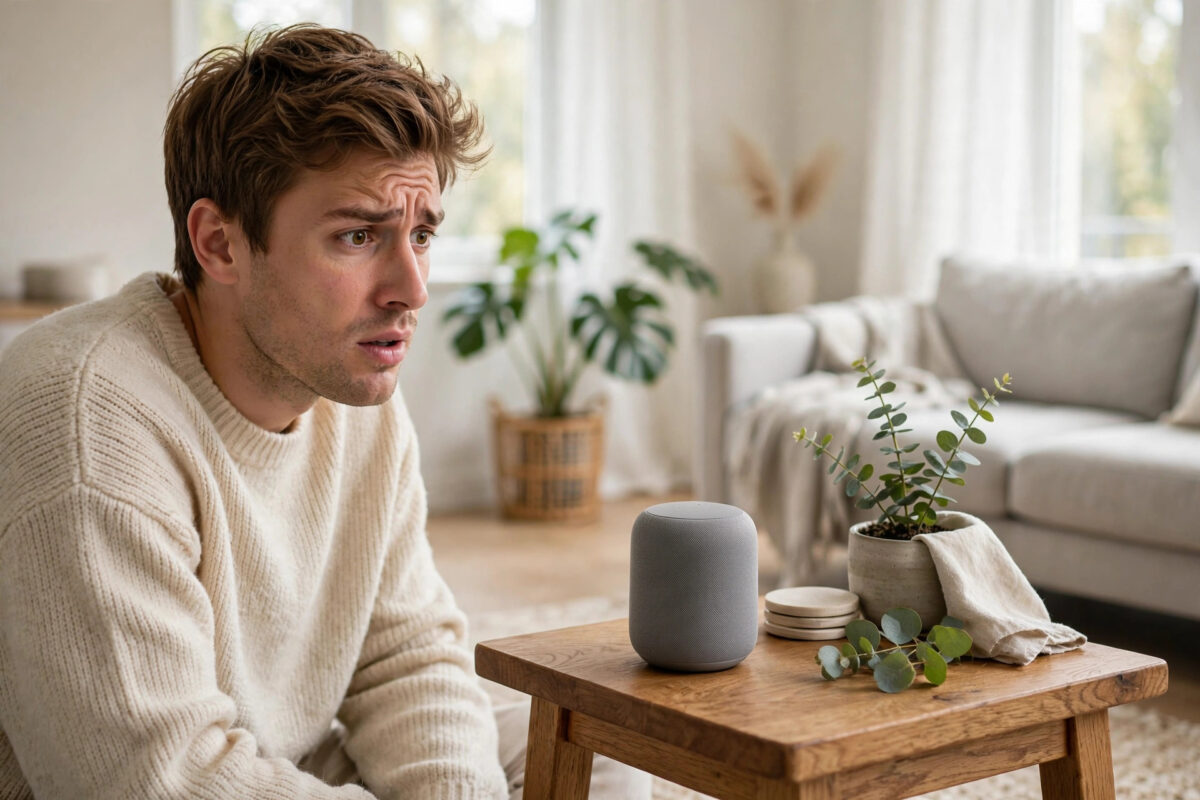
You ask your smart speaker a question and hear its answer twice — once live, and again a moment later, trailing behind like a bad phone call. Or perhaps your own voice echoes back when you use the speaker for calls and drop-ins. Echo problems on smart speakers such as Amazon Echo and Google Nest are common, and in most cases they come down to placement, volume, or two devices answering in the same space. Here is how to track down the cause and fix it.
Quick Answer
Move the speaker away from walls, corners, and hard surfaces, lower its volume, and make sure no second speaker, soundbar, or phone is playing the same audio nearby. Restart the speaker, check for software updates, and if the echo happens on calls, reduce the volume and increase the distance between the speaker and the person talking. Echo that survives all of this usually points to a network delay or a faulty unit.
First, Work Out Which Echo You Have
“Echo” describes three different problems, and each has different fixes:
- The speaker’s own voice repeats: You hear the assistant answer, then hear the same answer again faintly. This is often a second device playing the same response, or sound bouncing around a hard room.
- Your voice echoes during calls: The person on the other end hears themselves, or you hear yourself returned. This is acoustic feedback between the speaker and microphone during calls and Drop In.
- The music sounds hollow or phasey: Two speakers in a stereo pair or multi-room group are slightly out of sync, or one is delayed.
Knowing which one you have saves a lot of random tinkering.
Fix 1: Placement — The Cause of Most Echoes
Smart speakers listen with sensitive microphone arrays. Put one in a corner, inside a bookshelf, or hard against a wall, and its microphones hear the room’s reflections almost as loudly as the original sound. During calls, the speaker’s own output bounces straight back into the microphones faster than the echo cancellation can remove it. Follow these rules:
- Place the speaker on an open surface, at least 20–30cm from any wall, and never in a corner or inside a cabinet.
- Keep it away from other hard, reflective surfaces like bare tiles and large windows where possible, or add soft furnishings — curtains, rugs, and sofas absorb reflections.
- Do not sit it directly on top of a soundbar, TV unit with another speaker, or a second smart speaker.
- For calls, sit within 1–2 metres of the speaker rather than shouting across the room; distance plus loud volume is the classic echo recipe.
Fix 2: Turn It Down and Space Things Out
Echo cancellation works within limits. At maximum volume in a reflective room, the microphones simply cannot separate the speaker’s output from your voice. Dropping the volume to 60–70% cures a surprising number of echo complaints. Also check for doubles: if an Echo and a Fire TV, or a Nest speaker and your phone, are all signed into the same account in one room, two devices may respond or play simultaneously. Mute or move one, and check your multi-room groups — our guide on setting up a smart speaker with Alexa or Google Home covers groups and preferred-speaker settings that prevent double answers.
Fix 3: Restart, Update, and Check the Network
A delayed audio stream sounds like an echo when two devices play the same content out of sync, and delays come from software glitches or a struggling network.
- Unplug the speaker for 30 seconds and plug it back in; this clears temporary audio sync faults.
- Check the app for firmware updates and install them — both Amazon and Google have shipped specific echo and sync fixes.
- If the speaker is far from the router, move it closer or improve coverage; a weak Wi-Fi signal adds buffering delays, especially in stereo pairs and multi-room groups. The Google Nest help pages list the same restart-and-update sequence for Nest audio problems.
- For stereo pairs, delete the pair in the app and create it again so both speakers resync from scratch.
Fix 4: Echo During Calls and Drop In
Call echo usually means the far end’s voice, played through your speaker, is re-entering your microphone and being sent back. Lower your speaker volume, move closer when talking, and ask the other person to do the same at their end — the problem is as often theirs as yours. Avoid calling between two rooms in the same house with doors open, where the sound literally travels through the air to the other device. If one particular contact always echoes, test a call to someone else to find out which household has the issue.
When It Might Be the Hardware
If one speaker echoes in every room, at sensible volumes, after restarts and updates, while an identical model does not, suspect the unit itself: a failing microphone array or speaker driver can defeat echo cancellation. Try a factory reset as the last software step (you will need to set the speaker up again afterwards). If the echo survives a reset in a different room, contact the manufacturer — a speaker still under warranty should be replaced.
Common Mistakes to Avoid
- Tucking the speaker into a shelf or corner: Reflections are the number one echo cause.
- Running calls at full volume: Echo cancellation cannot cope; 60–70% is the sweet spot.
- Two assistants in earshot: A phone, TV, and speaker all listening creates double responses that feel like echo.
- Blaming the speaker for group sync issues: Out-of-sync multi-room audio is usually the network, not the hardware.
- Skipping updates: Audio processing improvements arrive in firmware; enable automatic updates.
A Quick Note on Echo in Recordings and Timers
Two related complaints deserve a mention because they are not faults at all. If the assistant’s voice sounds distant or reverberant in a large, empty room — a new home before the furniture arrives, a tiled hall — that is simply the room’s natural acoustics, and it resolves as soft furnishings arrive. Similarly, if an alarm or timer seems to “echo”, check whether a routine is playing it on a speaker group: grouped speakers with slightly different network delays deliberately overlap, which sounds like echo in small homes where you can hear two rooms at once. Playing alarms on a single speaker rather than a group removes the effect. Neither case needs a repair or a reset — just the right mental model of what the speaker is doing.
Conclusion
Nine times out of ten, smart speaker echo is a placement and volume problem: open space around the device, sensible volume, soft furnishings, and no duplicate speakers answering together. Work through placement, volume, restarts, and updates in that order, and reserve the hardware conclusion for echoes that follow the speaker from room to room.
Frequently Asked Questions
Why does my Echo repeat everything it says?
Usually because a second device — a Fire TV, another Echo in a group, or the Alexa app on a nearby phone — is playing the same response a fraction later, or the speaker sits somewhere very reflective. Move duplicates apart, check your preferred speaker settings, and reposition the unit away from walls.
Why do callers hear an echo of themselves?
Your speaker is playing their voice loudly enough that its microphones pick it up and send it back. Lower the volume, sit closer to the speaker, and move it out of corners. If it happens with every caller after these fixes, restart and update the speaker.
Can Wi-Fi cause echo on a smart speaker?
Yes, indirectly. In stereo pairs and multi-room groups, a weak connection makes one speaker lag behind the other, which sounds like echo or a doubling effect. Improving Wi-Fi coverage or moving the speaker nearer the router fixes it.
Does a factory reset fix echo problems?
Sometimes — it clears corrupted settings and forces a fresh update. Try it after placement, volume, restart, and update steps, and set the speaker up in a different, open spot to rule out the room itself.
Why does my smart speaker sound echoey in the kitchen?
Kitchens are full of hard, reflective surfaces — tiles, worktops, cupboards — and often have the speaker wedged between appliances. Move it to an open spot, add distance from walls, and lower the volume slightly; kitchens respond well to all three.

[…] Restart monthly: A quick deliberate restart clears slow memory leaks, just as it does on the smart speakers and tablets we discuss in our article on fixing smart speaker problems. […]