
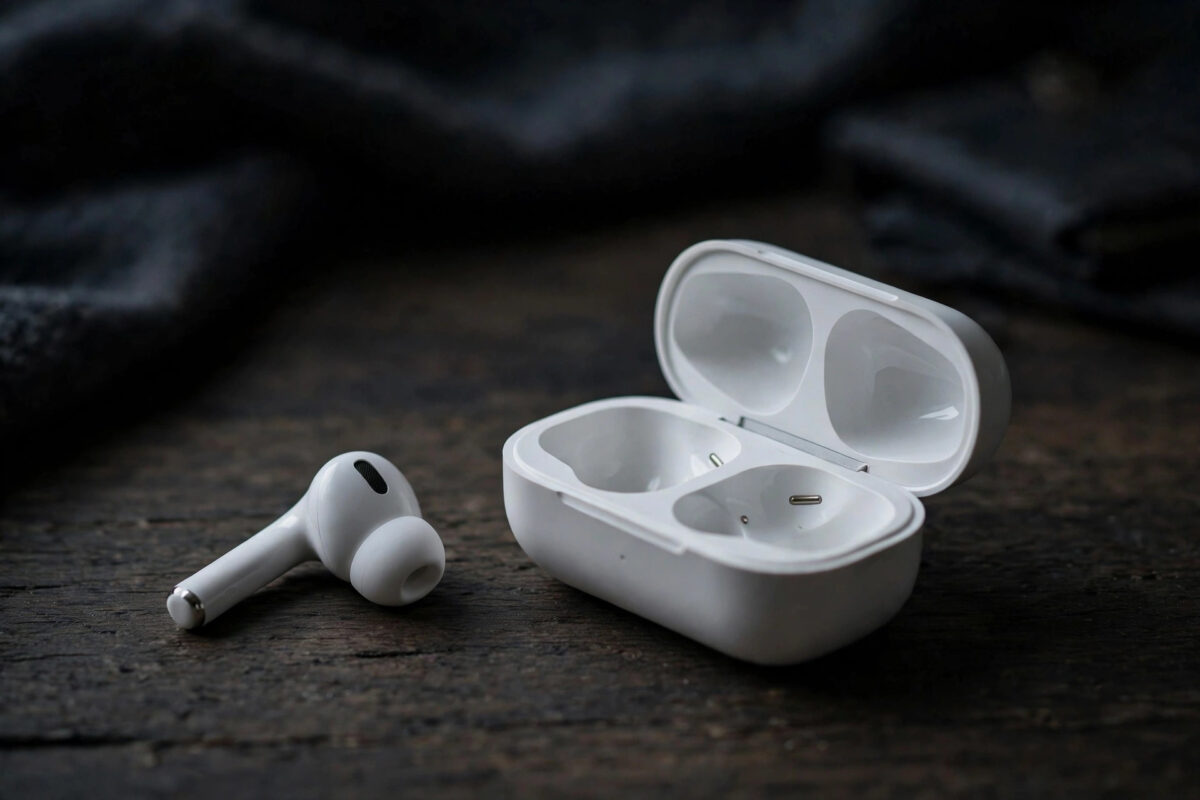
One earbud works perfectly. The other is silent, missing from the app, or flat every time you pick it up. The “one dead bud” problem is the most common fault reported with wireless earbuds of every brand, and Galaxy Buds On are no exception — but most cases turn out to be charging contacts, fit in the case, or a pairing glitch rather than an actually dead earbud.
Work through this guide in order. The early steps fix the majority of one-sided Buds On problems, and the later steps tell you when it is time to use the warranty.
Quick Answer
If one Galaxy Buds On earbud is not connecting or charging, first clean its charging contacts and the pins inside the case with a dry cotton bud, reseat it firmly until the case light responds, and leave it charging for 30 minutes. If it still does not appear, put both buds in the case, forget the earbuds in your phone’s Bluetooth settings, and re-pair them fresh through the Galaxy Wearable app. Also update the firmware, because one-sided connection bugs are often software. If one bud still shows no light, no charge, and no connection after a reset while its twin works in the same case slot, it is likely a hardware fault — contact Samsung Support about a warranty replacement for that earbud.
First, Work Out Which Problem You Have
“Not working” covers three different faults, and they have different fixes:
- Not charging: the bud is flat because it never charged in the case. The app may show its last known battery level.
- Charged but not connecting: the bud has power — the case light reacts to it — but no sound plays and the app shows it disconnected.
- Connecting but silent: the app shows it connected with battery, yet no audio comes out. That is a fit, volume-routing, or speaker problem instead.
Check the battery levels in the Galaxy Wearable app and watch the case’s indicator light as you insert and remove the faulty bud. Two minutes of observation here prevents an hour of the wrong fix.
Fix Charging Problems
- Clean the contacts. The small metal contacts on the bud and the pins in the case collect skin oil and pocket dust. Wipe both with a dry cotton bud or soft cloth. Never use water or sprays.
- Reseat the bud. Clip-on buds sit differently in the case than in-ear models. Press the bud into its slot until it seats with a definite click or the case light changes.
- Swap slots mentally: compare how the good bud sits versus the faulty one. A bud sitting slightly high is not touching its pins.
- Charge the case itself. A nearly flat case may charge one bud and abandon the other. Charge the case to full, with both buds inside, for at least 30 minutes.
- Try a different cable and charger. Weak third-party chargers can leave the case underpowered in ways that look exactly like a dead earbud.
Fix Connection Problems
- Restart the pairing: place both buds in the case, close the lid for 10 seconds, then open it and check the Wearable app.
- Forget and re-pair: in your phone’s Bluetooth settings, forget Galaxy Buds On completely, then pair again through the case-open pop-up or the Wearable app.
- Reset the earbuds: in Galaxy Wearable, open Earbud settings and use the Reset option. This clears the buds’ own pairing memory, which fixes “ghost” connections to old devices.
- Update firmware: one-sided dropouts are a classic early-firmware bug. Update with both buds in the open case near the phone.
- Check for a competing device: the “dead” bud may be connected to your tablet or laptop in another room. Turn off Bluetooth on other devices and test again.
Samsung’s own Galaxy Buds troubleshooting pages on Samsung Support use this same sequence — clean, reseat, reset, update — because it resolves most one-bud cases without a repair.
If the Bud Connects but Stays Silent
Confirm the bud is actually seated on your ear correctly; clip-on speakers aimed away from the ear canal can sound almost silent outdoors. Test the bud alone with the other one left in the case, swap your usual music for a voice recording (voices reveal a dead speaker clearly), and check the audio balance in your phone’s accessibility settings has not been slid fully to one side — a setting people change once and forget for a year. Our Galaxy Buds On setup and fit guide shows the correct clip position to compare against.
When to Use the Warranty
Contact Samsung if all of these are true: the bud shows no charging response in a clean, working case slot; a full reset and re-pair changed nothing; the firmware is current; and the other bud works perfectly in the same conditions. That combination means the fault lives inside the earbud — a failed battery or broken contact — and no home fix exists. Ask specifically about single-earbud replacement, since manufacturers commonly replace just the faulty bud rather than the whole set. Keep your proof of purchase handy; earbuds this new are covered.
Preventing the Problem From Coming Back
One-bud faults love to return when the original cause was dirt or habit. Build three tiny routines: wipe the buds’ contacts with a dry cloth when you take them out at night; always return them to the case rather than a pocket or bag, where lint and pressure do slow damage; and glance at the case light as you close the lid — that one-second check confirms both buds are seated and charging before a flat battery can surprise you tomorrow. Once a month, check for firmware updates in the Wearable app even if everything works, because connection fixes arrive quietly and owners who skip them end up troubleshooting problems Samsung already solved.
Common Mistakes and Useful Tips
Washing the contacts. Liquids corrode charging pins and void more warranties than they fix. Dry cleaning only, every time.
Testing for ten seconds. A completely flat bud can need several minutes in the case before it shows any sign of life. Give it a full half hour before concluding anything.
Resetting before cleaning. Resets are disruptive — you lose your settings and pairings. Clean and reseat first; they solve most cases in two minutes.
Storing buds loose. Buds carried in a pocket instead of the case arrive at their next use dusty, discharged, and one-sided. The case is their home.
Conclusion
A silent Galaxy Buds On earbud is usually a dirty contact, a poor seat in the case, or a confused pairing — in that order. Clean, reseat, charge fully, then reset and update if needed, and most one-sided problems disappear. Save the warranty claim for the bud that ignores all of it: that one has earned a replacement.
Frequently Asked Questions
How do I know if my earbud is charging at all?
Insert the bud and watch the case indicator and the Galaxy Wearable app. A charging bud shows its battery percentage rising within a few minutes. No light change and no percentage after 15 minutes in a clean, seated position means the bud is not receiving power.
Can I buy just one replacement Galaxy Buds On earbud?
Typically yes — Samsung sells and supplies single replacement earbuds for its Galaxy Buds lines through support and authorised service centres. A replacement bud pairs with your existing case and twin through the Wearable app’s pairing process.
Why does one earbud always run out of battery first?
Small differences are normal because one bud often handles more microphone or connection duties. A large or growing gap — one bud dying hours earlier — suggests its battery or its case charging contact is failing, so clean the contacts and monitor it.
Will resetting the earbuds delete my settings?
Yes, a reset returns the buds to factory state: custom controls, EQ, and pairings are cleared. That is why reset is a late step in this guide, after cleaning and reseating have had their chance.
My earbud fell in water. Is that why it stopped working?
Possibly. Let it dry completely at room temperature for at least 24 hours before charging or testing it — charging a wet bud causes the real damage. If it stays dead after drying, it needs service, and water damage is usually assessed separately from the standard warranty.



Leave a Reply