
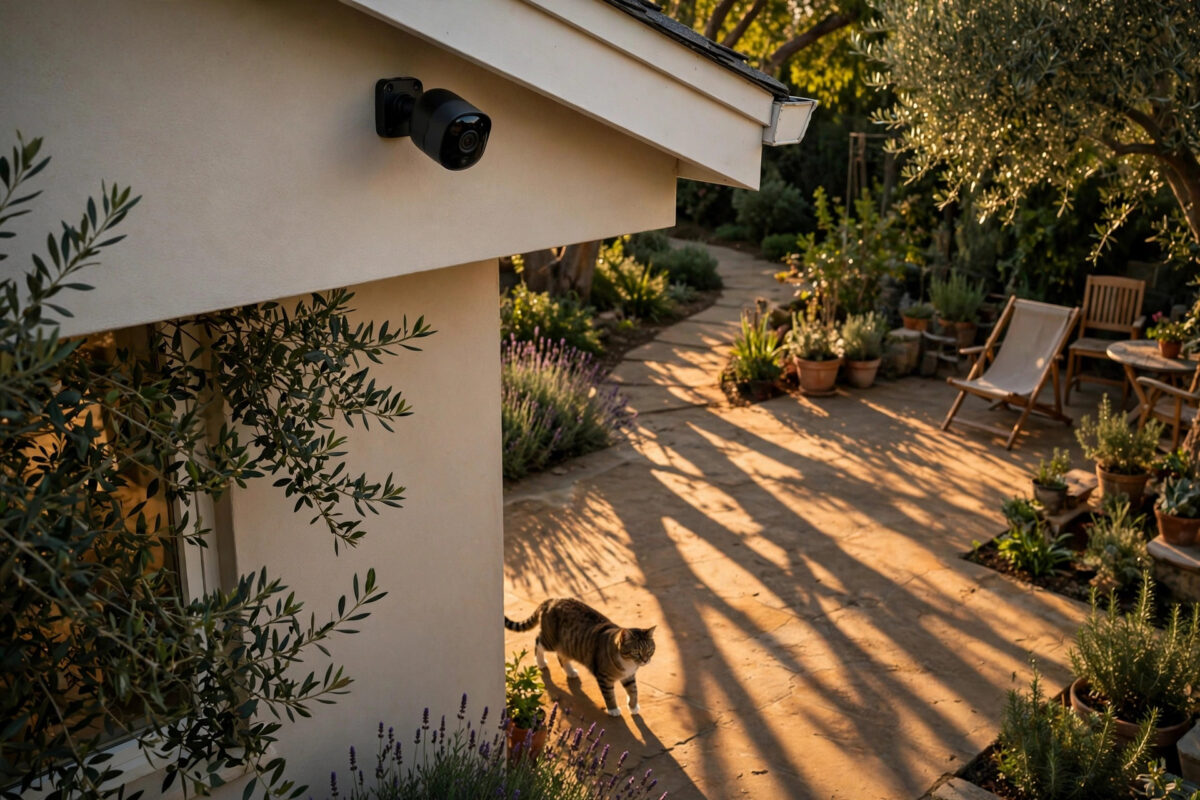
Nothing breaks trust in a smart camera faster than a phone that buzzes all day for the wrong reasons. You get an alert that says a person was detected in the garden, you open the app with your heart racing, and it turns out to be your cat crossing the patio or the shadow of a tree moving in the wind.
Person detection is supposed to solve the old problem of motion alerts for every leaf and headlight. When it keeps tagging pets and shadows as people, the feature stops feeling smart. The good news is that this is rarely a broken camera. In most homes, the cause is a mix of camera angle, sensitivity settings, lighting, and where the camera is pointed. Fix those, and the alerts become far more accurate.
Quick Answer
Lower the motion sensitivity slightly, turn on pet or animal filtering if your app offers it, and redraw your activity zones so pets stay below the detection area where possible. Raise the camera a little higher and angle it down so shadows and small animals look smaller in the frame, and make sure person detection, not just general motion detection, is the trigger for your alerts. Updating the firmware and improving night lighting also helps the camera tell a person apart from a pet or a moving shadow.
Why Person Detection Gets It Wrong
Most smart cameras do not truly understand what they see. They use software models trained on millions of images to look for shapes that resemble a human body — a head, shoulders, an upright posture, and movement at a certain speed. Anything that roughly matches that pattern can trigger a person label.
How Pets Fool the Camera
A large dog at a fence, a cat sitting upright close to the lens, or a pet walking toward the camera can fill the frame in a way that looks human to the software. A small pet very close can appear the same size as an adult far away, and size is one of the clues the system uses. In poor light, clues like four legs and a tail can disappear.
How Shadows Fool the Camera
Shadows are an even bigger problem. At sunset, shadows grow tall and thin — exactly the upright shape the model is hunting for. Reflections in glass doors and car windows cause similar issues, because the camera sees a moving, human-like reflection.
Lighting and Image Quality
Person detection works best with a clear, well-lit image. Grainy night video, glare, rain on the lens, or a web near the infrared lights all reduce detail. When detail drops, the software guesses more — and guesses wrong more often.
Step-by-Step Fixes That Actually Work
Work through these steps in order, changing one or two things at a time.
- Confirm person alerts are on, and motion-only alerts are off. Open your camera app, go to notification or detection settings, and make sure you are alerted for people specifically. If every motion event also sends a notification, you will get alerts the person filter was meant to block.
- Update the firmware and the app. Manufacturers improve their detection models regularly. Check for camera firmware updates in the device settings and update the phone app from your app store before changing anything else.
- Lower sensitivity by small steps. Find the motion or person sensitivity slider and drop it by about ten to twenty percent. Test for a full day and night. Lowering it too far can cause real people to be missed, so small steps are safer.
- Turn on pet, vehicle, and package filters. Many brands now separate detections into people, pets, vehicles, and packages. Enable the pet category so animal events are labelled correctly and excluded from person notifications.
- Redraw your activity zones. Remove zones from areas where pets roam freely, such as a low patio or feeding spot, and keep zones focused on doors, gates, and walkways where people should be.
- Adjust the camera angle. Mount the camera roughly seven to nine feet high and tilt it slightly downward. This view shows people clearly while making pets and ground shadows smaller and easier for the software to classify.
- Clean the lens and check for webs. Wipe the lens with a soft, dry cloth. At night, look at the live view for bright white strands or spots, which usually mean a web or dust near the infrared lights.
- Improve the lighting. Add a soft outdoor light or adjust an existing one so it lights faces and bodies evenly without shining straight into the lens. Better light means better detail, day and night.
- Restart the camera after big changes. A simple restart from the app or by unplugging for thirty seconds clears temporary glitches that can affect detection.
Tuning Zones and Sensitivity for Pets
If your dog or cat uses the same space you need to protect, zones and sensitivity need to work together. Start by watching a few recorded clips of your pet triggering alerts. Note where in the frame the false detection happens. If it is always in one corner — near a food bowl, a cat flap, or a favourite sunny spot — shrink the zone to exclude that corner while keeping doors and paths covered.
Some apps let you set a minimum object size. If yours does, raise it slightly so small, low shapes are ignored. Then walk through the scene yourself and check you are still detected at the gate and the door.
Dealing With Shadows and Reflections
Shadows move with the sun, so a camera that behaves in the morning may misbehave in the afternoon. Watch clips from the worst time of day. If tree shadows are the trigger, trimming a branch or moving the camera can help more than any setting. If the shadow falls across only part of the scene, split your zone into two smaller zones that skip that strip.
For reflections, angle the camera slightly away from glass doors, windows, and parked cars. If your camera offers a feedback option — such as marking a clip as not a person — use it every time. According to guidance on the Google Nest support pages on familiar face and activity detection, giving feedback and keeping zones accurate helps the system improve over time.
Brand Settings Worth Checking
Look for smart detection, AI detection, or detection types in the settings. Inside, you will usually find separate toggles for people, animals, and vehicles, plus a sensitivity control for each. Turning animal sensitivity down while keeping person sensitivity normal is often the most effective change.
Also check whether your best features need a subscription. On several platforms, advanced pet separation only works fully with a paid plan. Our guide to choosing the best smart security camera for your home explains which detection features are free and which sit behind a plan.
Common Mistakes to Avoid
- Turning sensitivity to maximum. Higher is not smarter. Maximum sensitivity makes the camera report almost everything and increases false person tags.
- Covering the whole yard with one big zone. A single large zone invites pets, shadows, and passing reflections into your alerts. Smaller, focused zones work better.
- Mounting the camera too low. A camera at pet height sees animals large and close, which is exactly when they get mislabelled as people.
- Ignoring night performance. Many owners test only in daylight. Most false alerts happen at dawn, dusk, or night, so always review clips from those times.
- Changing five settings at once. You will never know which change worked, and you may create new problems while fixing old ones.
- Forgetting the lens. Dirt, rain spots, and webs are simple causes that software settings cannot overcome.
When the Problem Might Be the Camera Itself
If you have tuned zones, lowered sensitivity, cleaned the lens, and updated everything, yet the camera still labels every cat as a person, its detection model may simply be weak. Older, very cheap cameras often cannot reliably separate pets from people at night or at long range. Try a better position first; if that does not help, upgrading to a camera with proven on-device AI detection is the honest long-term fix.
Conclusion
Person detection mistakes are frustrating, but they are usually fixable without buying anything. Start with the basics: clean lens, updated firmware, person-only notifications, and sensible sensitivity. Then refine your zones around doors and paths, lift the camera to a better angle, and improve the lighting where shadows and pets cause trouble. Test each change for a day, use the feedback tools in your app, and you should see false person alerts drop sharply while real visitors are still caught every time.
Frequently Asked Questions
Why does my camera say a person was detected when it was only my dog?
Close to the lens, a dog can appear as large as a distant person, and in poor light the software may miss the details that show four legs and a tail. Lowering animal sensitivity, raising the camera, and shrinking zones near where your dog walks usually fix it.
Can shadows really trigger person detection?
Yes. Long evening shadows can stretch into tall, upright shapes that match what the detection model looks for. Splitting zones to avoid the shadow path, changing the camera angle, or trimming the branch casting the shadow all help.
Should I turn sensitivity all the way down?
No. Very low sensitivity stops false alerts but can also miss real people, especially at a distance or at night. Lower it in small steps and test by walking through the scene at your gate and door after each change.
Does person detection need a subscription?
On many cameras, basic person detection is free but advanced features like pet separation, package detection, and longer video history need a paid plan. Check your brand’s plan details, because without the plan your camera may only have basic motion labelling.
Will resetting the camera fix false person alerts?
A restart can clear a temporary glitch, but a full reset rarely fixes an ongoing detection problem and it wipes your zones and settings. Try tuning, cleaning, and updating first, and only reset as a last step.



Leave a Reply