
Few small problems are as annoying as picking up your Roku remote and finding that nothing happens. The television is on, your programme is waiting, but the buttons do nothing, the cursor does not move, and even the volume keys seem dead. Before you buy a replacement, work through the fixes in order. Most Roku remotes that stop working are not broken at all.
The cause is usually simple: flat batteries, a lost wireless pairing, something blocking the signal, or a stick that needs a restart. Voice remotes and simple infrared remotes fail in slightly different ways, so this guide covers both. Follow the steps from the top and stop when your remote works again.
Quick Answer
To fix a Roku remote that stopped working, replace the batteries with fresh ones, restart the Roku device by unplugging it for ten seconds, and re-pair a voice remote by holding its pairing button for five seconds near the device. For a simple infrared remote, point it directly at the TV with a clear line of sight and check the sensor is not blocked.
First, Work Out Which Remote You Have
Roku makes two main kinds of remote, and the fix depends on which one is in your hand. A simple remote uses infrared light. It has no pairing button and no microphone button, and it must point at the television to work. A voice remote uses a wireless connection. It has a microphone or magnifying glass button, often a pairing button in the battery compartment or on the back, and it works without pointing directly at the TV.
Flip your remote over and open the battery cover. If you see a small pairing button, you have a voice remote. If there is no button and no voice key on the front, you have a simple remote. Keep that in mind as you read, because the pairing steps only apply to voice remotes, while line-of-sight checks only apply to simple remotes.
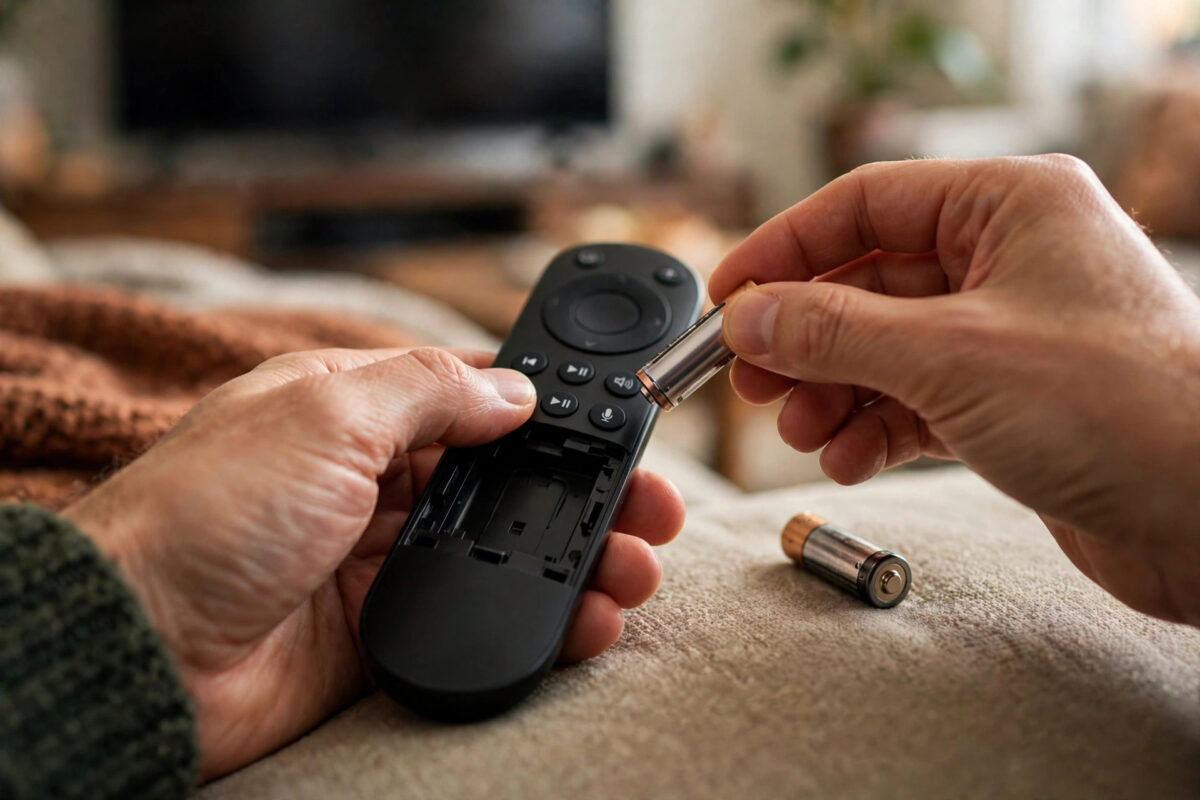
Fix 1: Replace the Batteries Properly
Batteries are the number one cause, even when the remote worked yesterday and even when some buttons still light up or respond slowly. Low power often makes a remote behave strangely before it fails completely.
- Remove both old batteries, even if you think only one is flat.
- Insert two fresh batteries of the correct size, matching the plus and minus signs inside the compartment.
- Use new batteries from the same pack. Mixing an old and a new battery causes weak and uneven power.
- Press a few buttons and watch for normal response. For a voice remote, check whether the pairing light behaves normally.
While the cover is off, check the metal contacts. If you see white or green corrosion, gently clean it with a dry cotton bud. Do not use water inside the remote. If batteries leaked badly, the remote may need replacing.
Fix 2: Restart the Roku Device
Sometimes the remote is fine and the Roku itself has stopped listening. A restart clears that in under a minute.
- Unplug the Roku stick or box from power. For a Roku TV, unplug the television itself.
- Wait a full ten seconds. Remove the remote batteries during this wait as well for a clean reset.
- Plug the Roku back in and wait for the Home screen to appear.
- Put the batteries back in the remote and test it as the device finishes starting.
Avoid restarting through the menu when the remote is not working, since you cannot navigate to the setting. Unplugging is the correct method here. If you have the Roku mobile app on your phone connected to the same Wi-Fi, you can also use it as a temporary remote to restart from Settings, System, Power, System restart.
Fix 3: Re-Pair a Voice Remote
If fresh batteries and a restart did not help and you have a voice remote, pair it again from scratch.
- Unplug the Roku, wait ten seconds, and plug it back in.
- As it starts, remove the remote batteries, wait five seconds, and put them back in.
- Press and hold the pairing button for five seconds, or until the light on the remote starts flashing.
- Place the remote close to the Roku device and wait. Pairing can take up to 30 seconds.
- Watch the TV for the pairing confirmation, then test the direction buttons and voice button.
Pairing fails more often when the remote is far away, when other wireless devices are very close, or when the Roku is hidden deep behind the TV inside a cabinet. Move closer for pairing and give the stick open space. Our guide on how to improve Wi-Fi signal for smooth streaming also helps here, because a weak wireless environment can affect both streaming and remote stability on some models.
Fix 4: Clear the Path for a Simple Remote
A simple infrared remote sends an invisible light signal. Anything between the remote and the sensor can stop it.
- Point the remote directly at the front of the TV or Roku box from a normal viewing distance.
- Move soundbars, ornaments, or stacked devices that sit in front of the sensor.
- Wipe the front tip of the remote and the TV sensor area with a dry cloth to remove dust.
- Test the remote close to the TV first. If it works close but not from the sofa, replace the batteries again with a different fresh set.
You can test whether the remote is sending a signal at all using a phone camera. Open the camera, point the remote at the lens, and press a button. On many phones you will see a flicker of light on the camera screen when the infrared signal fires. No flicker with fresh batteries usually means the remote itself has failed.
Fix 5: Check Wi-Fi and Use the App as a Backup
Voice remotes connect through your wireless environment, and the Roku mobile app needs the phone and the Roku on the same network. If your router was restarted, your network name changed, or the Roku lost Wi-Fi, remote behaviour can suffer at the same time as streaming problems.
Install the free Roku app on your phone from your app store, connect the phone to the same Wi-Fi as the Roku, and open the Remote section in the app. If the app remote works perfectly, your network and Roku are healthy and the fault is almost certainly in the physical remote. If the app cannot find the Roku either, fix the network connection first using the on-screen settings with the app once it reconnects, or by restarting the router.
Roku maintains detailed remote troubleshooting, including pairing light patterns for each model, on the Roku Support home page. The dedicated Roku remote troubleshooting guide on support.roku.com is worth checking if your light flashes in an unusual pattern.
Common Mistakes to Avoid
- Changing only one battery: Always replace both batteries together with a fresh matching pair.
- Holding the pairing button too briefly: A quick press does nothing. Hold for a full five seconds until the light flashes.
- Pairing from across the room: Pairing works best within a short distance of the Roku. Move close for this step only.
- Assuming the remote is dead before restarting the Roku: A stuck device looks exactly like a dead remote. Restart first.
- Buying the wrong replacement: Simple and voice remotes are not identical. Check your Roku model before ordering, and confirm whether you need voice control.
- Ignoring a blocked sensor: A new soundbar placed in front of the TV is a very common hidden cause for simple remote failures.
Conclusion
When a Roku remote stops working, start with the basics and stay in order: fresh batteries in both slots, a full restart of the Roku, and a fresh pairing for voice remotes or a clear line of sight for simple remotes. Use the phone app as both a backup remote and a test tool to tell whether the problem is the remote or the network. Most remotes return to normal by the pairing step without any cost. If a remote shows no signal on a camera test, has battery damage, and fails on a second Roku as well, then a replacement is the right next step.
Frequently Asked Questions
Why does my Roku remote work sometimes and then stop again?
Intermittent faults usually mean weak batteries or a weak wireless link. Replace the batteries, re-pair near the device, and move the Roku stick out from behind the TV using an HDMI extender if it is trapped in a tight space.
Can I use my phone as a Roku remote permanently?
Yes, the official Roku app works as a full remote while your phone is on the same Wi-Fi. It is a good backup, but a physical remote is still more convenient for everyday use and volume control.
Where is the pairing button on my Roku remote?
On most voice remotes it is inside the battery compartment. On some newer models it is on the back of the remote. If your remote has no pairing button anywhere, it is a simple infrared remote and does not pair.
Will re-pairing delete anything on my Roku?
No. Pairing only reconnects the remote to the device. Your channels, accounts, and settings are not affected.
How do I control Roku volume if the remote volume buttons stopped working?
Check that the TV brand is set correctly under Settings, Remotes and devices, Remote, Set up remote for TV control. Repeat the TV control setup, as a TV change or update can break the volume link even when other buttons work.
Leave a Reply