
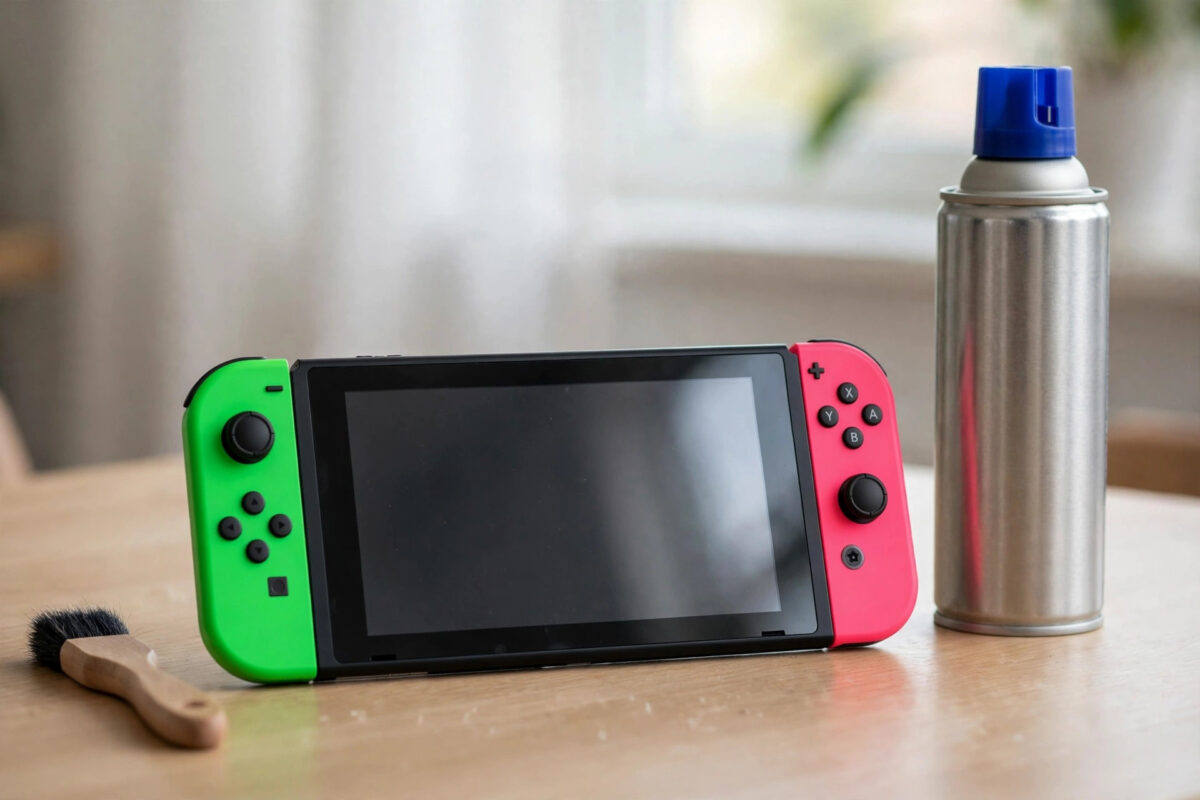
Joy-Con drift is the fault that makes your character walk on their own, or the camera slowly spin while your thumb is nowhere near the stick. It is one of the most common Nintendo Switch problems, and it can make precise games almost unplayable.
The good news is that many cases improve a lot with simple home fixes. Cleaning under the stick, recalibrating, and updating the controllers cost nothing. This guide takes you through each fix in order, and explains honestly when a repair or replacement is the real answer.
Quick Answer
To fix Joy-Con drift at home, clean gently under the rubber skirt of the stick with compressed air and a soft brush, update the controller software, and recalibrate the stick in Settings under Controllers and Sensors. These steps fix drift caused by dust and software errors. If drift returns straight away after cleaning and calibration, the stick sensor is worn and needs repair or replacement.
What Joy-Con Drift Actually Is
Inside each Joy-Con stick is a small sensor that reads the position of the stick as electrical contact moves across a surface. Over time, that surface wears down. Dust and tiny debris also collect under the stick.
When the sensor wears or gets dirty, it sends movement signals even when the stick is centred. The console cannot tell the difference between that false signal and a real push, so your character moves on their own.
This is why drift usually gets worse slowly rather than appearing overnight. It is also why cleaning helps some controllers completely, helps others for a few weeks, and does nothing for badly worn sticks.
How to Confirm You Have Drift
- Open Settings from the home screen.
- Scroll to Controllers and Sensors, then choose Calibrate Control Sticks.
- Select the drifting stick and watch the cross on the test screen.
- If the cross moves on its own, jumps around the centre, or will not return to the middle, that stick has drift.
- Test both Joy-Con, as drift often affects one stick first, usually the left one used for movement.
Fix 1: Clean Under the Stick
Dust under the stick is the easiest cause to fix, so always start here. You do not need to open the Joy-Con for this clean.
- Turn the Switch fully off, not just to sleep, and detach the Joy-Con.
- Look at the base of the stick. There is a thin rubber skirt where the stick meets the shell.
- Gently lift the edge of that skirt with a clean fingertip or a wooden toothpick. Do not tear it.
- Blow short bursts of compressed air under the skirt while rotating the stick in a full circle.
- Use a soft, dry brush, such as a clean paintbrush, to sweep away loosened dust around the base.
- Rotate the stick several times, press it down a few times, then reattach and test on the calibration screen.
Some players use a tiny amount of electrical contact cleaner made for electronics. If you try it, use only a product designed for this purpose, apply the smallest drop under the skirt, and rotate the stick to work it in. Never use water, household sprays, or oil-based products such as general lubricants, which leave residue and make things worse.
Fix 2: Update the Joy-Con Software
Joy-Con controllers have their own software, separate from the console update. An outdated controller can behave oddly even on a fully updated Switch.
- Attach both Joy-Con to the console.
- Open Settings, then Controllers and Sensors.
- Choose Update Controllers and wait for the process to finish.
- Also check for a console update under Settings, System, System Update.
- Restart the console and test the stick on the calibration screen again.
Nintendo publishes current support guidance at Nintendo Support for Joy-Con and controller problems, including repair options in your region if home fixes do not work.
Fix 3: Recalibrate the Stick
Calibration teaches the console where the true centre of your stick is. After cleaning, recalibration often removes the last small amount of false movement.
The full step-by-step process is covered in our guide on how to calibrate Nintendo Switch Joy-Con sticks and buttons, but the short version is simple:
- Open Settings, Controllers and Sensors, Calibrate Control Sticks.
- Choose the stick you cleaned.
- Follow the on-screen prompts, moving the stick to each point when asked and leaving it centred when asked.
- Check the test cross stays still in the centre afterwards.
- Repeat for the second Joy-Con if needed.
Fix 4: The Card Trick for Worn Sticks
A widely used temporary fix for worn sticks is to increase the pressure inside the stick by placing a small piece of thin card, about one millimetre thick, under the stick unit inside the Joy-Con case. Many players report this removes drift for months.
Be honest with yourself before trying it. It means opening the Joy-Con with a small tri-wing screwdriver, which takes care and can affect your warranty. If your controller is under warranty or eligible for a free repair in your region, use that route first instead.
If you do try it, work slowly on a clean table, keep every screw in order, and never force the shell. Cut the card to the size of the metal plate under the stick, place it in, close the case, and test. If drift is gone, the cause was wear and lost pressure, and you have bought yourself extra life from the controller.
Fix 5: Repair or Replace the Stick
When cleaning and calibration fail, the sensor is physically worn out. At that point you have three realistic choices:
- Official repair: Contact Nintendo support about a repair. In many regions Joy-Con drift repairs have been offered free even outside warranty, so it is always worth asking first.
- Replacement stick kit: Kits with a new stick, tools, and instructions are widely sold. This is the best value fix if you are comfortable opening the controller.
- New Joy-Con: The simplest but most expensive option. Keep the drifting one as a spare for party games where precision matters less.
Replacement sticks with hall effect sensors are also available from third parties. They use magnets instead of a wearing contact surface, so in theory they should not develop the same drift. Fit and quality vary by brand, so read recent reviews for your exact model.
Common Mistakes to Avoid
- Spraying household cleaner or oil into the stick: These leave residue, attract more dust, and can damage the sensor.
- Blowing into the stick with your mouth: Moisture from your breath makes dust stick harder. Use compressed air.
- Forcing the rubber skirt: A torn skirt lets in more dirt and cannot be easily replaced.
- Opening the Joy-Con before checking repair options: You may be entitled to a free official repair. Check first.
- Testing only in a game: Always test on the calibration screen, where false movement is clear and honest.
- Ignoring the other Joy-Con: Test both. Fixing one while the other drifts leads to the same frustration.
Conclusion
Start any Joy-Con drift fix with cleaning under the stick, a controller update, and recalibration. That free routine solves dust and software drift completely and costs ten minutes. If drift returns immediately, accept that the stick is worn. Then choose between an official repair, which may be free, a replacement stick kit, or the temporary card method if you understand the risks. There is no shame in a worn stick. It is a known weakness of the design, not something you caused.
Frequently Asked Questions
Does Nintendo repair Joy-Con drift for free?
In many regions Nintendo has offered free repairs for drift even outside the standard warranty period, but the policy depends on where you live. Contact Nintendo Support in your country and describe the drift. Ask before paying for any third-party repair.
Will compressed air damage my Joy-Con?
Used correctly, no. Keep the can upright, hold it a short distance away, and use short bursts. Do not shake the can or tilt it so liquid sprays out, and never use a high-pressure workshop air line.
Why does drift come back after I clean the stick?
Cleaning removes dust but cannot restore a worn sensor surface. If drift returns within days, wear is the cause rather than dirt. Calibration may hide mild wear for a while, but a repair or new stick is the lasting fix.
Can drift be caused by software instead of hardware?
Yes, occasionally. A controller update, recalibration, or interference from another wireless device can cause movement that looks like drift. That is why updating and recalibrating are worth doing before you assume the stick is worn out.
Is it worth buying hall effect replacement sticks?
For players who have already suffered drift, they are a sensible upgrade because the magnetic sensor has no contact surface to wear down. Quality varies, so buy a well-reviewed kit and keep your original screws and parts in case you need them.

[…] alone may only help a little. In that case, clean it first using the methods in our guide on how to fix Nintendo Switch Joy-Con drift at home, then come back and calibrate for a proper […]