
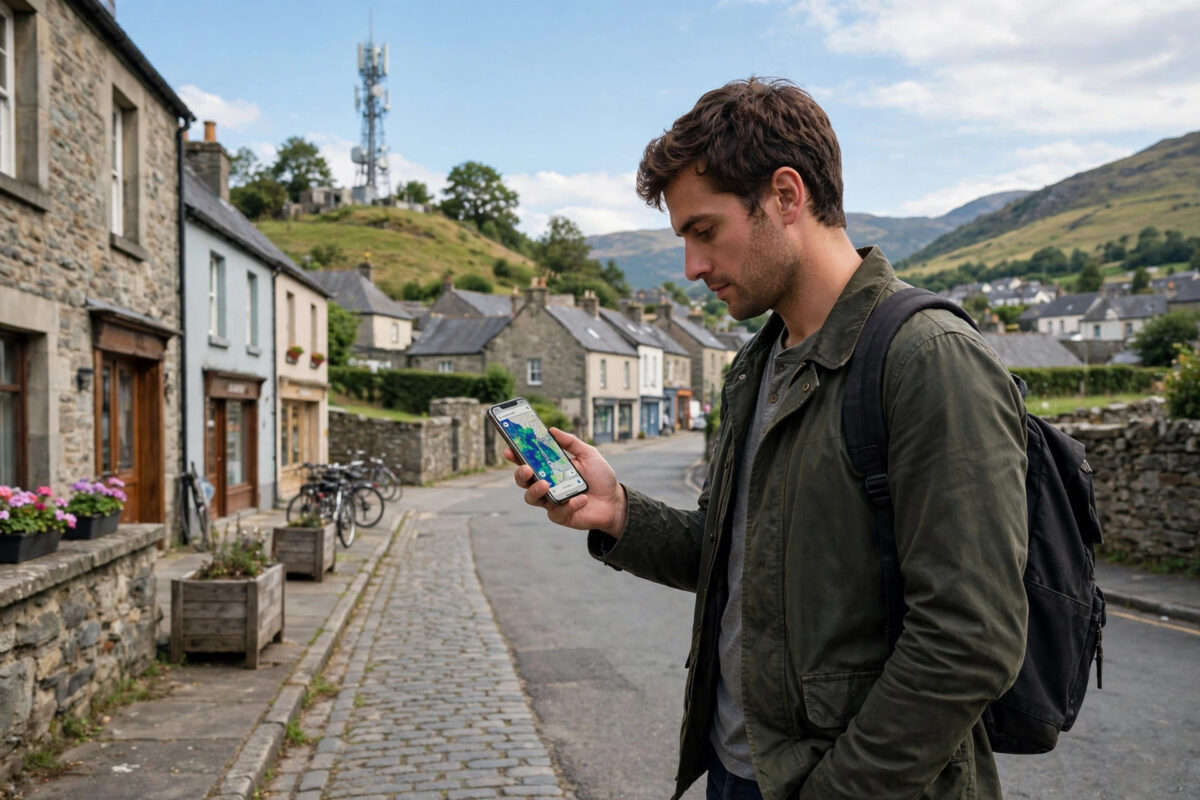
Buying a 5G phone or a new SIM deal only makes sense if 5G actually reaches the streets where you live, work, and travel. Coverage maps can be misleading, and a network that is strong in the city centre may be weak in your exact postcode. The good news is that you can check 5G coverage in your area in a few minutes, using free tools from the networks themselves and from independent regulators.
Quick Answer
To check if your area has 5G coverage, enter your postcode in your network’s official coverage checker or the free Ofcom coverage checker, which compares all UK networks at once. Then confirm it in real life: a “5G” or “5G UC” icon in your phone’s status bar, plus a speed test result well above typical 4G speeds, proves 5G is really live at your location.
Step 1: Use Your Network’s Own Coverage Checker
Every major network publishes a coverage map that shows 5G availability street by street. These maps are predictions based on mast locations, so treat them as a strong guide rather than a guarantee.
- Open your network’s website and find the coverage checker page.
- Type in your full postcode, not just your town name.
- Look at the separate results for indoor and outdoor coverage — 5G signals, especially fast high-band 5G, weaken quickly through walls.
- Check the places you visit most: home, workplace, and your regular commute route.
- Repeat the check for any other network you are considering switching to.
If the map shows 5G at your postcode, that is a promising start. If it shows only 4G, no 5G phone or plan will give you 5G speeds there until the network builds or upgrades a nearby mast.
Step 2: Compare All Networks With an Independent Checker
Network maps naturally present their own service in the best light. An independent checker removes that bias. In the UK, the regulator Ofcom offers a free tool that shows predicted coverage for every network at a single address, which makes side-by-side comparison easy. You can use Ofcom’s coverage and broadband checker guidance to compare networks before you sign a contract.
Crowd-sourced apps are another useful source, because they are built from real measurements taken by real phones. They show where people have actually connected to 5G, not just where a computer model predicts it. If a crowd-sourced map shows no 5G readings anywhere near your home, be cautious even if the official map looks optimistic.
Step 3: Confirm 5G on Your Phone Itself
A map can say yes while your phone still cannot connect. Three things must line up: coverage, a 5G-ready plan, and a compatible phone. If you are unsure about the handset side, first read our guide on how to check if your phone supports 5G and make sure 5G is switched on in your mobile network settings.
Signs you are really on 5G
- The status bar shows 5G, 5G+, or 5G UC instead of 4G or LTE.
- A speed test shows download speeds clearly above your old 4G results.
- The 5G icon stays visible in several rooms, not just at one window.
Remember that some phones show a 5G icon when 5G is merely available nearby, even while the data connection still runs on 4G. A speed test is the honest proof.
Why Coverage Maps Sometimes Disagree With Reality
Several factors explain the gap between the map and your experience. Buildings, hills, and even thick trees block or weaken the signal. High-band 5G, which offers the fastest speeds, travels the shortest distance, so it is mostly found in busy urban areas. Low-band 5G travels much further and covers rural areas better, but its speeds are closer to good 4G. Finally, maps are updated on a schedule, so a brand-new mast or a faulty one may not appear correctly for weeks.
Common Mistakes When Checking 5G Coverage
- Checking only your town, not your postcode. Coverage can change from one street to the next.
- Ignoring indoor coverage. A strong outdoor signal can drop sharply inside a building with thick walls or metal-coated glass.
- Trusting one map only. Always compare the network map with an independent or crowd-sourced source.
- Forgetting the plan. Some older SIM deals do not include 5G access even in a strong coverage area.
- Testing at one moment only. Congestion at peak hours can make a covered area feel uncovered.
Understanding the Different Flavours of 5G
Not all 5G coverage is equal, and knowing which type your area has explains the speeds you will see. Low-band 5G uses frequencies below 1 GHz; it travels for miles, passes through walls reasonably well, and typically delivers speeds modestly better than good 4G — this is the 5G most rural areas receive first. Mid-band 5G, around 3.5 GHz, is the sweet spot most cities enjoy: several times faster than 4G with still-useful range. High-band (millimetre wave) 5G is extraordinarily fast but travels only a few hundred metres, so it appears mainly in stadiums, stations, and dense shopping districts.
Most coverage checkers do not separate these flavours, which is why two areas both labelled “5G covered” can feel completely different. Your phone may hint at it: some networks display distinct icons (such as 5G UC or 5G+) when you are on the faster mid or high bands rather than basic low-band coverage.
If Your Area Has No 5G Yet
- Do not pay a premium for a 5G tariff purely for speed you cannot use yet; a cheaper 4G plan on the same network serves you identically today.
- Choose a network actively building near you — check press releases and local planning notices for new mast applications in your area.
- Re-check every few months. Rollouts move street by street; coverage that was absent in spring may be live by autumn.
- Make sure your next phone is 5G-ready anyway, so when the mast switches on, you benefit from day one.
A Note on Checking Before You Move House
If you are house-hunting, add 5G to the viewing checklist alongside water pressure and broadband speed. Run the postcode through two networks’ checkers before the viewing, then glance at your own phone’s signal in each room while you are there. Landlords and sellers are used to broadband questions by now; a quick mobile check is equally reasonable, and discovering a dead zone after signing is far more annoying than discovering it during a viewing.
Conclusion
Checking 5G coverage takes three layers: the network’s own postcode checker, an independent comparison such as Ofcom’s tool, and a real-world test on your phone with the status bar and a speed test. When all three agree, you can buy that 5G phone or plan with confidence. When they disagree, believe the real-world test at your own front door.
Frequently Asked Questions
Can I get 5G if the map shows coverage only outdoors?
Possibly, but expect weak and inconsistent indoor speeds. Keeping your phone near a window helps, and a network with stronger low-band 5G may perform better inside your home.
Why does my phone show 5G but speeds feel like 4G?
You may be connected to low-band 5G, which prioritises reach over speed, or your phone may display 5G while data still runs over 4G. Run a speed test at different times of day to see the real picture.
Do all networks offer the same 5G coverage in my area?
No. Each network owns different masts and spectrum, so coverage varies street by street. That is exactly why comparing checkers before switching is worthwhile.
How often are 5G coverage maps updated?
Networks update their maps regularly, but there can be a delay of several weeks after new masts go live. Crowd-sourced apps sometimes reflect changes sooner because they rely on live user measurements.
Does a 5G SIM work in an area with no 5G coverage?
Yes. Your phone simply falls back to 4G or 3G where 5G is unavailable, and reconnects to 5G automatically when you move back into a covered area.



Leave a Reply