
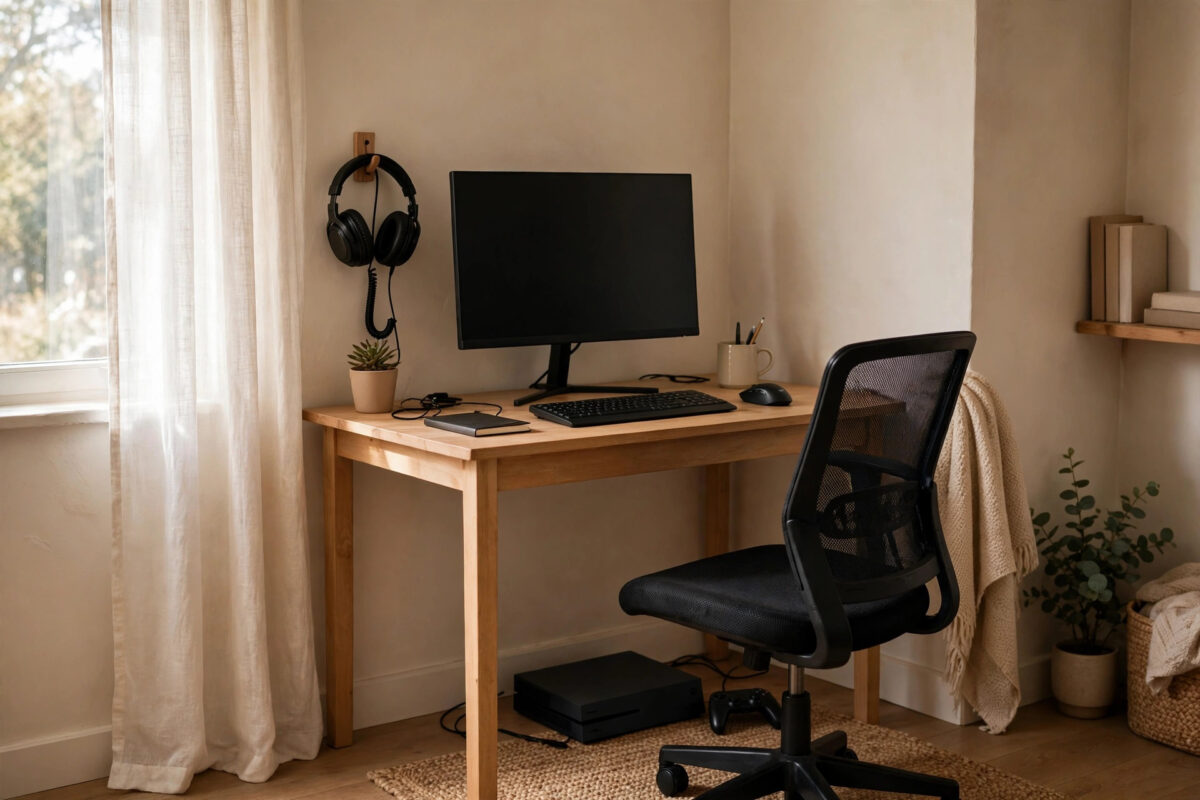
Building a gaming setup on a small budget can feel impossible when social media is full of glowing desks, three monitors, and chairs that cost more than a console. The truth is much simpler. You only need a few things to play comfortably, and most of the expensive extras can wait months or even years.
The secret to a good budget setup is order. Buy the pieces that affect your games and your comfort first, buy decent basics instead of flashy cheap versions, and leave room to upgrade one item at a time. This guide gives you a clear priority list, realistic ways to save money, and a plan that works whether you play on console or PC.
Quick Answer
Start with the platform you already own, a good display you can use every day, a comfortable way to sit, and a headset with a microphone. Spend most of your budget on the screen and the machine that runs the games, buy a simple desk and chair that support you properly, and skip lighting, extra monitors, and decorative items until the basics are solid. Buying one or two items second-hand, especially monitors and desks, stretches a small budget a long way.
Step One: Decide Your Platform and Stick to Your Budget
Your biggest decision is what you will play on. If you already own a console, build around it. Do not sell it and start again unless it no longer plays the games you want. If you are starting from nothing, a current console is usually the cheapest way into modern gaming because there is nothing to assemble and games are made to run well on it. A budget gaming PC costs more upfront but gives you cheaper games, free online play in most cases, and a machine you can also use for school or work.
Write your total budget down and split it before you shop. A sensible split for a console setup looks like this.
- Display, TV or monitor: about 35 to 40 percent
- Console or PC: what you already have, or the largest single cost if buying new
- Chair and desk combined: about 25 percent
- Headset: about 15 percent
- Small essentials and cables: the remainder
Sticking to percentages stops the classic mistake of spending half the budget on a chair and then having nothing left for a screen you will stare at for years. For ideas on squeezing more performance from a network you already pay for, our guide on how to improve Wi-Fi speed for gaming without buying a new router covers free fixes worth doing before you spend anything on networking gear.
Step Two: Get the Display Right
You look at the display for every second you play, so it deserves serious attention. For most beginners, a 24 to 27 inch 1080p monitor with an IPS panel is the sweet spot. It is sharp enough at a desk, affordable, and easy for consoles and budget PCs to run at high frame rates. Look for at least 75 Hz, and ideally 120 Hz or 144 Hz if the price difference is small, because smoothness is very noticeable in fast games.
If you play on console without a desk, a TV you already own is fine to start. Turn on its Game Mode to reduce input lag. Do not buy a massive 4K TV on a small budget. Low lag and higher refresh rate improve play more than size does.
New or Second-Hand Monitor?
Monitors are one of the safest second-hand buys. Offices and students sell excellent 1080p IPS monitors cheaply when they upgrade. Check for dead pixels, flickering, and working ports before you pay.
Step Three: A Desk and Chair That Support You
Your desk does not need to be a gaming desk. Any sturdy table deep enough for your monitor, keyboard or controller, and forearms is enough. Aim for about 60 centimetres of depth so the screen is not in your face, and avoid wobbly desks. Office desks, second-hand dining tables, and flat-pack desks all work well.
For sitting, comfort and posture beat racing-style looks. If you play for an hour or less at a time, a decent dining chair with a cushion can get you started. If you play for longer sessions, a basic office chair with lumbar support and adjustable height is a better budget buy than a cheap gaming chair with thin padding. Your feet should rest flat on the floor, your eyes should be roughly level with the top third of the screen, and your elbows should bend at about a right angle.
Step Four: Sound and Communication
A single wired headset covers game sound, voice chat, and late-night play without disturbing the house. It is one of the best-value items in any beginner setup. Look for a well-known budget model with a clear microphone, comfortable ear cups, and a cable or connector that matches your controller or PC. Wireless is nice but not essential, and at low prices wired headsets usually sound better and never need charging.
Skip separate speakers at the start. Cheap speakers sound poor, while your headset gives better directional awareness and clearer dialogue for less money. If you rarely use voice chat, TV sound plus headphones you already own can carry you until you upgrade.
Step Five: The Small Essentials People Forget
- Power strip with surge protection: One safe place to plug everything in, protecting your console or PC from power spikes.
- Ethernet cable: Often under the cost of a takeaway coffee, and the best cheap upgrade for stable online play.
- Spare controller charging cable or batteries: Nothing ends a session faster than a dead controller with no backup.
- A simple desk lamp: Good light reduces eye strain during evening sessions far more than coloured LED strips do.
- Cable ties or clips: A tidy cable run stops snags and makes the setup look far more expensive than it was.
A Sample Spending Plan in Practice
Imagine you have a small budget and an existing console. Your smartest order is: use your current TV while you save, buy a good second-hand 1080p high-refresh monitor, add a sturdy used desk and a supportive office chair, and finish with a wired headset. Each purchase improves the setup, and all of it carries over if you switch to PC later.
If you are building a PC setup from zero, protect the PC and monitor portions of the budget fiercely. Sit on a cheaper chair for a few months if you must. A slow PC cannot be fixed by a fancy desk, but a basic chair can always be upgraded later when you find a deal. For official guidance on choosing a display and checking specifications, the Xbox support pages for console setup and accessories help you confirm what your console supports before you buy a monitor it cannot fully use.
Tips for Saving Money Without Buying Rubbish
- Buy last-generation and refurbished items from reputable sellers, especially monitors, headsets, and controllers.
- Wait for sales for the one or two new items you really want. Gaming gear is discounted heavily several times a year.
- Avoid bundle deals full of items you did not plan to buy. A cheap mousepad, headphone stand, and LED strip add cost without improving play.
- Check what you already own first. Old office chairs, spare TVs, phone earbuds with a mic, and kitchen tables solve more than you expect.
- Spend on comfort items you touch constantly, like a controller or mouse, and save on items you only look at.
Common Mistakes to Avoid
- Buying decoration first: LED lights on a weak setup do not make games run or feel better.
- Overspending on the chair: A famous logo does not equal comfort. Support and fit matter more.
- Choosing the biggest screen: Too large for your desk distance causes eye movement strain and often worse image quality per pound spent.
- Ignoring running costs: Remember game subscriptions, extra controllers, and replacement cables in your real budget.
- Buying everything at once on credit: Building in stages is cheaper, less risky, and lets you learn what you actually need.
Conclusion
A great beginner gaming setup is not about matching the pictures online. It is about a capable platform, a clear and responsive display, a place to sit that does not hurt after an hour, and sound that lets you hear the game and your friends. Buy those in the right order, use second-hand deals for desks and monitors, and upgrade one piece at a time. Your setup will grow with you, and every pound you spend will improve the time you actually spend playing.
Frequently Asked Questions
What is the most important part of a beginner gaming setup?
The display and the platform that runs your games matter most, because they decide picture quality, smoothness, and what you can play. After that, a supportive chair matters most for comfort in longer sessions.
Should I choose a monitor or a TV for console gaming?
Choose a monitor if you play at a desk, want lower input lag, and play competitive games. Choose a TV if you play from a sofa, share the screen with others, and mostly play casual or story games. Both can be excellent.
Is a gaming PC or a console cheaper for beginners?
A console is cheaper to start because it is one fixed price with nothing to build and games optimised for it. A PC costs more at first but can be cheaper over time through game sales and its use for work or study.
What should I buy first with a very small budget?
Use what you already have for everything else and buy one good item at a time. Most people benefit most from first getting a proper headset or a better monitor, depending on whether sound and chat or picture quality is their biggest current problem.
Can I build a good setup without a dedicated gaming room?
Yes. A corner desk setup, a monitor on a bedroom table, or a console connected to the family TV with a headset for sound all work well. A good setup is about comfort and function, not a separate room.

Leave a Reply