
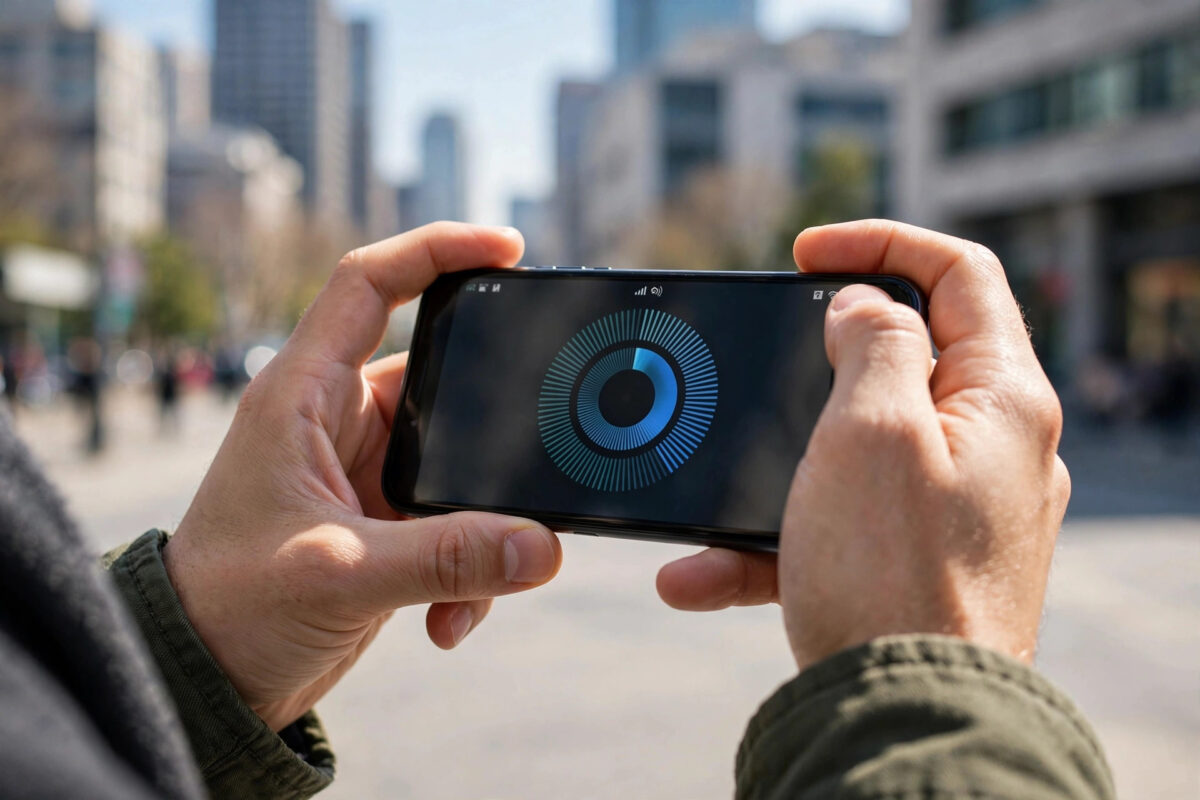
Your network advertises “superfast 5G”, your plan promises big numbers, but what do you actually get standing in your kitchen? Measuring your real mobile internet speed is easy — if you do it correctly. A badly run test, with the phone quietly connected to Wi-Fi or a VPN in the background, tells you nothing. This guide shows the right way to test, what the numbers mean, and how to get results you can trust and compare.
Quick Answer
To measure your real mobile internet speed, turn off Wi-Fi and any VPN, close background downloads, stand where you normally use your phone, and run a test with a trusted app such as Ookla Speedtest or your regulator’s checker. Record download speed, upload speed, and ping, then repeat the test at different times of day — a single result never tells the whole story.
What the Three Key Numbers Mean
- Download speed (Mbps): how fast data reaches your phone — web pages, videos, app downloads. This is the number most people care about.
- Upload speed (Mbps): how fast you send data — posting videos, video calls, cloud backups. Usually lower than download.
- Ping / latency (ms): how quickly the network responds. Low ping (under 40 ms) feels snappy and matters hugely for gaming and calls; high ping makes everything feel laggy even with fast download speeds.
For reference, smooth HD streaming needs about 5 Mbps, 4K streaming around 25 Mbps, and video calls roughly 2–4 Mbps. Even modest speeds handle everyday tasks; what people notice most is inconsistency.
Step-by-Step: Run an Accurate Mobile Speed Test
- Turn OFF Wi-Fi so the test runs over mobile data only — this is the mistake most people make.
- Turn off any VPN, which routes traffic through extra servers and distorts results.
- Pause cloud backups, app updates, and downloads running in the background.
- Check the status bar shows the network type you want to test (5G or 4G) and reasonable signal bars.
- Open your speed test app — Ookla’s Speedtest service is the most widely used, and testing to its nearest server gives results you can compare with millions of other users.
- Run the test three times in a row and note the middle result.
- Repeat at different times — morning, evening peak, and late night — and in the rooms and places you use your phone most.
Choosing a Testing Tool You Can Trust
Independent apps such as Speedtest by Ookla and Fast.com (run by Netflix, and focused on streaming speed) are good everyday choices. Several national regulators also publish their own test apps, which use strict methods and feed anonymised results into public coverage research — in the UK, Ofcom’s research uses such measurement data. Browser-based tests are convenient but slightly less consistent than dedicated apps, and some network-branded tests prioritise their own servers, which can flatter the result. Whatever you choose, stick with one tool for comparisons so the method stays constant.
Why Your Results Change From Test to Test
Mobile networks are shared and changeable. Your result depends on how many people are using the same mast, your distance from it, walls between you and the signal, the band your phone has connected to, and even the weather. That is why a single screenshot proves little: a fair picture comes from repeated tests across times and places. If your evening results collapse every day while mornings are fine, congestion is the likely story — and if results sit at one suspiciously fixed low number all month, you may be throttled under a fair usage policy instead. Comparing with a friend’s phone on a different network, in the same spot, is a powerful way to separate a network problem from a phone problem.
Common Mistakes When Measuring Speed
- Testing while connected to Wi-Fi. The result measures your router, not your mobile network.
- Testing with one bar of signal in a basement, then blaming the network overall.
- Using a distant or overloaded test server. Let the app pick the nearest server automatically.
- Judging by one test. Always run several and compare patterns.
- Ignoring ping. A 100 Mbps result with 300 ms ping still feels slow for calls and games.
Keep a Simple Speed Diary Before You Complain or Switch
If you are gathering evidence — for a complaint, or to decide whether to switch networks — a week of structured notes beats a folder of random screenshots. Record five things per test: the date and time, the place, the network type shown (4G or 5G), the download/upload/ping figures, and what the experience felt like (smooth streaming, buffering, failed call). Patterns jump out of such a diary quickly: one bad room, one bad hour, one bad mast on the commute.
When you contact your network, lead with the pattern rather than a single result — “every weekday between 7 and 10 p.m. at this postcode, downloads fall below 3 Mbps” is actionable information that a support team can check against mast load data. If the problem turns out to be capacity in your area rather than your line, that same diary is exactly what you need to compare a rival network fairly: run the identical tests on a prepaid SIM from the competitor, in the same places at the same times, before you commit to switching.
Testing Other Connections Too
The same method works for judging your home broadband and Wi-Fi, which matters because a “slow phone” at home is often a slow router. Test once standing next to the router and once in your usual chair; a big gap between the two is a Wi-Fi placement problem, not an internet problem. Comparing mobile and Wi-Fi results side by side also settles the practical question of which connection deserves your big downloads and video calls on any given day.
One More Variable: Your Phone Itself
Older phones support fewer frequency bands and older connection technologies, so two phones side by side on the same network can post genuinely different results. If your results look poor, repeat the test with a newer phone on the same SIM before blaming the network — swapping the SIM between handsets for a single test run is a fair and revealing experiment. It is also worth testing with the phone case removed once, since a few chunky or metallic cases measurably dampen signal.
Conclusion
Your real mobile speed is not one number — it is a pattern across times, places, and days. Test on mobile data only, with Wi-Fi and VPN off, repeat each test, and record download, upload, and ping together. Within a week you will know exactly what your network delivers at home and work, and you will have honest evidence if you ever need to complain or switch. For more on squeezing out better performance, see our guide on how to improve mobile signal strength at home.
Frequently Asked Questions
How much data does a speed test use?
A typical test uses 50–300 MB depending on your speed — faster connections use more. On a limited plan, avoid running tests repeatedly, especially on 5G where a single test can consume several hundred megabytes.
Why is my speed test result different in every app?
Apps use different servers, test durations, and methods. Small differences are normal; large ones usually mean one app tested to a far-away or congested server. Compare results within the same app over time for consistency.
What is a good mobile speed in 2026?
Good 4G delivers 20–60 Mbps in real conditions, while good 5G ranges from 100 Mbps to several hundred. But even 15 Mbps with low ping handles streaming, calls, and browsing comfortably for one person.
Can a speed test drain my data allowance?
Yes, the data counts toward your allowance like any other traffic. On capped plans, run tests sparingly and prefer off-peak spot checks rather than long test sessions.
Why does my phone show 5G but test like 4G?
You may be on low-band 5G, which trades speed for range, or your phone may camp on 4G for data in areas where 5G coverage is thin. Testing in several locations usually reveals where true fast 5G is available.



Leave a Reply