
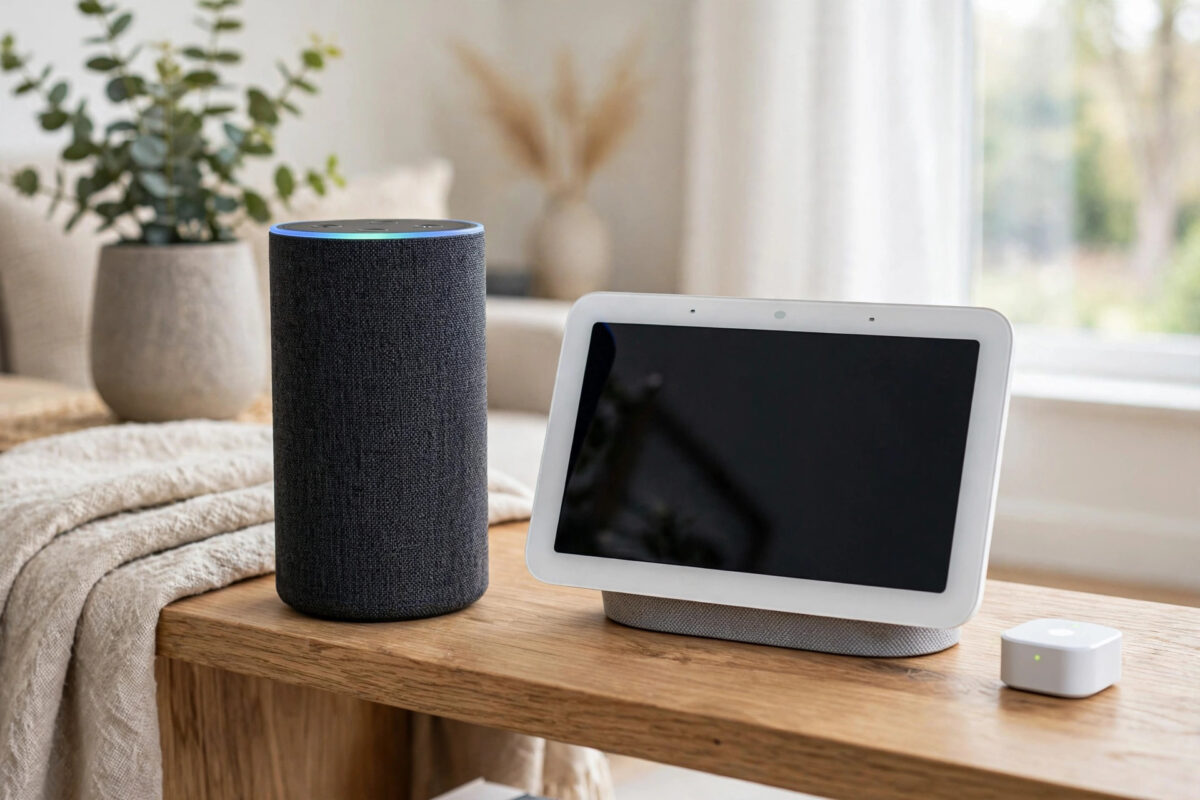
Not every Echo or Nest speaker can connect Thread devices to your home network. Some models are full Thread border routers, some support Matter only over Wi-Fi, and older models do neither. If you buy a Thread sensor or bulb and it will not pair, the first thing to check is whether you actually have a border router at home.
This guide explains what a Thread border router does, which common Echo and Nest models include one, and how to check your own devices in the Alexa and Google Home apps. You do not need any special tools, just your phone and a few minutes.
Quick Answer
Check the model, not just the name. Echo (4th generation and later full-size models), Echo Hub, and several Echo Show models include a Thread border router, as do the Nest Hub (2nd gen), Nest Hub Max, Nest Wifi Pro, and Nest Wifi router. Confirm it in the app: in Google Home, open the device settings to see its details, and in Alexa, check the device page and keep its software updated, because border router features only work when the device is online on your main Wi-Fi.
What a Thread Border Router Actually Does
Thread is a low-power wireless mesh used by many smart home sensors, locks, bulbs, and plugs. Thread devices do not connect to your Wi-Fi router directly. They talk to each other and form a mesh.
A border router is the bridge in the middle. It has both Thread and Wi-Fi or Ethernet, so it connects the Thread mesh to the rest of your home network and the internet. Without that bridge, your phone app and voice assistant cannot reach the Thread device at all.
One border router is enough to start. Adding more border routers can improve coverage and reliability because the mesh has more than one path back to your network. However, border routers from different brands sometimes create separate Thread networks unless they are set up to share the same one, which can cause confusion when you use Alexa and Google Home together.
Echo Models That Act as Thread Border Routers
Amazon has added Thread to many, but not all, Echo devices. As a general guide:
- Usually include a Thread border router: Echo (4th generation and later), Echo Hub, Echo Show 8 (3rd generation), Echo Show 10 (3rd generation), Echo Show 15, and newer premium Echo Show models.
- Usually do not: Echo Dot models from most generations, Echo Pop, Echo Spot, and older Echo Show 5 and Show 8 models. Some newer Dot models support Matter over Wi-Fi as controllers, but that is not the same as being a Thread border router.
This distinction catches many people out. A device can be a Matter controller and still have no Thread radio. It can control a Matter Wi-Fi plug happily, yet be unable to pair a Matter Thread sensor.
Amazon keeps a current list in its official Amazon Alexa support pages for smart home device compatibility. Model line-ups change with each new release, so check your exact generation there if you are unsure.
Nest and Google Models That Act as Thread Border Routers
Google follows a similar pattern. The border router is built into some Nest displays, speakers, and Wi-Fi products.
- Usually include a Thread border router: Nest Hub (2nd generation), Nest Hub Max, Nest Wifi Pro, Nest Wifi router, and Google TV Streamer (4K).
- Usually do not: Nest Mini, Nest Audio, Google Home Mini, original Google Home, and the 1st generation Nest Hub. These can act as Matter controllers for Wi-Fi devices in many cases, but they have no Thread border router.
Google documents its current requirements in the official Google Nest support page about Matter and Thread devices. If your Nest device is listed there as supporting Thread, and it is online, Google Home can use it during Matter Thread pairing.
How to Check Your Echo in the Alexa App
The Alexa app does not always show a clear label that says Thread border router. You check the model, generation, and software instead.
- Open the Alexa app and tap Devices.
- Tap Echo and Alexa, then tap your speaker or display.
- Tap the settings gear to open Device Settings.
- Scroll to About or Device Software Version and note the exact model and generation.
- Compare that model and generation with the border router list above or on Amazon support.
- Make sure the device is online, connected to your main Wi-Fi, and running the latest software. Say, Alexa, check for software updates.
- Leave the Echo plugged in and in its normal place. A border router that is turned off helps nothing.
If you own more than one Echo, repeat the check for each one. Many homes have one suitable full-size Echo in the living room and only Dots elsewhere, which matters when a Thread device in a far bedroom cannot reach the living room mesh.
How to Check Your Nest Device in Google Home
- Open the Google Home app and tap Devices.
- Find and tap your Nest Hub, Nest speaker, or Nest Wifi device.
- Tap the settings gear and open Device Information or Technical Information.
- Note the exact model name and check the software or firmware version.
- Confirm Wi-Fi connectivity is shown and the device is in the correct Home and room.
- Compare the model with the Google list above.
- If you are about to pair a Thread device, keep this Nest device powered on and online throughout setup.
During a Matter setup, Google Home will also tell you if it needs a border router and cannot find one. If you start pairing a Thread device and Google Home says a hub is required, that is strong evidence that no usable border router is available in that Google Home household at that moment.
Simple Tests That Confirm a Border Router Is Working
Checking a model number tells you the hardware is capable. These simple tests tell you it is actually working.
Test 1: Try pairing a known Thread device nearby
Bring a Matter over Thread device into the same room as the suspected border router, put it in pairing mode, and try adding it. Success in the same room, followed by failure in a distant room, usually points to range or mesh coverage, not a missing border router.
Test 2: Check that the hub is not on a guest network
A border router on a guest network cannot reliably bridge devices to your main network. In your router app, or in the Alexa and Google Home device details, confirm the hub uses your main Wi-Fi name.
Test 3: Restart and watch it come back online
Unplug the Echo or Nest device for 30 seconds, plug it back in, and wait until voice control works again. Then check that any existing Thread devices respond. If they all come back, the border router service recovered with the device.
If you are still mapping out your setup, our plain-English comparison of Matter over Thread and Matter over Wi-Fi helps you decide which device types need a border router in the first place.
Common Mistakes and Tips
- Trusting the product family name alone: Echo Show 8 can mean very different hardware depending on generation. Always check the generation.
- Confusing a Matter controller with a border router: A controller sends commands. A border router also bridges the Thread mesh. Some devices do one job, not both.
- Buying a Thread device with no border router at home: Check your hubs before you buy sensors, locks, or bulbs that only use Thread.
- Keeping the only border router in a corner far away: Thread is a mesh, but the first hop still matters. Place a border router in a central, open spot if you can.
- Mixing networks without realising: If Alexa and Google each create their own Thread network, a device joined to one may not appear on the other. Pair carefully and share devices using Matter codes.
- Forgetting updates: Border router features have been added and improved through firmware updates. Keep hubs online so they update automatically.
Conclusion
To find out if your Echo or Nest is a Thread border router, identify its exact model and generation, compare it with the Amazon and Google lists, and confirm it is online on your main Wi-Fi in the correct app and home. Full-size recent Echo models, Echo Hub, Nest Hub (2nd gen), Nest Hub Max, and Nest Wifi Pro are common examples that do include one. Once you know what you have, you will know whether a Thread pairing failure is a hardware gap or just a range or network problem.
Frequently Asked Questions
Is an Echo Dot a Thread border router?
In most generations, no. Echo Dot models usually act as Alexa Matter controllers for Wi-Fi devices but do not include a Thread border router. Check your exact generation on Amazon support, because specifications change with new releases.
Do I need more than one Thread border router?
No, one working border router is enough to start a Thread network. A second one can improve coverage and give the mesh another path to your network, especially in a larger home with devices spread across floors.
Can Alexa and Google share the same Thread network?
Sometimes, but not always automatically. In many homes they start separate Thread networks. Matter sharing codes let a device work with both apps, even when the underlying Thread setup is not perfectly unified.
Why does Google Home say I need a hub for my Thread device?
That message means Google Home cannot find an available Thread border router in that household. Check that your Nest Hub, Nest Hub Max, Nest Wifi Pro, or other supported device is online, updated, and in the same Google Home.
Does a Thread border router need Ethernet?
No. Most home border routers connect to your network over Wi-Fi. Ethernet can be more stable where it is available, for example with some Wi-Fi router models, but it is not a requirement for Thread to work.



Leave a Reply