
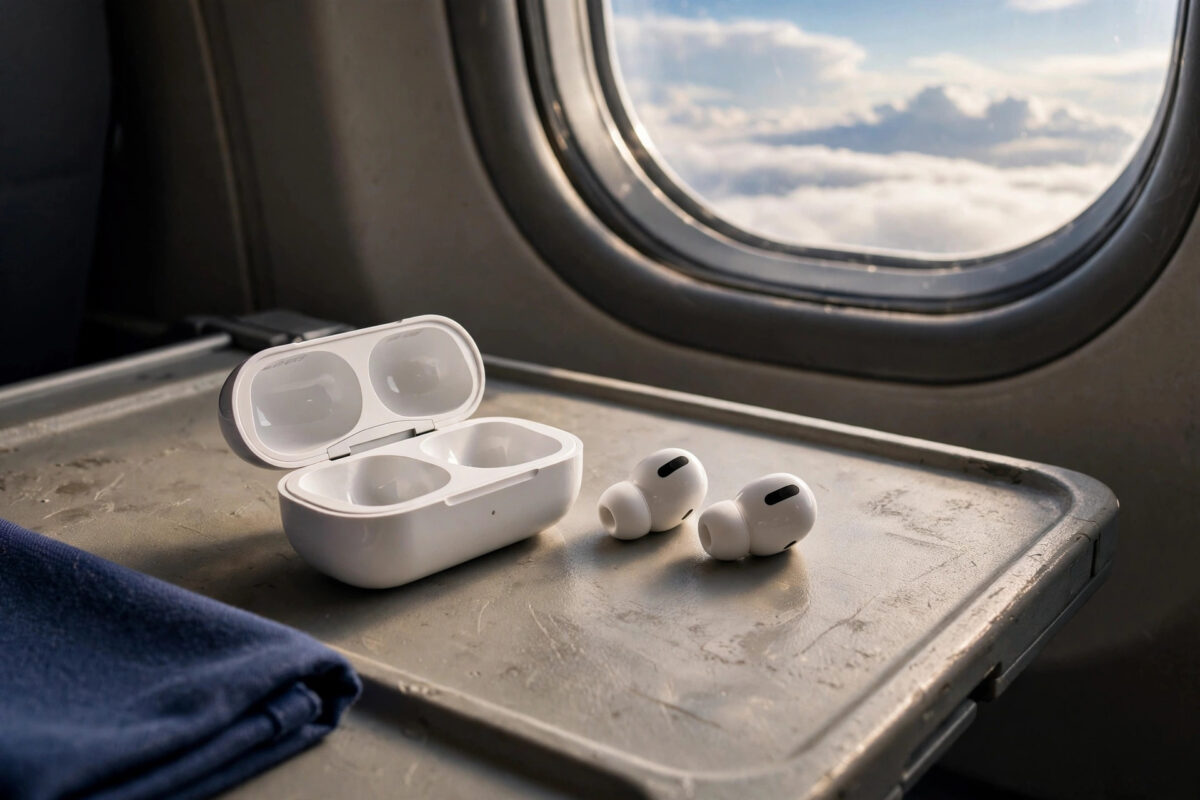
The headline feature of Huawei’s FreeBuds Neo is their noise cancellation, rated at up to 55 decibels — seriously strong on paper, up there with flagship earbuds costing far more. But plenty of owners enable “noise cancelling” in the wrong place, leave it on its weakest setting, or wear the buds loosely and conclude the feature is exaggerated.
This guide shows how to switch the full-strength cancellation on properly through the AI Life app, how the modes work, and how fit and settings decide whether you actually hear that 55dB difference.
Quick Answer
To enable full 55dB noise cancellation on Huawei FreeBuds Neo, connect the earbuds to your phone, open the AI Life app, tap the FreeBuds Neo card, and open Noise control (or Noise cancelling). Select the Noise cancelling mode and set the level to its strongest or “Ultra”/deep setting rather than the balanced default — the highest level is where the rated up-to-55dB reduction applies. Make sure both earbuds are worn with a proper seal in your ears, because cancellation strength collapses if the buds sit loosely. You can also cycle modes by long-pressing an earbud stem once you assign noise control to that gesture.
What “Up to 55dB” Really Means
The 55dB figure is a maximum, measured against steady, low-frequency noise — aeroplane cabins, train rumble, air conditioning, traffic drone. Active noise cancellation is brilliant at erasing exactly those sounds, because it works by generating an inverse sound wave, which needs a predictable target.
It is much less effective against sudden, irregular sounds: a nearby conversation, a keyboard, a baby crying. Those are reduced partly by the physical seal of the earbud in your ear (passive isolation) rather than by the electronics. So the honest expectation is: constant noise drops dramatically, voices and clatter soften but remain. With that expectation set, the FreeBuds Neo’s performance is genuinely impressive for the price — provided the settings below are right.
Step-by-Step: Turn On Full Cancellation
- Put both earbuds in and connect them to your phone.
- Open the AI Life app. (On a Huawei phone it is pre-installed; on other Android phones, install it from AppGallery or your app store.)
- Tap the FreeBuds Neo card on the home screen. If the buds are not listed, tap the + to add them while they are connected.
- Open Noise control / Noise cancelling.
- Choose Noise cancelling (not Off, not Awareness).
- Open the level options and select the strongest setting — labelled Deep, Ultra, or Max depending on app version. Avoid “Dynamic” while testing, because it lowers strength automatically in quiet places.
- Play music or a podcast at moderate volume in a noisy place — near a road or a fan — and toggle between Off and full cancellation to hear the difference confirm itself.
Huawei maintains the current AI Life steps on its official FreeBuds support pages, which are worth checking after app updates move menus around.
Assigning Noise Control to the Earbuds Themselves
Reaching for the phone every time is tedious. In AI Life, open the FreeBuds Neo settings, find the controls or gestures section, and assign a long-press on the left or right stem to cycle noise control modes. Then a single long press rotates you through Noise cancelling, Off, and Awareness — perfect for switching between a train journey (full cancellation) and a platform announcement (Awareness). While you are in the settings, enable wear detection if offered, so audio pauses when you remove a bud.
Fit: The Hidden Half of Noise Cancellation
Even the strongest ANC cannot compensate for a poor seal. The FreeBuds Neo rely on their ear tips blocking your ear canal:
- Try every tip size in the box. The right size feels snug without pressure, and outside sound drops noticeably the moment the bud goes in — before any electronics.
- Twist each bud slightly backwards as you insert it to seat the tip properly.
- Run any fit or seal test offered in AI Life, and re-seat until it passes on both sides.
- If one side always cancels less, that ear almost certainly has the wrong tip size — ears differ, and using two different sizes is normal.
Owners of other earbuds will recognise the pattern — the same fit-dependence shapes the experience in our Galaxy Buds On setup guide, because no noise control, active or passive, beats physics.
Choosing the Right Mode Day to Day
- Deep/Ultra cancellation: flights, trains, open-plan offices, sleeping on journeys. Strongest reduction, slightly more battery use and a faint pressure feeling some people notice.
- Balanced/Comfort: cafés and quieter streets. Less pressure, still takes the edge off.
- Dynamic: set-and-forget days where you move between quiet and loud places; the buds adjust automatically, trading maximum strength for convenience.
- Awareness/Transparency: walking near traffic, announcements, quick conversations — outside sound is passed through clearly.
Keeping the Cancellation Strong Over Time
ANC performance fades quietly when maintenance is skipped. Earwax and dust on the ear tips and microphone meshes blunt both the seal and the sensors the cancellation depends on, so wipe the tips weekly with a dry cloth and store the buds in their case rather than loose in a pocket. Firmware updates matter here too: manufacturers refine their cancellation algorithms over a product’s life, and more than one owner has gained noticeably stronger quiet from an update they nearly skipped. Check AI Life for updates every month or so, and re-run the fit check afterwards — app updates occasionally reset noise-control levels to the comfort default.
Common Mistakes and Useful Tips
Testing ANC in a quiet room. There is almost nothing to cancel, so it feels broken. Test beside a fan, a road, or a running tap — steady noise is ANC’s home turf.
Leaving the level on default. The out-of-box setting favours comfort and battery. The rated 55dB lives at the strongest level; select it deliberately.
One bud out. Cancellation needs both buds worn. One-bud listening automatically weakens the effect.
Expecting silence for voices. No earbud at any price erases nearby speech entirely. Judge the FreeBuds Neo on engine and traffic noise, where they excel.
Conclusion
The FreeBuds Neo’s 55dB headline is real, but it hides behind three choices: Noise cancelling mode selected, the level set to its strongest, and tips that genuinely seal. Make those choices in AI Life, assign mode-switching to a long press, and the buds deliver flagship-grade quiet for steady noise — exactly what they were bought for.
Frequently Asked Questions
Why does noise cancelling feel weak on my FreeBuds Neo?
Almost always one of three causes: the level is still on the comfort or dynamic default instead of the strongest setting, the ear tips are not sealing (try other sizes), or you are testing against voices and sudden sounds, which ANC reduces least. Test beside a fan or road with the deep level selected.
Does strong noise cancellation drain the battery faster?
Yes, somewhat. The microphones and processing work continuously, so expect shorter playtime per charge on the deepest setting than with ANC off. The case’s top-ups usually make this a non-issue in daily use.
Can I use noise cancellation without playing music?
Yes. ANC works on its own once enabled — many people wear the buds silently on flights and trains purely for the quiet. Just be aware of the battery use, and use Awareness mode whenever you need to hear announcements or traffic.
What is the pressure feeling with ANC on?
Some people sense a mild pressure or fullness with strong cancellation; it is a perception created by the sudden loss of low-frequency sound, not actual pressure. It usually fades within days of use. If it bothers you, the balanced level reduces it while keeping most of the benefit.
Do the FreeBuds Neo remember my noise cancelling level?
Yes — the buds keep your last mode and level, so once you have set full cancellation, it returns when you put the buds in. If AI Life shows a different level later, something (often a gesture or an app reset) changed it; set it again and check your assigned controls.



Leave a Reply