
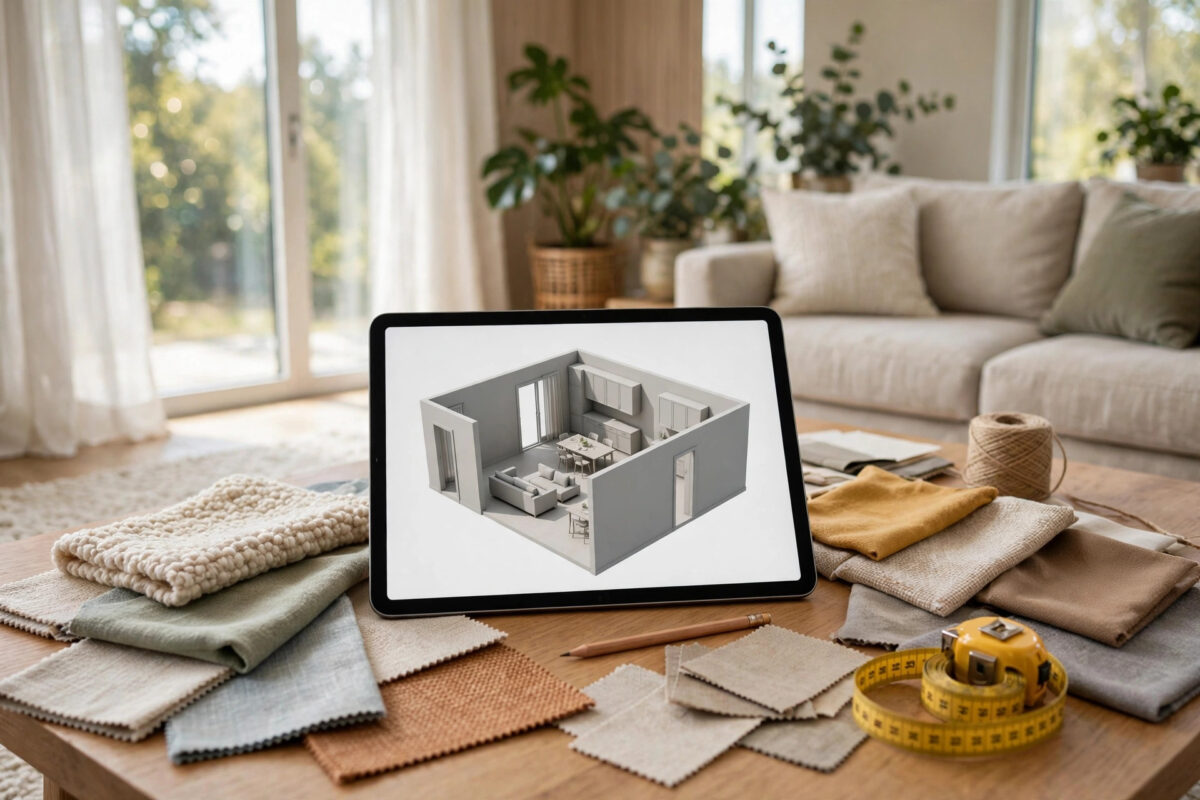
Redesigning a room used to mean graph paper, a tape measure, and a lot of guesswork. You would move the sofa three times, realise the rug was the wrong size, and only then discover the doorway felt cramped. AI interior tools have changed that early, uncertain stage completely.
Today you can upload a photo or a floor plan, try different layouts in minutes, and see realistic versions of your room with new furniture, colours, and lighting. The tools are not a replacement for careful measuring or a good tradesperson, but they are excellent for exploring ideas before you spend money.
This guide shows you how to use AI to design a home interior layout step by step, from measuring properly to checking that a pretty picture would actually work in real life.
Quick Answer
Measure your room, upload a clear photo or floor plan to an AI interior design tool, choose a style, and generate several layouts. Compare furniture scale and walkways, save the best versions, then verify every measurement in the real room before buying anything.
Start With Measurements, Not Inspiration
AI images look convincing even when the proportions are wrong. Your measurements are what turn a nice picture into a usable plan, so collect them before you open any design app.
What to measure and record
- Measure the full length and width of the room, plus the ceiling height.
- Note the position and size of doors, windows, radiators, and built-in cupboards.
- Measure doorways and stairs that furniture must pass through on delivery day.
- Record the size of any furniture you are keeping.
- Take photos from every corner in daylight, standing back as far as possible.
Also think honestly about how the room is used. A living room that hosts film nights needs different seating and screen positions from one used mainly for reading and conversation. Write down your must-haves, such as desk space, storage for toys, or room for a dining table that seats six.
Choosing the right type of AI tool
Most tools fall into three groups. Photo restyling apps take your room photo and repaint it in a new style. Floor plan tools work in two dimensions and focus on furniture placement and traffic flow. Full 3D planners let you walk through the space and swap exact furniture pieces.
For layout decisions, floor plan and 3D tools are more reliable than pure photo restylers, which often move walls or shrink furniture without warning. Many services offer a free tier with a small number of renders and paid plans with more projects, higher resolution, and commercial features. Start free, and pay only if you need many versions of a large project.
Designing Your Layout Step by Step
With measurements and photos ready, you can generate useful options quickly. Work in stages instead of asking the tool for a finished room in one click.
Uploading and setting up the room
- Create an account with your chosen tool and start a new project for the room.
- Upload the clearest wide photo or enter your floor plan dimensions if the tool asks for them.
- Mark fixed features such as doors, windows, and radiators if there is an editing option.
- Select the room type and your main goal, for example more seating or a combined office corner.
- Choose one style direction for the first round, such as Scandinavian, modern, or traditional.
If the tool offers a layout or furniture arrangement mode, use that before decorative restyling. Getting the sofa, table, and storage in sensible places matters more than cushion colours at this stage.
Generating and comparing layouts
Generate at least three different layouts rather than falling for the first image. Change one major thing at a time: seating direction, the position of the largest item, or where the workspace sits. Save each version with a clear name so you can compare them side by side later.
Look at each result with fresh, practical eyes. Check whether doors open fully, whether you can walk around the bed or table comfortably, and whether seating faces what it should face. A useful rule is to keep main walkways clear and generous rather than squeezing an extra chair into every gap.
Real interior guidance, such as the resources shared by the Houzz home design and renovation community, is a helpful cross-check for standard furniture sizes and clearances when a render looks suspiciously spacious.
Refining style, colour, and lighting
Once the layout works, refine the look. Ask for variations in wall colour, flooring tone, and curtain length, and test both warm and cool lighting. AI is especially good at showing whether a dark feature wall will make the room feel cosy or simply small.
Keep a short list of what you like from each version. Often the best final design is a mix: the layout from version two, the colour palette from version one, and the storage idea from version three. Our home technology and AI design guides cover more tools that can help with the next stages of a project.
Turning an AI Design Into a Real Shopping and Work Plan
A render is not a plan until it survives contact with real furniture sizes and real prices. This stage is where you save the most money.
Checking scale before you buy
- List every major item in your chosen design with its length, width, and height.
- Find real products close to those sizes and note their exact dimensions.
- Mark the furniture outlines on your floor with painter’s tape.
- Live with the tape layout for a day. Walk through it, open doors, and sit where the chairs would be.
- Adjust sizes or positions before ordering anything large or non-returnable.
The tape test catches problems no screen shows well, such as a coffee table that blocks a cupboard or a desk chair that hits a radiator when you lean back. It costs almost nothing and prevents the most expensive mistakes.
Building a realistic budget list
Separate your list into keep, buy now, and buy later. AI images often include new everything, but most successful rooms reuse good existing pieces. Price the essentials first: the largest furniture, flooring or rug, lighting, and any electrical or painting work. Decorative items can wait until the core layout proves itself.
Common Mistakes to Avoid
The most common mistake is trusting AI proportions. Tools regularly stretch rooms, shrink sofas, remove skirting boards, and invent windows. Always compare the render against your measurements and photos before treating it as evidence that something fits.
A second mistake is designing only for looks. A layout that photographs beautifully may leave no storage, block heating, or force everyone to squeeze sideways past the table. Judge every design by daily use first and appearance second.
People also generate dozens of styles and end up more confused than when they started. Limit yourself to two style directions that suit your home and your existing furniture. Constraints produce decisions; endless options produce delay.
Finally, do not upload photos showing personal documents, screens with private information, or identifiable details you would not want stored on a third-party service. Crop or tidy the room first, and check the tool’s privacy settings, especially on free tiers.
Conclusion
AI makes interior design faster and less risky when you use it in the right order: measure first, fix the layout next, explore style after that, and verify everything at full scale with tape before buying. Treat the images as informed sketches, not promises, and you will get the creativity of the tools without their expensive illusions. A room designed this way looks good in pictures and, more importantly, works on an ordinary Tuesday evening.
Frequently Asked Questions
Can AI design a room from just a photo?
Yes, most tools can restyle a room from a single clear photo. For accurate layouts, a floor plan with measurements works better. Use photo restyling for style ideas and a plan-based tool when furniture fit and walkways really matter.
Are free AI interior design tools good enough?
Free tiers are usually enough to test styles and produce a few layouts for one room. Paid plans mainly add more renders, better resolution, and larger projects. Start free, and upgrade only if you hit a limit during a real project.
How accurate are AI furniture sizes in renders?
They are often approximate. AI may shrink or stretch furniture to make an image look balanced. Always check real product dimensions, compare them with your room measurements, and test the layout with painter’s tape on the floor.
Can AI help with small rooms and rentals?
Yes, it is particularly useful for small spaces because you can test storage, foldable furniture, and lighter colour schemes quickly. For rentals, focus on reversible changes such as layout, rugs, lamps, and removable storage rather than structural ideas.
Should I still hire an interior designer?
For a single room refresh, AI plus careful measuring may be enough. For renovations involving electrics, plumbing, structural work, or a large budget, a professional designer and qualified tradespeople are still worthwhile. AI works best as a planning aid, not a substitute for regulated work.



Leave a Reply