
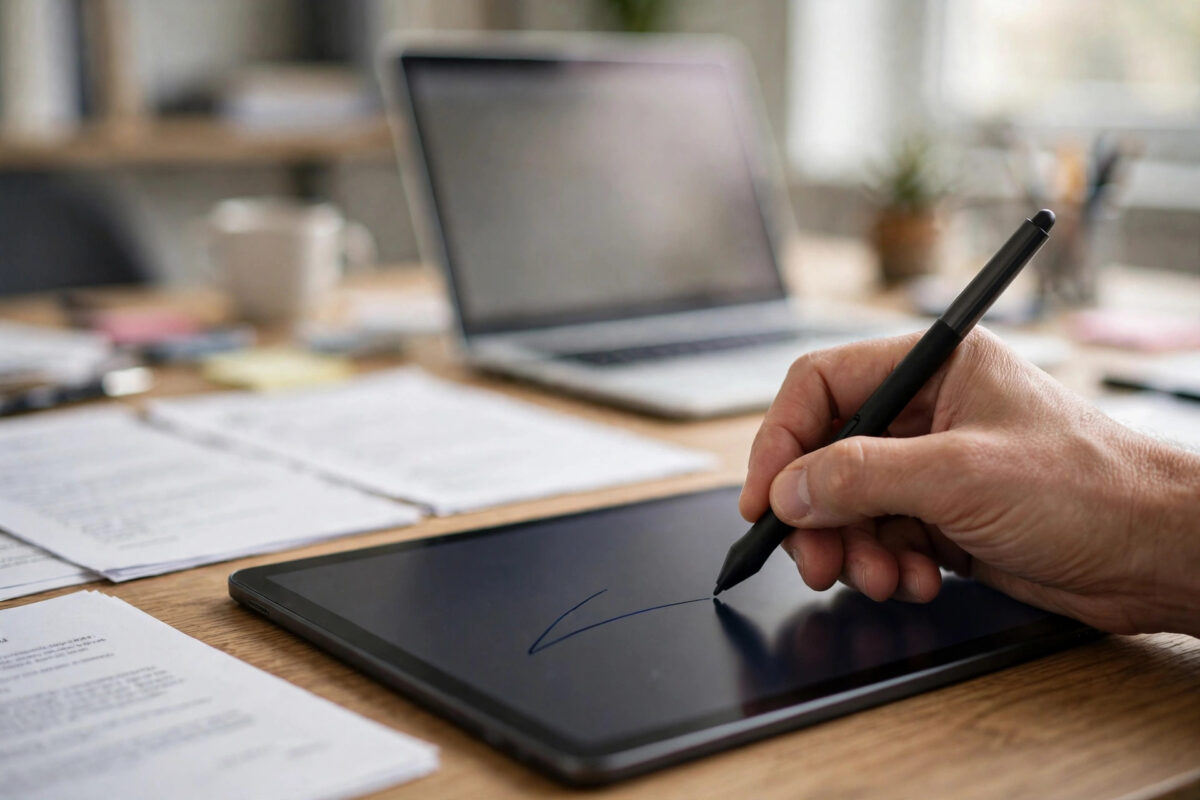
A contract lands in your inbox and needs a signature today. Printing, signing, scanning, and emailing it back feels like a job from another decade.
Free online e-signature tools remove all of that friction. You can sign in your browser in minutes, with no printer and no scanner.
This guide explains how to sign a PDF online for free. It covers the methods available, the legal basics, and how to keep your signature safe.
Quick Answer
Open a free e-signature tool such as Adobe Fill & Sign, Smallpdf eSign, or Sejda Sign, and upload your PDF. Create your signature by drawing, typing, or uploading an image, place it on the signature line, and download the signed copy.
Types of Online Signature Explained
Not every online signature works the same way. The method you choose affects how the result looks and how it is verified.
A drawn signature is created with your mouse, trackpad, or finger. It looks most like your real handwriting, especially on touchscreens.
A typed signature uses a handwriting-style font with your name. It is neat and fast, but it looks less personal than a drawn one.
An image signature starts as a photo or scan of your signature on paper. You upload it once and place it wherever needed.
A certified digital signature is different again. It uses cryptographic verification to prove identity and detect later changes to the document.
Most free tools offer the first three methods. Formal legal and government processes may specifically require a certified digital signature instead.
Are Free Online Signatures Legally Valid?
In many countries, electronic signatures are legally recognised for most everyday agreements. Employment forms, NDAs, and service contracts are common examples.
Validity usually depends on intent and consent. Both parties should agree to sign electronically and keep a copy of the final document.
Some documents are often excluded. Wills, certain property transfers, and some court or government forms may still require wet signatures.
Free signing tools also vary in audit trails. Paid business plans typically record timestamps, email addresses, and document history in more detail.
For authoritative background, read guidance on electronic signatures and how they work on Wikipedia. For an important contract, check local rules or seek legal advice.
If the stakes are high, ask the sender which type they accept. A quick question before signing prevents a rejected document afterwards.
What to Look for in a Free E-Signature Tool
The best free tools are simple, transparent about limits, and careful with your files. A few checks help you choose well.
Ease of Creating a Signature
You should be able to draw, type, or upload a signature easily. Resizing and repositioning it precisely should also be straightforward.
Free Limits and Download Rules
Free tiers often limit signed documents per day or month. Some require sign-in only at download, so read the terms before you start.
Privacy and File Deletion
Signed documents are sensitive by nature. Choose services that encrypt uploads and delete files automatically after a short retention period.
Avoid obscure sites with no privacy information. Your signature image itself is personal data and should be treated carefully.
Best Free Tools for Signing PDFs Online
Adobe Fill & Sign is a trusted starting point for simple signing. It is designed for filling forms and adding signatures quickly.
Smallpdf eSign offers a clean signing flow in the browser. Free use is limited, but the placement tools are intuitive for beginners.
Sejda Sign lets guest users sign without an account within hourly limits. It also combines signing with other useful PDF tasks.
DocuSign and similar business platforms focus on sending documents to others for signature. Their free options are usually trials rather than ongoing free tiers.
Choose based on your actual job. Signing your own document is simple, while collecting signatures from several people needs a sending workflow.
For more practical document guides, visit our technology and online tools guides on NetworkUstad. We explain each workflow step by step.
Step-by-Step: Sign a PDF Document Online for Free
Prepare your document and your signature method before you upload. That preparation makes the signing itself quick and clean.
- Read the document fully first. Never sign a PDF you have not read, including dates, amounts, and terms on every page.
- Open the e-signature tool and upload. Wait for the full preview to load and confirm you have the correct final version.
- Create your signature. Draw it slowly for a natural look, type it, or upload a clear image on a transparent or white background.
- Place the signature precisely. Drag it onto the signature line, resize it to match nearby text, and align it neatly.
- Add initials and the date if required. Many forms need initials on each page and a signing date beside the signature.
- Fill any remaining fields. Complete printed name, title, and address fields before you finalise the document.
- Apply the signature and download. Some tools flatten the signature into the page at this stage, which is what you want.
- Verify the signed copy. Open the download, zoom into the signature page, and confirm nothing has moved or disappeared.
- Save and send securely. Keep your own copy in a safe folder and send the signed file through the agreed channel.
How to Make Your Signature Look Professional
Draw your signature at a large size first, then shrink it. Smaller placement hides minor wobbles and looks more natural.
Use a stylus or touchscreen if you have one. A mouse-drawn signature often looks angular and unlike your real hand.
Match the ink colour to the document. Black or dark blue are the safest and most conventional choices for formal files.
Keep the size proportionate to the printed text. An oversized signature looks careless and can cover important wording nearby.
If you upload an image, use a clean scan on plain white paper. Remove shadows and crop tightly around the signature itself.
Keeping Your Signature and Documents Safe
Treat your signature image like a password. Anyone who has it could place it on documents without your knowledge.
Do not store signature images in shared or public folders. Keep them in a private folder with your important personal documents.
Use reputable signing services only, ideally on your own device and network. Avoid signing sensitive contracts over public Wi-Fi.
After downloading, delete the file from the service if that option exists. Close the browser tab when you have finished.
Keep the unsigned original and the signed copy separately labelled. Clear version control prevents confusion in any later dispute.
Common Mistakes and Practical Tips
The biggest mistake is signing the wrong version. Always confirm you have the final draft before you upload anything.
Another mistake is placing a signature but forgetting the date. Many forms are returned simply because the date line is empty.
People often accept a messy first drawing. Redraw your signature as many times as needed until it looks like your own.
Check whether the tool flattens the signature into the page. A movable signature layer can be removed or shifted by others.
A practical tip is to sign on the largest screen you have. Placement and handwriting control are both far easier than on a small phone.
Finally, confirm receipt with the other party. Ask them to verify the signed file opened correctly and the signature is visible.
Conclusion
Signing a PDF online for free is fast, legitimate for most everyday documents, and far easier than printing and scanning. Choose a reputable tool and place your signature carefully.
Read first, verify the download, and protect your signature image afterwards. Those habits make free e-signing both convenient and safe.
Frequently Asked Questions
How do I sign a PDF document online for free?
Upload the PDF to a free e-signature tool, create a drawn, typed, or image signature, and place it on the signature line. Then download and verify the signed copy.
Is a free online signature legally binding?
For most everyday agreements it can be, where electronic signatures are recognised and both parties consent. Wills and some official documents may be excluded, so check local requirements.
Can I sign a PDF on my phone for free?
Yes, most online signing tools work in mobile browsers. Drawing with your finger or a stylus on a touchscreen usually produces the most natural-looking signature.
What is the difference between an e-signature and a digital signature?
An e-signature is any electronic mark showing agreement. A digital signature adds cryptographic verification that proves identity and reveals if the document changed after signing.
Is it safe to upload a contract to a free signing tool?
For low-risk documents, a reputable tool with encryption and automatic deletion is reasonable. For highly confidential contracts, use an approved business platform or desktop software instead.



Leave a Reply