
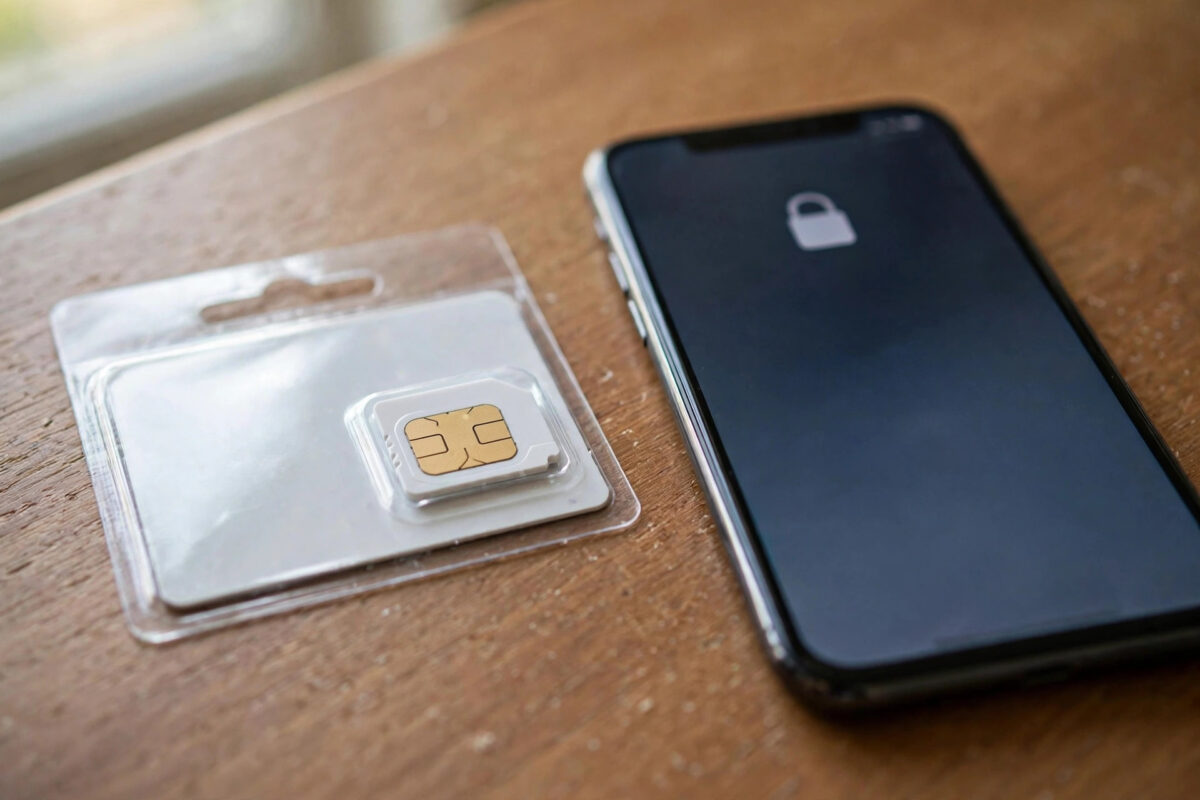
Enter your SIM PIN wrongly three times and your phone presents you with a demand you may never have seen before: enter the PUK code. Typing guesses at this point is dangerous — too many wrong attempts and the SIM is destroyed permanently. The good news is that your PUK is easy to find if you know where networks keep it, and unlocking takes under a minute once you have it.
Quick Answer
A PUK (Personal Unblocking Key) is an 8-digit code, unique to your SIM card, that unlocks the SIM after the PIN has been entered incorrectly three times. You will find it printed on the plastic card your SIM came in, inside your network’s app or online account, or by calling your network. Enter it carefully — ten wrong PUK attempts permanently disable the SIM.
What Is a PUK Code and Why Does It Exist?
Your SIM PIN (usually four digits) stops anyone picking up your phone and using your line. But if PINs could be retried forever, a thief could simply guess until they got in. So the SIM locks itself after three wrong attempts and demands the PUK — a longer master key that only the SIM’s owner should be able to find. Think of the PIN as your house key and the PUK as the sealed spare key held by the locksmith: slower to reach, but it proves the request comes from the genuine owner.
PIN and PUK protect the SIM itself, not the phone — a locked SIM can be moved to another phone and it will still demand the PUK, while your phone remains perfectly usable with a different SIM. This is separate from your phone’s screen lock, and from account passwords. If you are also staring at an “emergency calls only” message after unlocking, our guide on why your phone shows emergency calls only explains the usual causes.
Where to Find Your PUK Code
On the original SIM packaging
The credit-card-sized plastic frame your SIM was punched out of has the PUK printed on it, often under a scratch panel or next to the PIN. If you kept the packaging — many people file it with the phone box — you already have everything you need.
In your network’s app or website
Most networks show the PUK when you log into your account and open your SIM or device details. It may be labelled “PUK1”. Log in from a computer or another phone, since your own phone’s SIM is currently locked.
By calling your network
Call customer services from any working phone. After identity checks (account password, recent usage questions, or a one-time code to your email), they will read out the PUK. Note it down carefully — a single misheard digit wastes an attempt.
Network help pages also explain the process; for example, Vodafone’s help and information section and the equivalent pages from other networks describe where their PUK appears in account dashboards.
How to Unlock Your SIM With the PUK: Step by Step
- On the PUK entry screen, type the 8-digit PUK exactly and confirm.
- The phone will immediately ask you to create a NEW SIM PIN — choose one you will remember.
- Enter the new PIN a second time to confirm it.
- The SIM unlocks and your signal returns; the new PIN is now your SIM’s PIN.
- Optional but wise: on many phones you can now disable the SIM PIN entirely in security settings if you find it more nuisance than protection — your screen lock still protects the phone itself.
The Ten-Attempt Rule: Why You Must Not Guess
You get ten PUK attempts in total, across the SIM’s whole life, not per incident. Every wrong entry brings the counter down, and the SIM usually shows how many attempts remain. At zero, the SIM is permanently blocked — no network, shop, or tool can revive it, and the only fix is a replacement SIM (your number and account can be transferred to the new card by your network, so you do not lose your number). This is why guessing, or letting children “try numbers”, is the one thing you must never do.
Common Mistakes to Avoid
- Guessing the PUK using birthdays or patterns — ten wrong guesses kill the SIM.
- Confusing the PUK with your phone’s unlock code, your network account password, or a PAC code for switching networks — they are entirely different numbers.
- Throwing away the SIM packaging when you first insert the card; photograph it and store the photo in cloud storage instead.
- Entering the PUK while distracted. Read each digit back from your note before pressing confirm.
- Assuming a locked SIM means a broken phone. Test with another SIM if you can — the handset is almost certainly fine.
Other SIM Codes You May Meet: PIN2 and PUK2
Your SIM hides a second pair of codes that most people never encounter. PIN2 protects special features such as fixed-dialling lists and call-cost limits — mainly used on corporate lines and some call-barring setups. It behaves like the main PIN: three wrong attempts lock it, and a second master key, PUK2, unlocks it, with the same ten-attempt permanent-block rule. Both codes are issued by the network and appear in the same account areas as your main PUK. You may also meet the term “PUK1” in your network’s dashboard — that is simply your main PUK under its technical name, paired with PUK2 for the second PIN.
If a phone ever asks for a “network unlock code” or “SIM network PIN” when you insert another network’s SIM, that is a different thing entirely — the handset is locked to its original network, and only that network can provide the unlock code. Do not waste PUK attempts on it: the codes are unrelated, and the attempt counters tick down all the same.
A Two-Minute Prevention Habit
The next time you activate any SIM, photograph the packaging showing the PIN and PUK and store the photo in a place you can reach from another device — cloud photos, an email to yourself, or a password manager note. That single habit converts a future PUK emergency from a customer-services phone call into a thirty-second lookup, and it costs you nothing today.
Conclusion
A PUK demand looks alarming but is really your SIM asking for proof of ownership. Find the 8-digit code on your SIM packaging, in your network account, or via a quick call to your network; enter it once, carefully; set a new PIN; and you are back in service within minutes. Just respect the ten-attempt limit — with the genuine code there is never any need to guess.
Frequently Asked Questions
What is the difference between a PIN and a PUK?
The PIN is the short code you choose to protect the SIM day to day. The PUK is the longer, network-issued master key used only when the PIN has been locked after repeated wrong attempts. You choose the PIN; only the network knows the PUK until they give it to you.
I lost my SIM packaging — can I still get my PUK?
Yes. Log into your network’s app or website from another device, or call customer services from any phone. After verifying your identity they will provide the PUK for your specific SIM.
What happens after ten wrong PUK attempts?
The SIM is permanently disabled and cannot be recovered by anyone. Contact your network for a replacement SIM — they will transfer your number, plan, and credit to the new card, so you keep everything except the physical SIM itself.
Does the PUK change if I set a new PIN?
No. The PUK belongs to the SIM card for its entire life and never changes. Your new PIN is separate — the PUK simply lets you set it.
Can I remove the SIM PIN so this never happens again?
Yes, in your phone’s security settings (SIM card lock) you can switch the PIN requirement off once the SIM is unlocked. Your phone’s screen lock still protects your data, though the SIM itself could then be used in another phone — a small risk most people accept for convenience.



Leave a Reply