
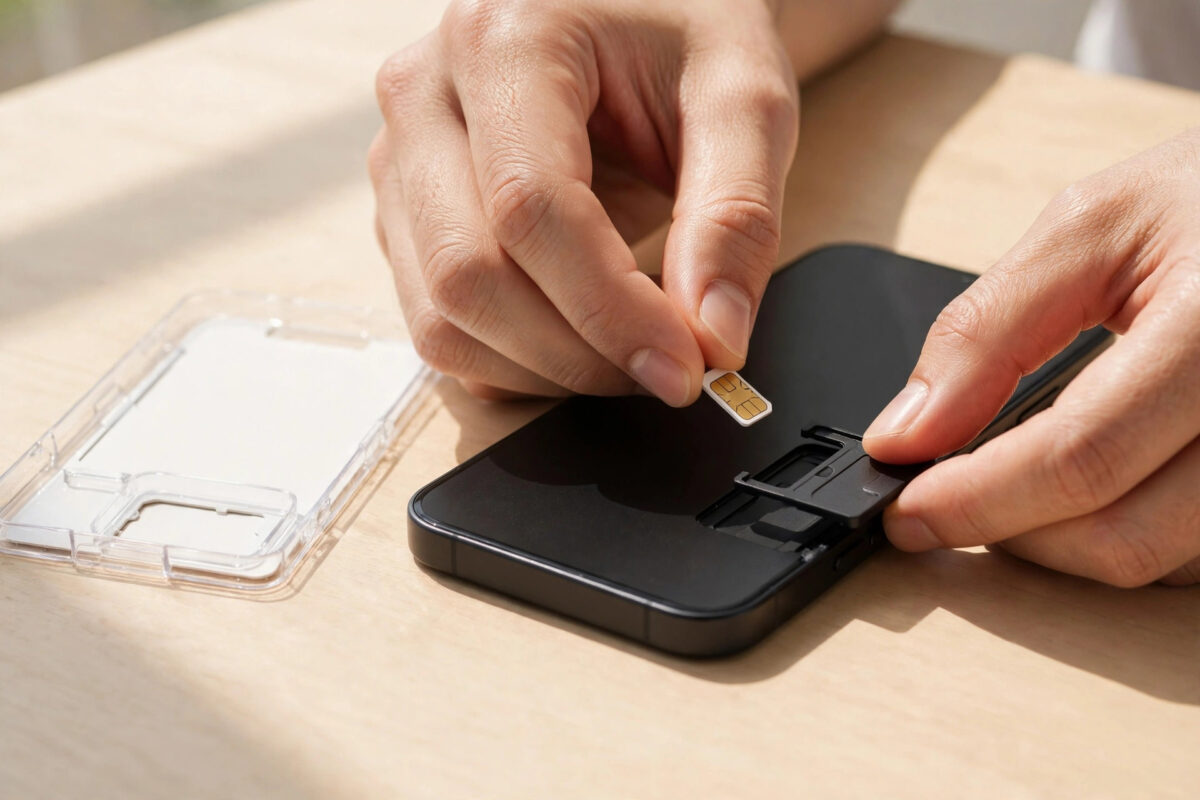
Whether you have just bought a new phone, switched networks for a better deal, or replaced a lost SIM, the new card will not work until it is properly activated. Activation links the SIM to your number and your account on the network, and until it finishes, you may see “No Service”, an inactive SIM message, or working data with no calls. The process is simple once you know the order of steps, and in 2026 most activations complete in minutes, especially with eSIM. This step-by-step guide covers physical SIM cards and eSIMs, what to do while you wait, and how to fix the common problems that stop activation from finishing.
Quick Answer
To activate a new SIM card, insert it into your phone (or scan the eSIM QR code), restart the phone, and wait for the network signal to appear, which usually takes a few minutes but can take up to a few hours. Some networks also ask you to activate online, by phone call, or by sending a text from the new SIM first. If you are keeping your old number, activation completes when your old SIM stops working and the new one takes over the number.
Before You Start: What You Need
- The new SIM card, still in its packaging, with the card or letter it came attached to. This shows your new number and often the activation instructions.
- Your phone, charged, with the SIM ejector tool or a paperclip for the tray.
- A Wi-Fi connection. Your phone needs internet for eSIM setup and for some activation steps before mobile data works.
- Your account details if you are an existing customer moving to a replacement SIM.
- If you are keeping your old number from another network, the PAC or switching code your old provider gave you, provided to the new network when you ordered.
If this SIM replaces a lost or stolen one, your provider will usually have barred the old SIM already. If you reported the phone stolen and need a reminder of the full process, our guide on how to report a stolen phone and block its SIM explains each step.
Activating a Physical SIM Card: Step by Step
- Power off the phone. Some phones accept a SIM while on, but switching off avoids tray errors and forces a clean network registration.
- Eject the SIM tray using the ejector tool. Note the tray position so you replace it the same way round.
- Pop out the correct size. New SIMs come as a triple-cut card. Carefully press out the nano, micro, or standard size your phone needs. Most modern phones use nano SIM.
- Place the SIM in the tray with the gold contacts facing down and the cut corner aligned, then slide the tray back in gently.
- Power on the phone and unlock the SIM if it asks for a PIN. The default PIN is printed on the SIM packaging.
- Wait for signal. The network name and signal bars should appear within a few minutes.
- Complete any provider activation step. Some networks activate automatically on first signal. Others ask you to visit their activation page, call an activation number, or top up first on pay-as-you-go. Follow the instruction on the SIM packaging exactly.
- Test everything. Make a call, send a text, and open a website with Wi-Fi off to confirm calls, SMS, and data all work.
Activating an eSIM: Step by Step
- Connect the phone to Wi-Fi.
- On iPhone: Settings, Mobile Data, Add eSIM, then scan the QR code your provider gave you. On Android: Settings, Network and Internet, SIMs, Add SIM or Download a SIM, then scan the code. Samsung phones place this under Settings, Connections, SIM Manager.
- Wait while the profile downloads and activates. This usually takes one to five minutes.
- Label the new line (for example “Personal”) and choose which SIM handles calls, texts, and data if you also have a physical SIM.
- Restart the phone if the signal does not appear, then test a call and data.
Google’s eSIM setup guide for Android and your provider’s instructions cover brand-specific screens. If you are moving your existing number onto the eSIM, the transfer may take longer and your old SIM stays active until the switch moment.
How Long Activation Takes and What to Do While Waiting
A brand-new number on a new SIM usually activates within minutes of first signal. A replacement SIM for an existing customer is similar. Keeping your number from another network takes longer, because the number moves on the agreed switch day: your old SIM works until the transfer moment, then loses signal, and your new SIM picks up the number, often within the hour but officially within one working day.
While waiting, restart the phone every so often, because a restart forces the phone to register on the network with the newest information. Avoid removing and reinserting the SIM repeatedly. If nothing has happened after the time your provider quoted, check their service status page, confirm you followed any manual activation step, and then contact support with the SIM number printed on the card, which they can check directly.
Troubleshooting: SIM Inserted but Not Activating
- “No SIM” or “SIM not detected”: power off, reseat the SIM, check it is the right size and the right way round, and clean the gold contacts gently with a dry cloth.
- Signal bars but no data: the SIM is active for calls but the data settings are missing. Check the APN settings against your provider’s official values.
- “SIM not provisioned” message: the network has not finished activating the card on its system. This normally clears with time; if it lasts beyond the quoted window, call the provider.
- Old SIM still working after a number transfer: the switch has not happened yet. Wait for the agreed day and keep both phones or SIMs handy.
- Activation works for calls but not texts: sometimes the message centre number is wrong after a SIM change. Your provider’s support page lists the correct SMS centre number for your phone’s message settings.
Common Mistakes to Avoid
- Throwing away the SIM packaging. It holds your number, PIN, PUK, and activation instructions. Keep it until everything works.
- Forcing the tray. A tray pushed in the wrong way can damage the phone and the SIM contacts.
- Activating before the switch day. If you are porting a number, inserting and activating early does not speed the transfer and can confuse the process.
- Skipping the test call and data test. Partial activation is common. Test calls, texts, and data separately before you rely on the phone.
Conclusion
Activating a new SIM is a simple sequence: insert or scan, power on, wait for registration, complete any provider step, and test calls, texts, and data. Most activations finish in minutes. When they do not, a restart, a reseat of the card, and checking the provider’s activation instructions solve nearly every case.
Frequently Asked Questions
Can I activate a new SIM without Wi-Fi?
A physical SIM usually activates over the mobile network itself, so Wi-Fi is not essential. An eSIM does need an internet connection to download its profile, so use Wi-Fi or another device’s hotspot for setup.
Will I lose my contacts when I change SIM?
Contacts stored on the old SIM do not move automatically, but most contacts today live in your Google or Apple account and sync to the new setup. Anything stored only on the old SIM can be imported first in the contacts app.
Why does my new SIM show a different number?
During a number transfer, the new SIM starts with a temporary number. Your real number replaces it when the switch completes, which is normal and nothing to worry about.
Do I need to top up to activate a pay-as-you-go SIM?
Some networks activate fully only after the first top-up or after buying your first pack. The packaging states this clearly if it applies to your SIM.
How many times can I swap my SIM between phones?
As often as you like. SIMs are designed to move between compatible phones. Just power off before swapping and handle the card by its edges to keep the contacts clean.



[…] you are also setting up a brand-new card rather than an eSIM, our guide on how to activate a new SIM card step by step covers the physical route in […]