
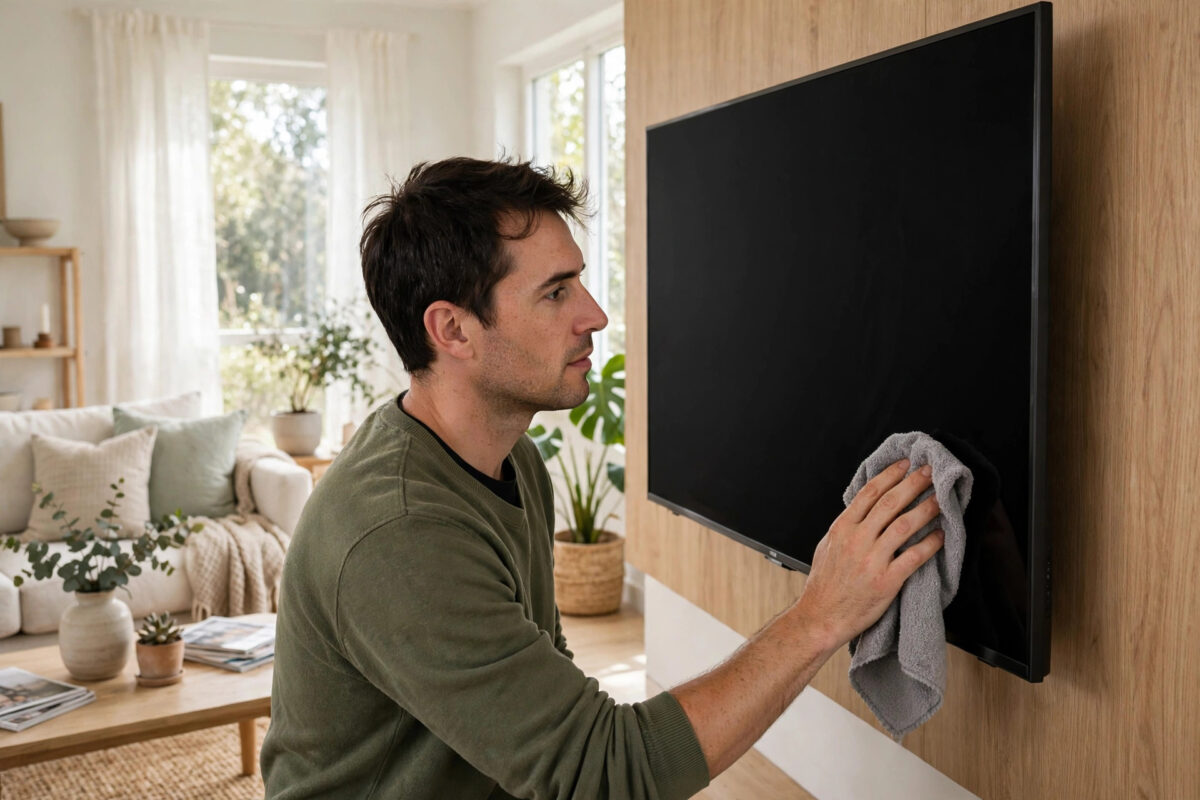
A flat-screen TV is a fingerprint and dust magnet, and the instinct to grab the kitchen spray and a paper towel is exactly how screens get permanently damaged. Modern TV panels have delicate anti-glare and anti-reflective coatings that common cleaners dissolve, leaving cloudy streaks that no amount of polishing removes. Cleaning safely is easy once you know the rules: almost no liquid, the right cloth, and a light touch. This guide covers the method, the products to use and avoid, and how to deal with stubborn marks.
Quick Answer
Turn the TV off and let it cool. Wipe the screen gently with a dry, clean microfibre cloth in small circles. For fingerprints and smudges, lightly dampen a second microfibre cloth with distilled water (or a screen cleaner made for TVs), wipe, then buff dry with the first cloth. Never spray liquid directly on the screen, and never use window cleaner, alcohol sprays, kitchen cleaners, or paper towels.
What You Need
- Two soft microfibre cloths: The flat-weave kind sold for glasses and screens, not the deep-pile car-cleaning type, which can hold grit. Clean, freshly washed cloths only — a cloth that has cleaned a dusty shelf will drag grit across your screen.
- Distilled water: Tap water leaves mineral streaks that show up glaringly on a dark screen. Distilled water is cheap from any supermarket’s car or iron section.
- Optional: A screen-cleaning solution specifically labelled for TVs/monitors (alcohol-free and ammonia-free), or a 50/50 mix of distilled water and white vinegar for greasy marks — used sparingly and only if water alone fails.
- A soft brush or air blower for dust in the vents and around the bezel.
Keep the kit in the TV cabinet so it is actually used; the Samsung support guidance on screen care and similar manufacturer pages all repeat the same two rules: microfibre only, and no harsh chemicals.
Step-by-Step Cleaning
- Switch the TV off and unplug it. A dark screen shows dust and smears far better than a lit one, and a cool panel will not bake cleaner into streaks. Wait a few minutes if the TV has been on.
- Dry dust first: With a completely dry microfibre cloth, wipe in gentle, overlapping strokes — top to bottom, light pressure. Most everyday “dirt” is just this dust layer and needs no liquid at all.
- Tackle smudges: Dampen (never soak) your second cloth with distilled water — it should feel barely moist. Wipe the fingerprint areas with small circular motions.
- Buff immediately: Follow with the dry cloth using the same motion until the screen is uniformly matte and streak-free. Work in sections rather than wetting the whole screen at once.
- Clean the frame and stand with the damp cloth, and brush dust from the rear vents — clogged vents make the TV run hotter and shorten its life, a point worth pairing with the health checks in our guide on diagnosing TV display faults, where dust and heat cause real damage.
- Wash the cloths afterwards in warm water without fabric softener (softener coats the fibres and smears the next clean).
Product Rules: Safe vs Never
Safe on all flat screens (LCD, LED, OLED, QLED, Mini-LED)
- Dry microfibre alone.
- Microfibre lightly dampened with distilled water.
- Dedicated screen cleaners labelled “for LCD/OLED/TV screens”, alcohol-free and ammonia-free.
Never use
- Window/glass cleaner (contains ammonia or alcohol that strip coatings).
- Kitchen sprays, antibacterial sprays, furniture polish, or anything scented.
- Paper towels, tissues, toilet paper, or old T-shirts — their fibres are abrasive at screen scale and they shed lint into bezels.
- Excess pressure. Pressing hard on an LCD can damage the pixel layer and leave permanent bright spots; if a mark does not move with light pressure and moisture, more force will not help.
Plasma TVs (rare now) have glass fronts and are hardier, but the same gentle method suits them too, so there is no need for a second routine. The chemistry of why alcohol attacks coatings is explained in the anti-reflective coating article on Wikipedia if you are curious.
Stubborn Marks and Special Cases
- Greasy fingerprints from children: Water alone often just moves grease around. Use the screen cleaner or the distilled-water/vinegar mix on the cloth, wipe, buff dry. Repeat rather than pressing harder.
- Sticky residue (stickers, tape): Dampen the spot with warm distilled water and wait a minute for it to soften; lift with the cloth’s edge. Never use solvents or scrape with a fingernail.
- Fly spots and specks: Soften with a damp cloth held on the spot for 20–30 seconds, then wipe. They dissolve; they do not need scrubbing.
- Cleaning the remote: Remove the batteries, wipe with a cloth very lightly dampened with a little isopropyl alcohol (fine on hard plastic, unlike the screen), and let it dry fully before refitting batteries.
Keeping It Clean Longer
- Dust the screen weekly with the dry cloth — 20 seconds — and deep cleans become rare.
- Keep a “hands off the screen” rule in the house; pointing at a TV from a centimetre away works just as well as touching it.
- Avoid burning candles and wood stoves directly under a wall-mounted TV if you can — soot films are the hardest deposits to shift safely.
- If you are setting up a new TV, peel the protective film and clean once straight away; our first-time smart TV setup guide includes where the films hide (there is often one on the bezel too).
- Keep cleaning supplies physically away from the TV area if children or helpful relatives reach for them — the wrong spray lives in most kitchen cupboards, and clearly labelling the right bottle prevents the one mistake that ruins coatings. If guests or cleaners help with housework, a quiet word about “only the blue cloth for the TV” saves the day more reliably than any product.
Common Mistakes to Avoid
- Spraying the screen directly: Liquid runs down into the bezel and the electronics below. Always spray or dampen the cloth, never the TV.
- Cleaning a hot, switched-on TV: Heat evaporates cleaner mid-wipe (streaks) and a lit screen hides the dirt you are chasing.
- Using the household glass cleaner “just this once”: Coating damage is cumulative and irreversible — the cloudy patch appears after the fact and stays forever.
- Circular scrubbing with pressure: Gentle circles, yes; elbow grease, no. If you are pressing, stop and re-dampen the cloth instead.
Conclusion
Safe TV cleaning is almost disappointingly simple: microfibre, distilled water, light pressure, screen off. The expensive mistakes all come from treating a coated panel like a window. Keep a pair of clean cloths near the TV, dust little and often, and save the damp method for fingerprints — your screen will stay as clear as the day it came out of the box.
Frequently Asked Questions
Can I use glasses cleaner on my TV screen?
Some spectacle cleaners are gentle and alcohol-free, but many contain solvents that are not coating-safe. If the bottle does not explicitly say it is safe for coated lenses and screens, do not risk it — distilled water on microfibre does the same job for free.
How do I remove streaks after cleaning?
Streaks are usually dried residue from too much liquid or tap water minerals. Buff with a clean, completely dry microfibre in light circles; if they persist, re-wipe with a cloth barely dampened with distilled water and buff again immediately.
Is it safe to use a little washing-up liquid?
Manufacturers say no — detergents can leave films and attack coatings. In practice the screen-cleaner products designed for TVs are the only bottled liquids worth using; water handles almost everything else.
How often should I clean my TV?
A dry dust once a week keeps it looking new, with a damp clean whenever fingerprints appear. Homes with open fires or heavy cooking nearby may need the damp clean monthly.
My child drew on the screen with a pen. What now?
Do not panic and do not use solvents. Try the damp distilled-water cloth first — water-based pens often lift entirely. For permanent marker, contact the TV manufacturer’s support before trying anything else; some inks can be softened with a specialist screen cleaner, and bad advice here can cost you the panel coating.


Leave a Reply