
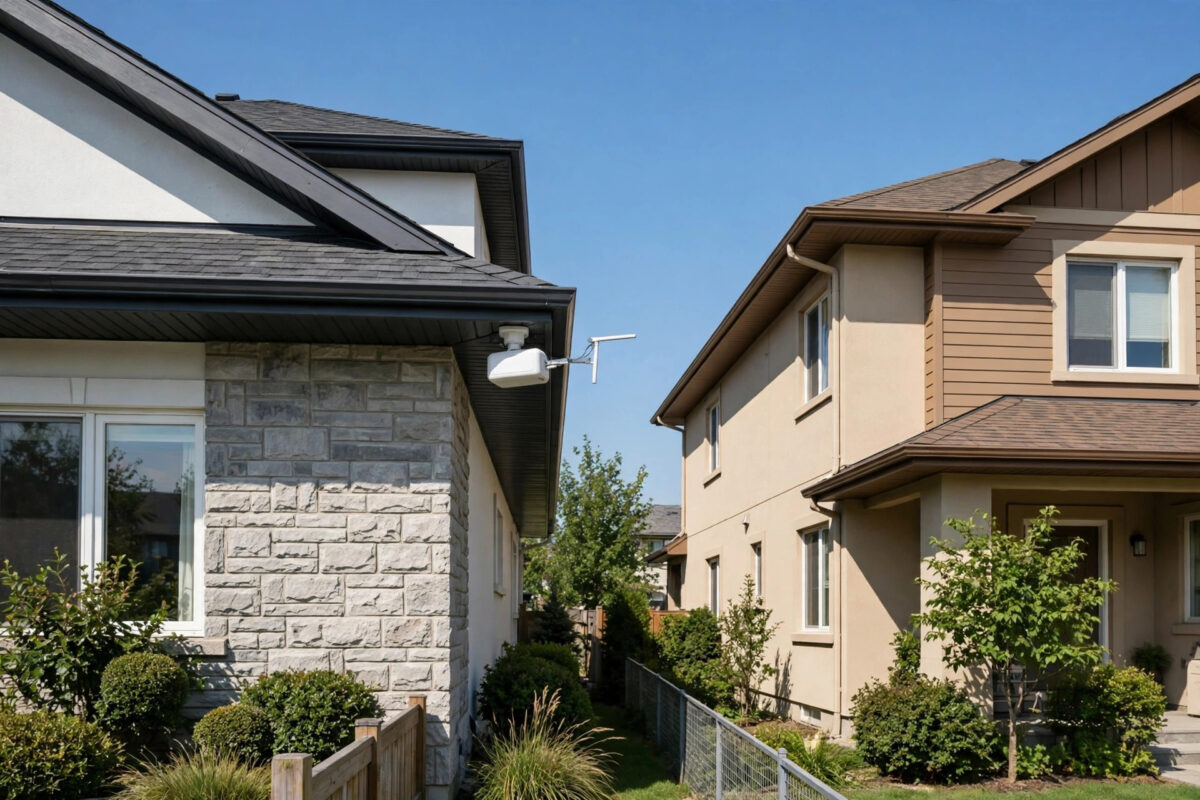
Sharing one internet connection between two houses sounds simple until you try it. The Wi-Fi signal that works fine in your living room usually dies halfway across a garden, a driveway, or a brick wall.
The good news is that this is a solved problem. With the right method for your distance, you can get fast, stable internet in the second house without paying for a second full broadband line.
Quick Answer
For houses under 100 metres apart, run outdoor Ethernet or fibre, or use an outdoor mesh node. For longer distances with clear line of sight, use a dedicated point-to-point wireless bridge, which can work reliably over several kilometres. Always check your provider’s terms first, because sharing with a separate household may breach them.
First, the Legal and ISP Terms Check
This part matters, and skipping it is the most common mistake people make. Most residential broadband contracts are written for a single household at a single address.
Sharing that connection with a separate household, especially if money changes hands, can breach the provider’s terms. The provider could warn you, throttle the service, or close the account.
What to Check Before You Buy Anything
- Read the acceptable use and sharing clauses in your contract or on the provider’s website.
- Look specifically for wording about other premises, resale, and commercial use.
- If the wording is unclear, ask the provider in writing and keep the reply.
- Decide who is responsible for the bill, the router, and any misuse of the connection.
- Agree in advance how costs, repairs, and a future house move will be handled.
Extending your own connection to an annexe, garden office, or barn on the same property is usually treated very differently from supplying a neighbour’s separate family home, which is the risky case.
If your provider says no, respect that. Alternatives include a cheap second line at the other house, a 4G or 5G router deal, or a satellite service for the second property.
Method One: Point-to-Point Wireless Bridge
For most gaps between about 50 metres and several kilometres, a point-to-point wireless bridge is the best answer. It is what farms, businesses, and rural homes use every day.
Two small outdoor units are mounted facing each other. One connects to your router, the other connects to a router or access point in the second house, and they beam a focused signal between them.
A wireless bridge of this kind is not the same as a home repeater. It uses a narrow, directional beam, so far more of the signal arrives where it is needed.
What Performance to Expect
Entry-level 5 GHz bridge kits commonly deliver 300 to 900 Mbps of real throughput at short range. That is plenty for streaming, calls, and general use in the second house.
Range depends on clear line of sight. With nothing in the way, many kits are rated for 3 km, 5 km, or even 10 km, although you should allow a healthy safety margin.
Latency is usually excellent, often adding only 1 to 3 milliseconds. That makes a bridge suitable for video calls and online gaming, unlike satellite connections.
How to Set Up a Wireless Bridge
- Walk the route and confirm you can see one mounting point from the other, with no trees or buildings blocking the middle.
- Mount the first unit high on the main house, ideally under the eaves or on a short pole, facing the second house.
- Mount the second unit at the matching height on the other house, facing back as precisely as you can.
- Run outdoor-rated Ethernet cable from each unit indoors, through a surge protector where possible.
- Connect the main-house unit to a spare LAN port on your router.
- Power both units, usually over the same Ethernet cable using Power over Ethernet injectors supplied in the box.
- Open the setup page for the units, set one to access point mode and the other to station or client mode.
- Create a strong, unique password for the bridge link itself, separate from your home Wi-Fi password.
- Fine-tune the alignment in small movements while watching the signal strength readout, then lock everything tight.
- In the second house, connect the bridge unit to its own router or access point to provide Wi-Fi there.
You will need to access your main router’s settings during setup, so our guide on how to log in to your router admin page for the first time is worth reading before you start.
Method Two: Buried Ethernet or Fibre Cable
If the houses are close, a cable is still the most reliable option of all. It does not care about weather, trees growing, or a neighbour installing a competing wireless system.
Copper Ethernet has a hard limit of 100 metres for the full cable run, including the lengths inside both houses. Beyond that, the signal degrades and the link will drop or fail to negotiate full speed.
Choosing Between Copper and Fibre
Under about 80 metres of actual trench, outdoor Cat6 cable in a duct is simple and cheap. It also avoids extra electronics at each end.
For longer runs, or where the houses have separate electrical supplies, fibre is safer. Fibre does not conduct electricity, so it avoids earth loop and lightning problems that can affect long copper runs between buildings.
Pre-terminated outdoor fibre with media converters costs more than copper, but runs of several hundred metres become easy, with room to upgrade later.
How to Run a Buried Cable Safely
- Measure the full route honestly, including vertical runs and slack at both ends, and check it against the 100 metre copper limit.
- Check for existing buried services along the route before you dig anything.
- Dig a trench deep enough to protect the duct, commonly around 300 to 450 mm for a garden route.
- Lay proper ducting, never bare indoor cable straight into soil.
- Pull outdoor-rated cable through the duct, leaving a draw cord for the future.
- Terminate, test with a laptop at both ends, and only then backfill the trench.
Method Three: Mesh Wi-Fi With Outdoor Nodes
If the houses are very close, perhaps 10 to 30 metres apart with thin walls, a mesh system can work. Place one node near the facing wall in each house and let them link.
Expect lower and more variable speeds than a proper bridge. Mesh is a convenience solution for short gaps, not a replacement for a bridge over a field.
Setting Up the Second House Properly
However the link arrives, give the second house its own router or access point. Do not expect devices there to connect directly back to the main house Wi-Fi.
Router Mode or Access Point Mode?
Access point mode keeps both houses on one network. Devices can see each other, which is handy for family sharing of printers, but less private.
Router mode creates a separate network for the second house. That gives its occupants privacy and keeps their devices separate, which most neighbours and adult children prefer.
- Decide whether you want one shared network or two separate ones.
- Connect the link cable to the second router’s WAN port for router mode, or a LAN port for access point mode.
- Give the second house a different Wi-Fi name and a strong password of its own.
- Check for an IP address clash if both routers want to use the same range, and change one if needed.
- Test wired speed first, then Wi-Fi speed in the rooms that matter most.
Also think about total demand. One 100 Mbps connection shared by two busy households means two 4K streams, a game download, and a video call can saturate it on a bad evening.
Common Mistakes to Avoid
The biggest mistake is using an indoor repeater in a window and calling it done. It may work on a dry, quiet afternoon and fail every wet evening.
Third is forgetting security. An unsecured or weakly secured bridge can expose your whole home network to anyone nearby with basic equipment.
Finally, do not split the cost informally without agreement. Arguments about money and fair usage cause more failed sharing arrangements than the technology ever does.
Conclusion
Start with the terms check, then match the method to the distance. Cable wins under 100 metres, a point-to-point bridge wins beyond that with line of sight, and mesh is only for very short, easy gaps.
Set up the second house with its own router, secure the link properly, and test at peak times. Done carefully, a shared connection can serve two houses reliably for years.
Frequently Asked Questions
How far can a point-to-point wireless bridge reach?
Many consumer and small-business kits work reliably over 1 to 5 km with clear line of sight, and some are rated beyond 10 km. Real-world range falls if trees, buildings, or rising ground block the path.
Can I just use a stronger Wi-Fi router?
Usually not. Legal transmit power limits mean a bigger router gives only a small gain, and the devices in the other house still have weak transmitters for the return signal. A bridge solves both directions.
What is the maximum length for an Ethernet cable between houses?
100 metres for copper Ethernet, including all the cable inside both buildings. For longer runs, use fibre, which handles hundreds of metres easily and avoids electrical problems between separate buildings.
Will sharing slow down my own internet?
It can at busy times, because both houses share the same total bandwidth and the same public connection. A faster package, fair usage agreement, and quality of service settings on the router all help.
Is it legal to share my broadband with my neighbour?
The connection itself is legal to install, but your provider’s contract may forbid supplying a separate household, especially for payment. Check your terms and ask the provider if you are unsure before relying on the arrangement.



Leave a Reply