
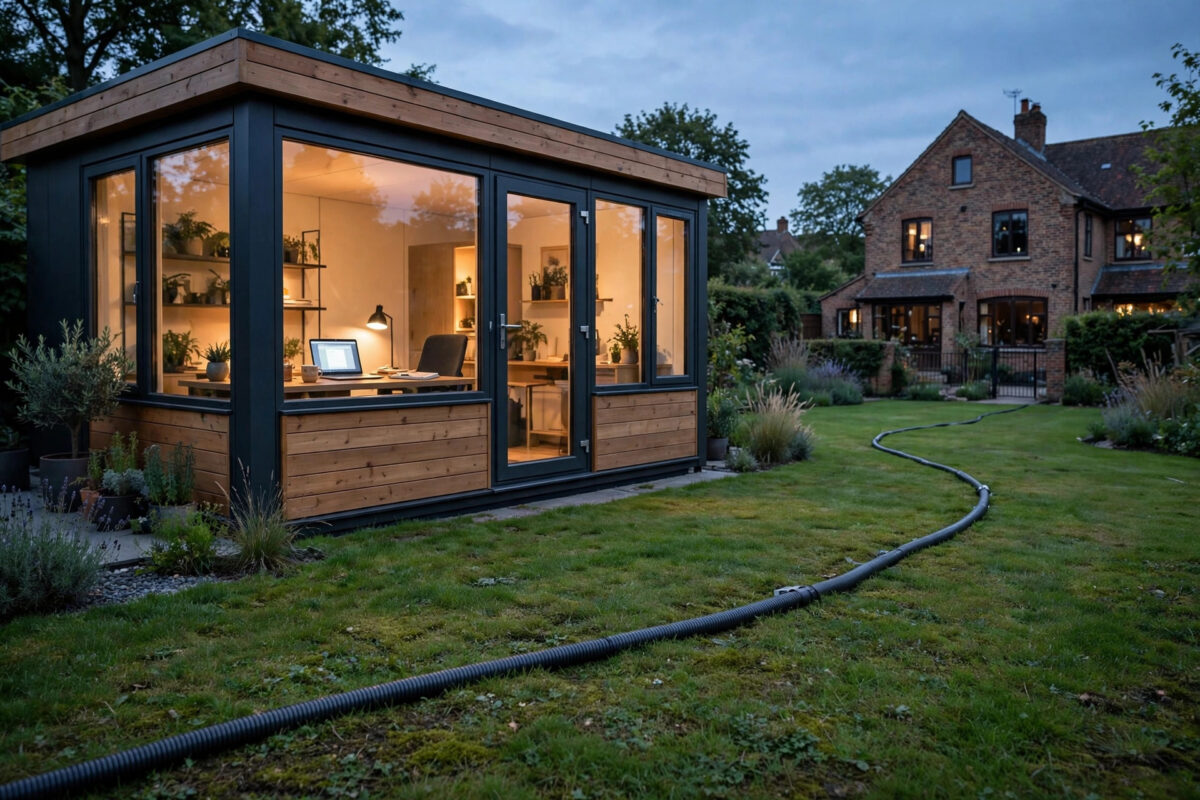
Working from a garden office sounds ideal until your video call freezes halfway through a presentation. The house Wi-Fi that feels fine in the living room often collapses by the time it reaches the bottom of the garden, blocked by brick walls, foil insulation, and twenty metres of open air.
Extending broadband to an outbuilding is a solved problem. You have four proven options — buried Ethernet cable, outdoor access points, powerline adapters, and wireless bridges — and the right choice depends on distance, budget, and how reliable that connection needs to be for work.
This guide walks through each method with real distances, real speeds, and the mistakes that leave people with expensive kit and still no usable signal.
Quick Answer
For most garden offices under 50 metres, run an outdoor-rated Cat6 Ethernet cable from your router to a small access point in the outbuilding for the fastest, most reliable connection. For shorter distances or temporary setups, a mesh satellite or powerline adapter can work, but a wired run is the only option that consistently delivers your full broadband speed.
Understanding Your Options Before You Spend Anything
Before buying anything, stand in your garden office with your phone and run a speed test. Note the distance from your main router to the shed, whether you have a clear line of sight, and whether the outbuilding has its own consumer unit or shares the house electrics. Those three facts rule options in or out immediately.
Wired Ethernet: The Gold Standard
A direct Ethernet run is boring, and that is exactly why it works. Cat6 supports Gigabit speeds up to 100 metres, and even basic Cat5e handles 100 metres at Gigabit in practice. Unlike Wi-Fi, it does not care about rain, neighbouring networks, or the metal frame of your shed.
Use outdoor-rated, UV-resistant Cat6 with a solid copper core — not copper-clad aluminium, which corrodes and causes intermittent faults. Bury it in conduit at least 450mm deep in a garden, or clip it securely along a fence line if digging is not practical. Terminate both ends with proper RJ45 sockets rather than a loose plug flapping around behind a desk.
Wireless Bridge: Best When You Cannot Dig
A point-to-point wireless bridge uses two small outdoor units — one on the house, one on the shed — to beam your network across the garden. A pair costing £80 to £150 can reliably carry 300 to 600 Mbps over 100 metres with clear line of sight.
This is the best choice for rented properties, listed buildings, or gardens crossed by a concrete driveway you do not want to cut. The units need power at both ends and careful alignment, but once set up they are remarkably stable.
Powerline Adapters: Convenient but Unpredictable
Powerline adapters send data over your mains wiring. Plug one in near the router, one in the shed, and in theory you have a network. In practice, speeds vary wildly — a kit rated at 1000 Mbps might give you 80 Mbps in the house and drop to 25 Mbps in a shed fed from a separate consumer unit.
Powerline only works well when both adapters are on the same electrical circuit and the wiring is modern. If your garden office has its own fuse box, a long armoured cable run from the house, or an RCD that sits between the two plugs, expect disappointment. Test with a borrowed kit before committing.
Mesh Wi-Fi and Outdoor Access Points
A mesh satellite placed in a window facing the garden, or a proper outdoor access point mounted on the house wall, can cover a shed 10 to 20 metres away. Beyond that, signal drops sharply, especially through foil-backed insulation boards that act like a radio shield.
This option suits light use — browsing, email, music — but it is a poor foundation for all-day video calls or large file uploads. If you choose it, mount the access point outside, high up, rather than hoping an indoor router will punch through two exterior walls.
Step-by-Step: Installing a Buried Ethernet Run
If you have decided on the wired route, which is the right call for a permanent home office, here is the process that avoids call-backs and dead cables.
- Measure the full route, not the straight-line distance. Add bends, the rise into both buildings, and 2 metres of slack at each end. Buy cable at least 10 percent longer than your measurement.
- Choose external-grade Cat6 and 20mm or 25mm flexible conduit. The conduit protects against spades, rodents, and frost heave.
- Dig a trench at least 450mm deep where it crosses lawns or beds. Lay a bed of sand, place the conduit, and add warning tape 150mm above it before backfilling.
- Pull the cable through the conduit before burying it if the run has bends. Pulling cable through buried conduit with tight turns is miserable work.
- Fit weatherproof entry points into both buildings, seal with silicone, and terminate onto wall-mounted RJ45 modules.
- In the shed, connect the socket to a small Gigabit switch or directly to a wireless access point. A switch lets you plug in a laptop, printer, and access point at once.
- Test with a laptop wired directly to the new socket. You should see within 5 percent of the speed you get next to your main router.
For guidance on choosing your in-shed access point and positioning it correctly, our guide to optimising Wi-Fi access point placement at home covers channel selection and mounting heights in detail.
Getting Power and Safety Right
Data is only half the job. Any electrical work in an outbuilding must comply with Part P of the Building Regulations in England and Wales, and adding a new circuit or consumer unit is notifiable work for a qualified electrician.
Protecting Your Equipment
Fit surge protection at the house end of a long Ethernet run. Lightning strikes nearby can induce voltages on outdoor cable that will happily destroy a router port and anything attached to it. A £20 Ethernet surge protector is cheap insurance.
Keep network cable at least 200mm away from mains cable where they run in parallel. Crossing at 90 degrees is fine, but running them side by side in the same conduit invites interference and breaks regulations.
Dealing With Distance Limits
If your shed is more than 90 metres from the router, Ethernet is nearing its limit. At that point, fibre optic cable with media converters becomes the sensible choice. Pre-terminated outdoor fibre kits are now affordable, immune to electrical interference, and safe between buildings with different earth arrangements — a genuine concern on very long copper runs between separate structures.
The Ofcom guidance on broadband speeds and coverage is worth checking too, so you know what speed should actually be arriving at your house before you extend it anywhere.
What Speeds Can You Realistically Expect?
Set expectations by method. A Cat6 run delivers 100 percent of your incoming broadband, whether that is 70 Mbps on standard fibre or 900 Mbps on full fibre. A good wireless bridge typically delivers 70 to 90 percent over garden distances.
Powerline is the lottery: anywhere from 15 to 200 Mbps regardless of the number on the box. Mesh through walls might give you 30 to 100 Mbps near the house, falling fast with distance.
Common Mistakes to Avoid
The most common mistake is buying a cheap indoor Ethernet cable and burying it directly in soil. It will work for a few months, then water ingress and a single spade strike will end it. Always use external-grade cable in conduit.
Second is placing a mesh satellite inside a foil-insulated garden room and wondering why the signal is worse inside than outside. The insulation is doing exactly what it was designed to do — reflecting energy. Put the access point inside, fed by cable or bridge, not outside trying to shout through the wall.
Third is forgetting about upload speed. Garden offices often host video calls all day, and a connection showing 40 Mbps down but 2 Mbps up will still look terrible on camera. Test both directions before you declare the job done, and avoid daisy-chaining cheap unmanaged switches and extenders that halve your throughput at every hop.
Conclusion
Extending broadband to a garden office is not about buying the most expensive kit — it is about matching the method to your distance and how much your work depends on it. A buried Cat6 run costs more effort on day one and then disappears from your life for a decade, delivering every megabit you pay for.
If digging is impossible, a wireless bridge is a close second. Treat powerline and mesh-through-walls as trials, not plans, and always test real speeds in the shed itself before moving your desk down there.
Frequently Asked Questions
How far can I run Cat6 cable to my shed?
Cat6 is rated for Gigabit Ethernet up to 100 metres total channel length, including patch leads at both ends. For garden runs, keep the buried section under 90 metres to leave room for connections. Beyond that, use fibre optic cable with media converters.
Will a Wi-Fi extender reach my garden office?
Usually not reliably. A standard indoor extender 25 metres away through two exterior walls typically delivers a weak, unstable signal. An outdoor access point or wireless bridge is designed for this job and performs far better.
Do powerline adapters work in a shed with its own fuse box?
Sometimes, but poorly. A separate consumer unit, long cable run and RCD protection all degrade the signal, often to under 30 Mbps. Test before relying on it for work, and consider a wireless bridge instead.
Do I need planning permission to run cable to my shed?
Running a data cable in your own garden does not normally need planning permission, but new electrical circuits for outbuildings are notifiable under Building Regulations. Use a qualified electrician for any mains work.
What is the cheapest reliable option?
A self-installed external Cat6 run typically costs £40 to £90 in materials for an average garden and outperforms powerline and mesh kits costing more. The cable, conduit and sockets are inexpensive — it is your time digging that is the real cost.



Leave a Reply