
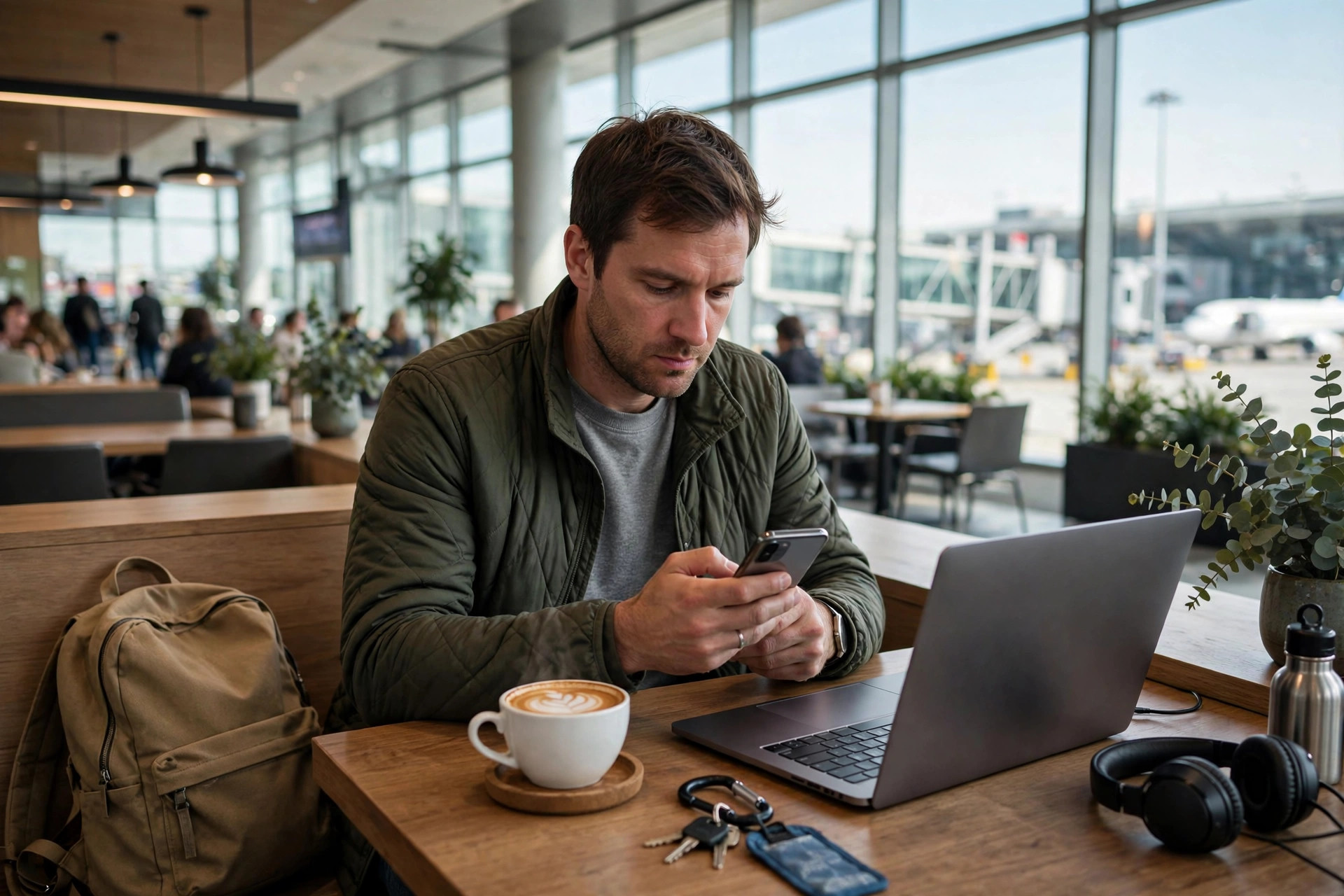
Coffee shops, airports, hotels, and trains all offer free Wi-Fi, and it is tempting to use it to check your balance or pay a bill while you wait. That convenience comes with a trade-off. On a public network, you share the connection with strangers, and you have no control over how well it is secured.
So is public Wi-Fi safe for online banking? The short answer is that you should avoid it if you can. The longer answer matters too, because sometimes you have no choice while travelling and need to reduce the risk as much as possible.
This guide explains what can actually go wrong on public Wi-Fi, which protections help and which are myths, and the safest way to handle banking when you are away from home.
Quick Answer
No, public Wi-Fi is not ideal for online banking. The safest option is to use your mobile data or wait until you are on a trusted home network.
If you must bank while out, use your bank’s official app, avoid the browser, turn off auto-connect, and consider a reputable VPN.
Never do banking on a public computer, and always log out completely when you finish.
Why Public Wi-Fi Is Risky for Banking
On your home network, you know who set the password and who else uses it. On public Wi-Fi, anyone nearby can join, including someone waiting to intercept traffic or create a trap.
One common trick is the fake hotspot. An attacker creates a network with a name like “Free Airport WiFi” or “Coffee Shop Guest.” If you connect to it, your traffic passes through their equipment first. They cannot magically read every encrypted banking session, but they can try to redirect you to fake pages.
Another risk is an unpatched or poorly configured router. Even a legitimate cafe network may run old software. Combined with other users on the same network, that creates more opportunities for snooping, session tricks, and malware than you face at home.
What Encryption Does and Does Not Do
Modern banking websites and apps use HTTPS encryption, which protects the content of your session from simple eavesdropping. That is a major improvement over a decade ago and it does help, even on public Wi-Fi.
Encryption does not protect you from every problem, though. It will not save you if you log in through a fake banking page, approve a fraudulent prompt, or use a device that already has malware. It also does not hide which sites you visit in all cases.
Think of HTTPS as a locked envelope. It is important, but you still need to make sure you are sending that envelope to the right address and that nobody is standing over your shoulder.
Safest Alternatives to Public Wi-Fi Banking
The best protection is simply choosing a different connection. Work through these options before you resort to public Wi-Fi for a financial task.
- Use mobile data. Switch off Wi-Fi and use your phone’s 4G or 5G connection for banking. Mobile data is not perfect, but it is a direct connection through your provider and far harder for a nearby stranger to tamper with.
- Create your own hotspot carefully. If you need to bank on a laptop while travelling, tether it to your phone’s mobile data instead of joining hotel or cafe Wi-Fi for that task.
- Wait for a trusted network. For non-urgent transfers, large payments, or password changes, wait until you are home or on a network you trust and manage yourself.
- Use the official banking app. If you must connect away from home, the bank’s app from the official app store is safer than a browser, because it is harder to redirect and often includes extra device checks.
- Prepare before you travel. Pay bills in advance, download statements offline, and set up travel notifications so you do not need to do sensitive tasks on unfamiliar networks.
Most banking tasks take two minutes and use very little mobile data.
If You Must Use Public Wi-Fi, Reduce the Risk
Sometimes you are abroad, out of data, and need to check for fraud or unblock a card. If you have no better option, take these precautions seriously.
- Confirm the exact network name with staff. Ask an employee for the correct spelling. Attackers rely on you guessing between similar names.
- Turn off auto-connect and file sharing. Set the network to Public on Windows if prompted, disable AirDrop to everyone on Apple devices, and forget the network after you finish.
- Use a reputable VPN from an official source. A VPN encrypts your traffic to its server and helps on untrusted networks, but only use a well-known paid provider you installed before your trip. Free VPNs downloaded in a hurry can create new privacy problems.
- Avoid the browser for login. Open the banking app directly. Do not follow links from emails, texts, or pop-up pages on the Wi-Fi login screen.
- Enable biometric login and alerts. Use fingerprint or face recognition where offered and turn on instant transaction alerts so you spot anything unusual immediately.
- Log out and close the app. Do not just close the tab. Use the log out button, then close the app fully.
Even with all these steps, keep the session short and limited to what is necessary. Check a balance if you must, but avoid changing passwords, adding new payees, or making large transfers until you are on a trusted connection. You can find more background on safer connections in our guide to everyday network security for home and travel.
What About Hotel Wi-Fi for Banking?
Hotel Wi-Fi sits in the middle. It is more controlled than an open street network, but it is still shared with many guests and often managed by third-party providers. Treat it like public Wi-Fi for banking purposes.
If your room offers a wired connection or your phone signal is strong, prefer those options. Otherwise, use mobile data for the banking task and save hotel Wi-Fi for streaming and general browsing.
The same caution applies to Wi-Fi on trains, planes, and in co-working spaces. Convenience networks are built for access, not for your financial privacy. The FTC’s guidance on whether public Wi-Fi networks are safe reaches the same conclusion: use your phone’s data connection or wait for a secure network for sensitive accounts.
Other Tasks to Avoid on Public Networks
Banking is not the only sensitive activity. Email, shopping with saved cards, work systems, and cloud storage all contain data worth protecting. An attacker who gets into your email can reset passwords for many other services.
Avoid downloading software updates or installing new financial apps while on public Wi-Fi. Always install apps and major updates at home, from official stores, so you know the source is genuine.
Also be physically aware. Use a privacy screen if you travel often and never leave a logged-in device unattended.
Common Mistakes on Public Wi-Fi
The most frequent mistake is assuming that a network with a password is automatically safe. Many cafes share one simple password written on the wall. That password proves nothing about who else is connected or how the router is configured.
Another mistake is staying logged in. People check their bank, then move on to email and shopping without logging out, extending the window of exposure. Finish the task, log out, and disconnect.
People also trust the Wi-Fi login page too much. A captive portal that asks you to “verify your bank” or download a certificate to get online is malicious. Legitimate portals ask for a room number, email, or a simple acceptance of terms, never banking credentials.
Finally, using a free random VPN found at the top of an advert can be worse than no VPN. If you do not know who runs it, you do not know who sees your traffic. The CISA guidance on avoiding social engineering attacks also reminds travellers to verify networks and requests independently rather than trusting what appears on screen.
Conclusion
Public Wi-Fi is fine for maps, news, and casual browsing, but it is the wrong place for your most sensitive logins if you have any alternative. Mobile data, a trusted home network, and your bank’s official app give you a much stronger position.
Build the habit now: turn off auto-join for open networks, prepare banking tasks before trips, and keep public sessions short when you truly have no choice. Those simple decisions remove most of the danger without making travel harder. When in doubt, wait ten minutes for a safer connection. Your money is worth that pause.
Frequently Asked Questions
Is it safe to check my balance on public Wi-Fi if the site uses HTTPS?
HTTPS helps a great deal, but it does not remove all risks from fake hotspots, fake login pages, or a compromised device. Checking a balance is lower risk than making a payment, yet mobile data is still the safer choice whenever it is available.
Does a VPN make public Wi-Fi completely safe for banking?
No tool makes it completely safe. A reputable VPN adds strong encryption on an untrusted network and is a sensible precaution, but it does not protect you from phishing pages or malware already on your device. Use it as one layer, not a guarantee.
Is my banking app safer than the browser on public Wi-Fi?
Generally yes. The official app connects directly to your bank, is harder to spoof than a web page, and often adds biometric and device checks. Always download it at home from the official store before you travel.
Can hackers steal my money just because I joined public Wi-Fi?
Simply joining does not automatically empty your account. The danger comes from what you do next, such as logging into a fake page or approving a fraudulent request. Still, joining unknown networks increases exposure, so disconnect when you are not using it.
What should I do if I already did banking on public Wi-Fi?
On a trusted network, change your banking password, review recent transactions, and check that your contact details and alerts are correct. Contact your bank if you see anything unfamiliar. Then turn on transaction notifications for the future.



Leave a Reply