
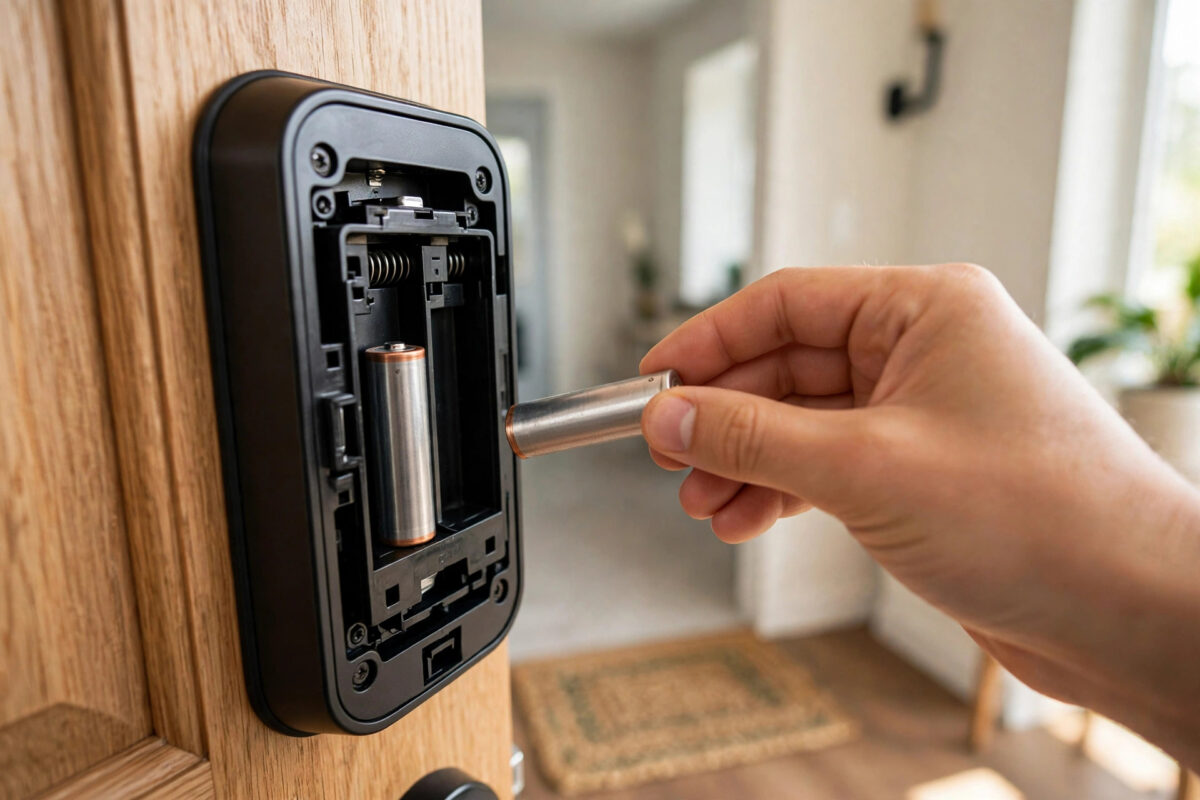
Your August smart lock should run for months on one set of batteries. If a fresh set dies in two weeks, something is wrong. The lock is working far harder than it should, or it is staying awake when it should sleep.
Many owners replace the batteries again and again. That treats the symptom, not the cause. Two weeks later, the low battery warning is back.
This guide helps you find the real cause. Most cases come down to three things: a stiff bolt, constant Wi-Fi retries, or a weak signal to the August Connect bridge. Fix the cause, and battery life returns to normal.
Quick Answer
First, turn the lock by hand — if the bolt feels stiff, the motor is straining and draining power, so fix the door alignment first. Next, check the August app for constant reconnects and move the Connect bridge closer to the lock and router. Finally, fit fresh, good-quality AA batteries, recalibrate the lock, and turn off features you do not use, such as constant remote polling.
What Normal Battery Life Looks Like
An August lock in a normal home usually lasts three to six months per set of batteries. Busy homes with many lock cycles per day sit at the low end. Quiet homes last longer.
Two weeks is not normal use. Even a very busy door should not kill batteries that fast. Fast drain means extra work or extra wake time.
Watch for these warning signs:
- The motor sounds slow, strained, or louder than before.
- The lock tries twice to lock before it succeeds.
- The app often shows the lock as offline or connecting.
- The batteries feel warm or one battery drains much faster than the others.
- Auto-lock and DoorSense alerts arrive late or not at all.
Cause 1: A Binding Bolt Makes the Motor Strain
This is the number one cause of fast drain. If the deadbolt rubs against the strike plate, the motor must push hard on every cycle. Hard pushes use far more power.
How to test it
- Open the August app and note how the lock sounds during a normal lock cycle.
- Now turn the thumb turn by hand with the door closed. Feel for rubbing, catching, or a need to push the door to make it turn.
- Repeat the hand test with the door open. If it is smooth open but stiff closed, the door alignment is the problem.
How to fix it
- Tighten loose hinge screws so the door stops sagging.
- Adjust the strike plate so the bolt enters the centre of the hole.
- Clean dirt and old paint from the bolt hole.
- Check for weather swelling — wood doors often bind more in wet or hot weeks.
Never force the calibration to accept a stiff door. Fix the stiffness first, then recalibrate.
Cause 2: Constant Wi-Fi Retries Keep the Lock Awake
An August lock saves power by sleeping and waking only when needed. If it cannot reach its bridge or Wi-Fi cleanly, it wakes, tries, fails, and tries again. Those retries can run all day and all night.
Signs this is your problem
- The app shows “connecting” for a long time.
- Remote locking works sometimes and fails other times.
- Drain started after you changed router, password, or internet provider.
- The Connect bridge light often blinks or turns red.
Fix the connection step by step
- Move the Connect bridge closer. Place it in the same room as the lock, ideally within three to five metres, and in line of sight of the door if you can. Thick walls and metal doors weaken the signal.
- Move the bridge away from interference. Keep it away from microwaves, large TVs, and crowded power strips.
- Confirm the Wi-Fi band. The bridge needs a stable 2.4 GHz network. If your router merged bands or changed name, reconnect the bridge in the app.
- Restart in order. Restart the router, then the bridge, then the lock. Wait two minutes between each step.
- Check signal in the app. Look at the lock and bridge status after the restart. A steady, good signal should stay stable for an hour of checks.
If your home Wi-Fi is weak at the front door in general, our broader advice in our tips for making smart home devices last longer covers placement and power habits that help every device, not just locks.
Cause 3: Settings and Features That Wake the Lock Too Often
Some settings are useful but costly. Review them in the August app:
- Auto-lock with a very short timer: If the door opens and closes all day, a 30-second auto-lock creates many extra motor cycles. A longer timer can cut cycles a lot.
- DoorSense problems: If the door sensor is poorly calibrated, the lock may think the door is open and keep checking. Recalibrate DoorSense and confirm the magnet is lined up.
- Guest access polling: Homes with many active guests and integrations wake the lock more often. Remove old guests and unused integrations.
- Smart alerts for every event: Alerts themselves are cheap, but constant app activity from many family phones can add wake-ups. Keep alerts you need and trim the rest.
Change one setting at a time. Then watch battery use for a few days, so you know what helped.
The Right Batteries and a Clean Recalibration
- Remove all old batteries. Do not replace only one or two.
- Fit four fresh, name-brand alkaline AA batteries from the same pack. Avoid mixing types, and be careful with cheap bulk batteries that vary in strength.
- Check the battery contacts. Clean any white or green corrosion gently with a dry cloth.
- Wait one minute after fitting batteries, then open the app and confirm the battery level reads full.
- Run the lock calibration in the app with the door in its normal closed position, as August directs. The lock learns the correct travel and force.
- Lock and unlock five times from the app and five times by hand. Every cycle should sound the same — smooth and confident.
For battery type guidance and reset steps for your exact model, check August’s official support centre before you buy special or rechargeable cells. Some rechargeable batteries report the wrong voltage and trigger early low-battery warnings.
How to Confirm You Fixed It
Do not judge by one day. Track the fix properly:
- Write the install date on a small label inside the battery cover.
- Check the app battery level once a week for the first month.
- Note any offline periods or double-try locks in your phone notes.
- If drain is fixed, the level should fall slowly and evenly, not drop sharply in week one.
If a second fresh set also dies in about two weeks after you fixed alignment and signal, the lock itself may have a motor or board fault. At that point, contact August support with your dates and test notes. Clear notes get faster help.
Mistakes to Avoid
- Only swapping batteries: New batteries in a binding door die just as fast as the old set.
- Placing the bridge far away: A bridge in another room behind thick walls is the classic hidden cause of retry drain.
- Mixing battery types: Mixed old, new, alkaline, and rechargeable cells confuse the level reading and shorten life.
- Skipping recalibration: After any alignment fix, the lock still uses its old force map until you recalibrate.
- Ignoring a router change: A new router name or password can quietly break the bridge link for weeks.
Conclusion
An August lock that drains batteries in two weeks is telling you something. Test the bolt by hand for binding, fix the Connect bridge signal so the lock can sleep, and review settings that wake it too often. Finish with a full set of fresh batteries and a clean calibration. Most owners who work through these causes see battery life return to months, not weeks.
Frequently Asked Questions
Can cold weather cause fast battery drain?
Yes, cold weakens batteries, especially on outside-facing doors. But cold alone rarely cuts life to two weeks. Check binding and Wi-Fi retries first, even in winter.
Are lithium AA batteries better for August locks?
They can last longer and handle cold better, but check August guidance for your model first. The battery reading may behave differently with lithium cells.
How do I know if my Connect bridge signal is weak?
Frequent offline states, slow remote locking, and a blinking bridge light are strong signs. Moving the bridge closer for a one-week test confirms it quickly.
Does auto-lock use a lot of battery?
Each motor cycle uses power, so very frequent auto-lock cycles add up. It is rarely the sole cause of two-week drain, but a very short timer in a busy home makes other problems worse.
When should I contact August support?
Contact support if two fresh battery sets drain fast after you fixed alignment, bridge placement, and calibration. Share dates, battery brand, and your test notes.



Leave a Reply