
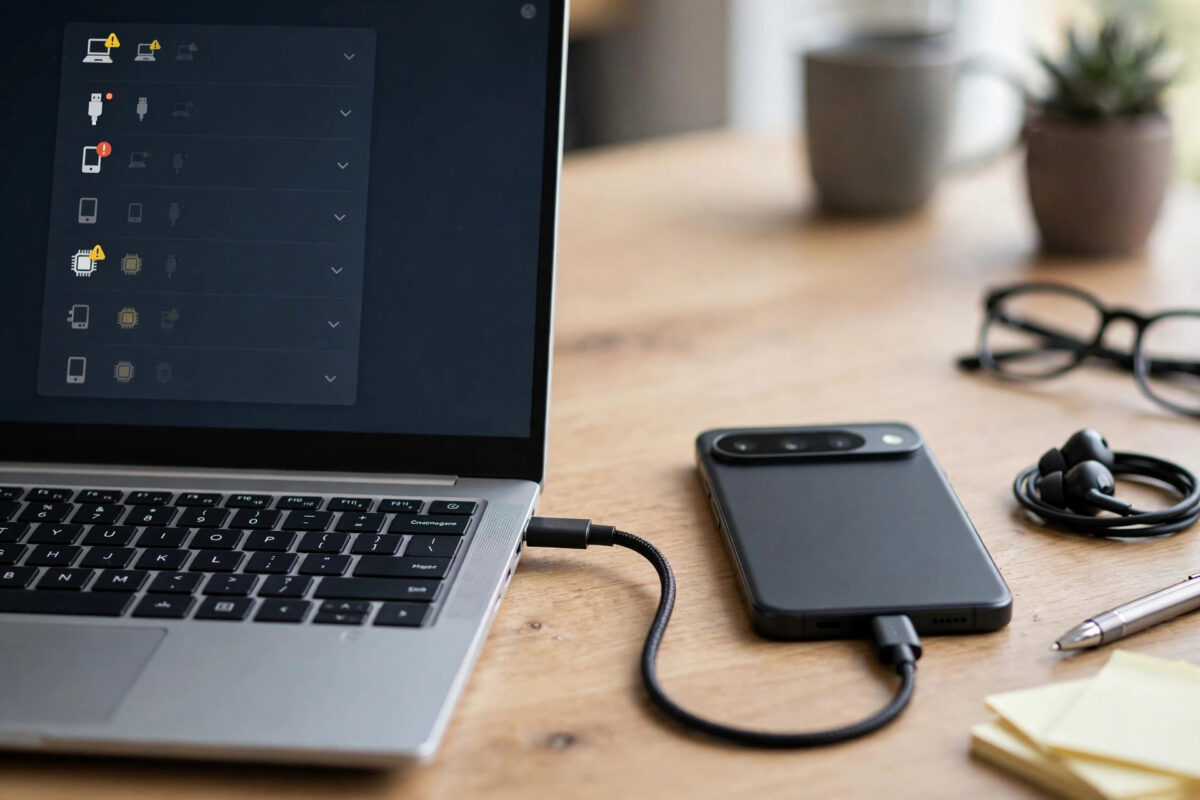
Other phones connect to your PC without drama, but your Pixel triggers the dreaded balloon: “USB device not recognized.” The phone charges, Windows complains, and no storage ever appears. Because it happens only with the Pixel, it is tempting to blame the phone.
Usually the Pixel is innocent. This error means Windows failed to identify the device during the initial handshake — most often a driver problem, a marginal cable, or dirt in the port. Work through the fixes in this order and most cases resolve in minutes.
Quick Answer
Start with a different, known data-capable USB cable and a direct port on the PC. Unlock the Pixel and set its USB mode to File Transfer. Then open Device Manager, find the failed device under Universal Serial Bus controllers, uninstall it, unplug and reconnect so Windows tries again. If Windows still refuses, install Google’s official USB driver manually. Clean the phone’s USB-C port of pocket lint before assuming anything is broken.
Fix 1: Cable, Port and Lint
- Swap the cable. Use the cable that came with the Pixel or another certified USB-C cable. A cable that charges perfectly can still fail at data — charging uses fewer wires than a data connection.
- Change the port. Use a port directly on the PC — the rear panel of a desktop or the laptop’s own ports. Avoid hubs, docks and front-panel connectors for the test.
- Clean the Pixel’s port. Power the phone off and gently tease out compacted pocket lint with a wooden toothpick or a blast of compressed air. Lint buildup is rampant in USB-C ports and stops the plug seating fully, causing exactly this intermittent, one-device-only behaviour.
- Try the phone on another computer if one is available. If it connects there instantly, your PC’s configuration is the problem and you can stop suspecting the phone.
Fix 2: Set the Pixel Up Correctly
Unlock the Pixel, pull down the notification shade, and tap the USB notification to choose File Transfer (or “Transfer files”). Windows cannot enumerate storage that the phone has not offered. Also restart the Pixel once — a stuck USB service on the phone side produces the same error and clears with a reboot. While you are there, check for a pending Android update; Google occasionally ships USB fixes in monthly patches.
Fix 3: Repair the Windows Driver
- Open Device Manager with the Pixel connected and showing the error.
- Find the failed entry — usually “Unknown USB Device (Device Descriptor Request Failed)” under Universal Serial Bus controllers.
- Right-click it and choose Uninstall device. Then unplug the Pixel, wait ten seconds, and reconnect. Windows will re-detect it from scratch, which clears a corrupted driver entry.
- If it still fails, install Google’s USB driver. Get it from the official Google USB Driver page for Android developers, unzip it, then in Device Manager choose Update driver, Browse my computer, and point Windows at the unzipped folder with the Pixel connected.
- Check Windows Update’s optional drivers as an alternative source — Settings, Windows Update, Advanced options, Optional updates sometimes lists a Google or composite ADB driver that resolves it.
Google’s own Pixel Phone Help pages also walk through connection troubleshooting if you want the manufacturer’s version alongside. Note that Pixels are fussier than most phones here because Windows does not ship a bespoke Pixel driver — it relies on generic MTP plus Google’s driver for full functionality, which is why the manual install so often finishes the job. Mac users hit a sibling problem with different tools; our guide to fixing Android File Transfer detection on Apple Silicon Macs covers that side.
Fix 4: Power Settings That Kill USB Devices
Windows power management can suspend USB devices aggressively, and some PCs throw recognition errors as a result. In Device Manager, open each USB Root Hub’s properties, go to the Power Management tab, and untick “Allow the computer to turn off this device to save power” for the hub your Pixel uses. Also try disabling USB selective suspend in your power plan’s advanced settings. This fix matters most when the Pixel connects, then drops, then errors — a pattern of power cycling rather than total refusal.
Common Mistakes to Avoid
- Downloading driver packs from random websites. “Driver booster” style tools install junk and occasionally malware. The only Pixel driver you need comes from Google or Windows Update.
- Testing with the phone locked. A locked Pixel exposes nothing. Unlock it before every reconnection test.
- Using a metal tool inside the port. Clean with wood, plastic or air only, with the phone off. A metal pick can short pins and turn a lint problem into a repair bill.
- Assuming the phone’s port is dead. If the Pixel charges reliably and connects to another PC, the port is fine. Port failure is the last suspect, not the first.
- Repeating the same failed reconnection twenty times. If the driver entry is corrupt, only uninstalling it or installing Google’s driver moves you forward.
When It Really Is the Phone
Hardware failure is the last suspect, but it exists. Signs that point at the Pixel itself: it fails identically on two different PCs with two different cables; the USB-C plug feels loose or only works at an angle; charging has also become intermittent; or the port shows visible damage or corrosion. Before concluding, boot the Pixel and test once more after a full restart with a spotless port — software mimics hardware failure with depressing skill. If the fault persists everywhere, the practical paths are a repair shop for a port replacement (usually economical on Pixels), or routing around the port entirely: transfer files over Wi-Fi with a sharing app, sync photos through Google Photos, and use wireless debugging if you need developer access. A phone with a dead USB port is diminished, not useless — but for a device you rely on for large transfers, the repair is worth its modest cost.
One corporate-laptop caveat deserves mention: if the PC is managed by an employer, USB storage may be blocked by policy while charging still works, producing errors that look exactly like driver failure. Test the Pixel on a personal computer before performing surgery on drivers you may not even have permission to change.
Conclusion
“USB device not recognized” with a Pixel is almost always a conversation problem between Windows and the phone — cable, lint, USB mode, or a driver entry that has gone stale. Clean the port, use a real data cable, uninstall the failed device so Windows starts fresh, and install Google’s official driver if needed. The Pixel connects, the storage appears, and file transfers work as they should.
Frequently Asked Questions
Why does my Pixel work on other PCs but not this one?
That pattern proves the phone and cable are fine and points squarely at your PC: a corrupted driver entry, an over-aggressive power setting, or a faulty port. Uninstalling the failed device in Device Manager is the highest-value fix.
Do I need the Google USB driver just to copy photos?
Often Windows’ built-in MTP support is enough for photos, and the driver only becomes necessary when the generic one fails — or when you need ADB or Fastboot access. Installing Google’s driver covers both cases and does no harm.
The error says “Device Descriptor Request Failed.” Is that different?
It is the same failure seen from Windows’ side: the PC asked the phone to identify itself and got no usable answer. Cable, lint and driver fixes apply in exactly the same order.
Could a Windows update have caused this?
Yes — updates occasionally replace or break USB drivers. If the problem started right after an update, reinstalling Google’s driver or uninstalling the failed device entry usually restores the connection.
My Pixel connects but keeps disconnecting mid-copy. Same problem?
Related, but lean toward physical causes: a worn cable, lint preventing a full seat, or USB power management suspending the port. Fix those three and mid-copy drops usually stop.
Leave a Reply