
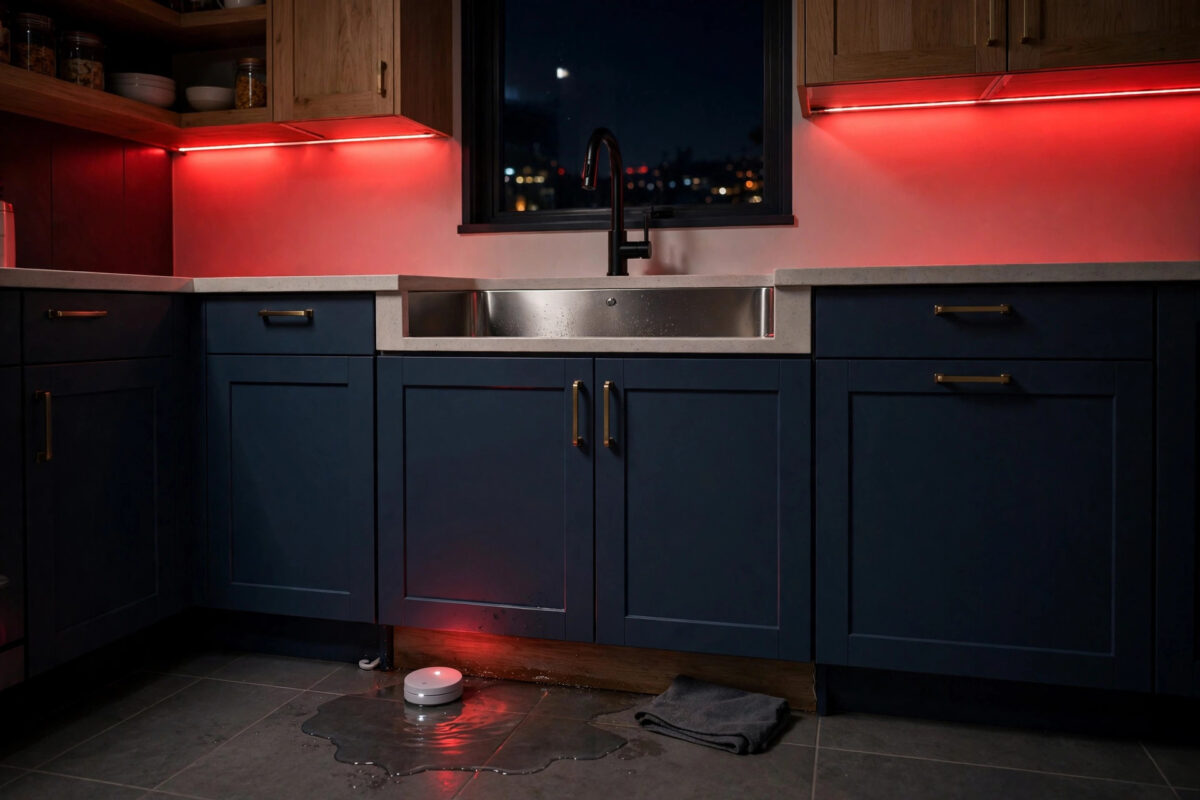
A water leak rarely announces itself politely. A slow drip behind a washing machine, a split hose under a sink, or an overflowing water heater can soak floors and walls for hours before anyone notices. By the time you see a puddle, the damage is often already expensive.
Smart leak sensors help, but a phone notification is easy to miss when your phone is on silent, charging in another room, or buried in a bag. Flashing your smart lights red solves that. It is a warning nobody in the house can ignore, day or night. This guide shows you how to link a leak sensor to red flashing lights in a calm, sensible way.
Quick Answer
Place a water leak sensor where leaks start, pair it with your smart home platform, and create an automation that triggers when water is detected. Set the action to turn your chosen smart lights red and flash or blink them for several cycles, alongside a phone notification. Add a separate reset routine so the lights return to normal only after you have checked the sensor and dried the area.
Why a Visual Alert Matters for Leaks
Speed is everything with water. The faster you shut off the supply or move belongings, the smaller the bill. A layered alert gives you the best chance of reacting quickly.
- A phone notification works when you are away from home.
- A flashing red light works when you are home but your phone is silent or out of reach.
- Other household members, including guests and children, can spot a visual alert and act even without the app.
- Red is widely understood as a warning colour and stands out against normal warm or white lighting.
Choose lights people will actually see. Hallway, kitchen, and living room lights are good choices. A spare bedroom bulb that is usually off at the wall will never help anyone.
Step 1: Place Leak Sensors Where Water Starts
The alert is only as good as the sensor placement. One sensor by the front door does nothing for a leak in the utility room, so think like water and start at the risky spots.
- Place a sensor on the floor behind or beside the washing machine, near its hoses.
- Add one under the kitchen sink, close to the trap and supply pipes.
- Put one near the water heater or boiler, where tanks and valves can drip.
- Consider the base of toilets, baths, and dishwashers in busy family homes.
- Make sure the sensor’s metal contacts sit flat on the floor or in its cradle, exactly as its maker instructs.
Test each sensor with a damp fingertip or a few drops of water on its contacts, never by flooding the area. Confirm the app shows water detected, then dry the sensor fully.
Step 2: Check Your Lights Can Show Red and Flash
Not every smart bulb behaves the same way. Colour bulbs from systems such as Philips Hue and similar brands can show red easily, while some white-only bulbs cannot. Flashing may be a built-in effect, a blink feature in a routine, or something you build from repeated on-and-off steps.
- Pick the lights for the alert and test turning them red from your app.
- Look for a flash, blink, or effect option in your platform’s routine actions.
- If there is no flash option, plan a simple pattern: on for one second, off for one second, repeated several times.
- Note the normal colour and brightness of each light, because you may want a restore step later.
- Make sure these lights are powered at the wall switch, not turned off manually, or they cannot respond.
The Philips Hue support pages describe the effects and colour options available for Hue bulbs if you are building the alert in that system.
Step 3: Build the Leak Alert Automation
Now link the sensor to the lights. Keep this routine focused: when water is detected, warn the house loudly and clearly, and do nothing clever that might delay the warning.
- Create a new routine or automation in your platform, such as SmartThings, Alexa, Apple Home, or Home Assistant.
- Set the trigger to your leak sensor reporting water detected.
- Add the first action: send a phone notification saying which sensor triggered, such as “Water detected under the kitchen sink.”
- Add the light action: turn the chosen lights on, set them to red at full brightness, and apply flashing or your blink pattern.
- Let the flashing run long enough to be noticed — one to five minutes is typical for a home alert.
- If your system supports it, also play a spoken announcement on a smart speaker naming the leak location.
- Save the routine and test it with a damp fingertip on the sensor.
If you have several sensors, you can build one routine per sensor so the notification and announcement name the exact room. That detail saves precious minutes when water is spreading.
For a wider safety setup, our guide on setting up smart water leak sensors around your home covers sensor coverage for bathrooms, kitchens, and utility spaces in more detail.
Step 4: Create a Proper Reset Routine
A leak alert that cannot be cleared cleanly quickly becomes a nuisance, and people start disabling it — the worst possible outcome. Plan the reset at the same time as the alert itself.
- The flashing should stop when the sensor reports dry again, or when you run a manual “Leak Checked” scene or button.
- Restore lights to a calm warm white, or turn them off, as part of the reset rather than leaving them red for hours.
- Require a human check before a full reset if your platform allows it, so nobody silences the warning without looking for water.
- After any real leak, dry the sensor contacts fully before putting it back, or it may keep reporting wet.
Step 5: Test the Whole Chain Safely
- Tell your household a test is about to happen, so the flashing red lights do not cause panic.
- Wet the sensor contacts lightly and watch the time it takes for lights and notifications to react.
- Check every chosen room: can the flashing really be seen from where people sit and sleep?
- Dry the sensor, run your reset, and confirm the lights return to normal.
- Repeat the test for each sensor, and note battery levels in the app while you are there.
Common Mistakes to Avoid
- Flashing every light in the house: It feels dramatic but can frighten children and annoy neighbours through windows. A few key rooms are enough.
- Very fast strobe effects: Rapid flashing can be uncomfortable or unsafe for people sensitive to flashing lights. Use a gentle blink of about one second on and one second off.
- Relying on lights alone: Always pair the visual alert with a phone notification, so a leak while you are out still reaches you.
- Never testing after setup: A routine that has never been tested is a hope, not a safety system. Test monthly with a damp fingertip.
- Ignoring low batteries: Leak sensors sit quietly for months. Check their battery reports regularly so they are alive when a real drip starts.
- Placing the sensor on a raised lip: Water must reach the contacts. A sensor perched on a skirting edge may stay dry while the floor floods.
Extra Protection Worth Adding Later
Once the flashing alert works, many people add an automatic water shut-off valve that closes the main supply when a leak is detected. That is a bigger job, often needing a plumber, but it turns an alert system into real damage prevention when nobody is home. Even without it, fast human reaction prompted by red flashing lights prevents most serious harm.
Conclusion
Making your smart lights flash red for a water leak is simple, cheap, and genuinely protective. Place sensors where leaks begin, build a routine that flashes key lights red and notifies your phone at the same time, and add a clean reset for afterwards. Test it safely, keep the blink gentle, and check batteries now and then. When a real leak starts, your whole house will tell you within seconds.
Frequently Asked Questions
Which smart lights work best for a red leak alert?
Colour smart bulbs that your platform can control in routines work best, because they can switch to red instantly and return to normal afterwards. Hallway, kitchen, and living room lights are the most useful locations.
What if my smart home app has no flash option?
Build the effect manually with repeated steps: turn the light on in red, wait one second, turn it off, wait one second, and repeat the pattern several times. Many platforms also offer a blink action inside scenes or effects.
Will the lights flash if the leak happens while I am on holiday?
Yes, the routine will still run, but flashing lights alone cannot help an empty house. That is why the phone notification matters, and why some people add an automatic shut-off valve for complete protection.
How often should I test my leak alert routine?
A quick test once a month is a good habit. Wet the sensor contacts briefly, confirm the lights and notification respond, dry everything, and check the reported battery level at the same time.
Can I use different light colours for different alerts?
Yes, and many households do. Red suits water leaks and smoke-style emergencies, while another colour can signal something less urgent. Keep red reserved for real danger so its meaning stays clear.



Leave a Reply