
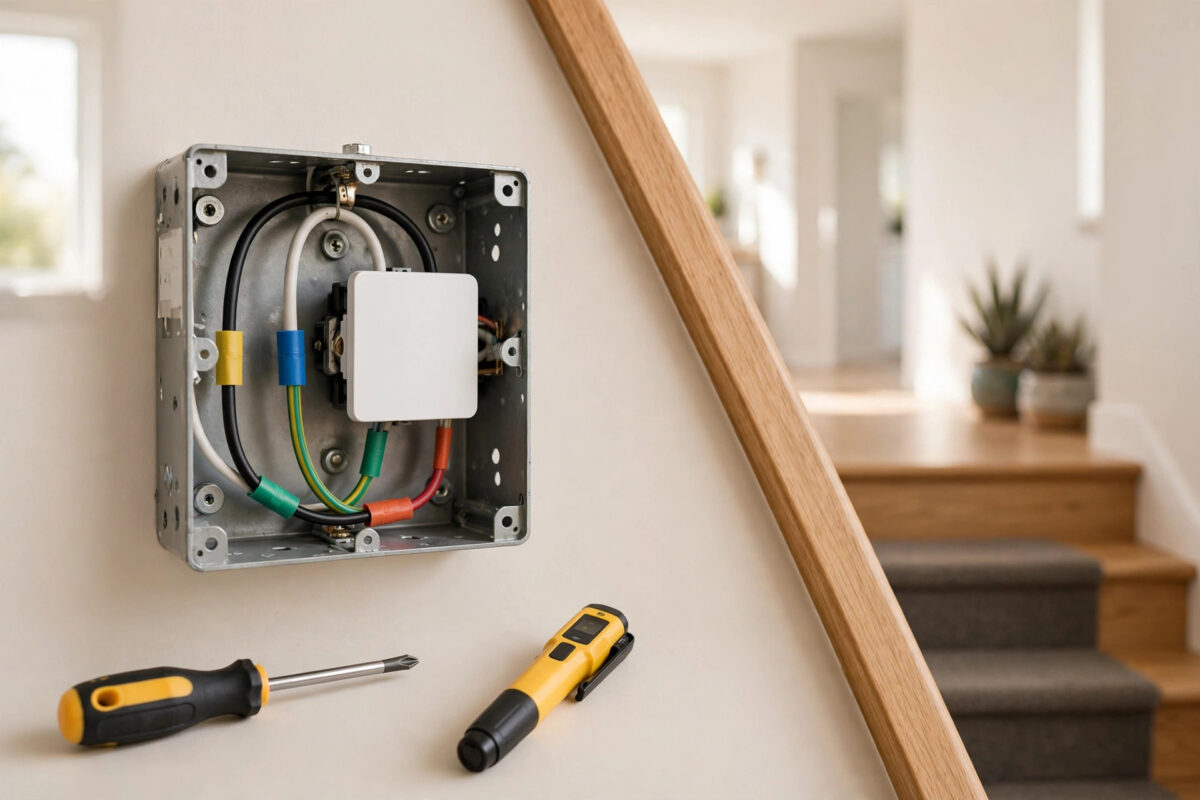
A 3-way circuit is the setup where two switches control the same light — one at the top of the stairs and one at the bottom, or at both ends of a hallway. It is one of the most useful circuits in a home, and one of the most confusing to upgrade, because the wiring is different from a normal single switch.
The good news is that you usually do not need to replace both switches. One smart switch does the clever work, and the other stays as it is, or gets a simple companion. This guide explains how to install it safely, step by step.
Quick Answer
Install the smart switch at the location where the circuit has a neutral wire and the incoming power or the wire to the light, following your switch brand’s 3-way instructions, and leave the second switch as a standard switch or fit the brand’s companion switch if required. Turn the breaker off first, photograph the existing wiring before changing anything, and connect the travellers exactly as the diagram for your model shows. Test both switches before putting the wall plates back.
Safety First: Read This Before Anything Else
Warning: turn off the power to the circuit at the breaker before you remove any wall plate or touch any wire. Then test the switches to confirm the light no longer turns on, and check the wires inside the box with a voltage tester to prove they are dead. Mains electricity can kill, and 3-way circuits can be fed in surprising ways, so never trust the switch position alone. If anything in the box looks different from this guide, or you feel unsure at any stage, stop, put the plate back, and hire a licensed electrician. There is no shame in that — it is the smart choice.
How a 3-Way Circuit Actually Works
Understanding the basic idea makes the whole job less frightening.
- Line (hot): the wire bringing power from the breaker panel.
- Load: the wire carrying power onward to the light fitting.
- Travellers: two wires that run between the two switches. Power travels down one or the other, depending on the switch positions. This is the clever part that lets either switch flip the light on or off.
- Neutral: the usually white wire that completes the circuit. Smart switches need a neutral in their box to power their own electronics. This is the wire that decides where your smart switch can go.
- Ground: the bare or green safety wire, connected to every metal box and switch.
On a standard 3-way switch, the single different-coloured screw is the common terminal and the two matching screws are the travellers. Identifying the common wire correctly is the most important labelling job in this project.
Planning: Which Location Gets the Smart Switch?
Open both boxes (breaker off) before you buy or decide anything, and look for these things:
- Which box has a neutral? Look for a bundle of white wires joined together in the back of the box, not connected to the old switch. Most smart switches must go in a box that has this neutral bundle.
- Which box has the line, and which has the load? In many homes power arrives at one switch, travellers run to the second switch, and the load leaves from one of them. Your smart switch brand’s 3-way diagram assumes a particular arrangement, so match your home to the diagram before starting.
- What does your brand require at the second location? Some brands work happily with the existing standard switch left in place. Some require a companion or remote switch. Some require a small rewiring of the second switch, such as joining wires with a connector. Follow your brand’s rule — mixing approaches causes the classic “the smart switch only works when the other switch is up” problem.
Checking the second location’s behaviour matters with other brands too. If you use several switch brands in your home, our guide on fixing a Leviton smart switch whose paddle has stopped responding shows how physical and app controls can fall out of step.
Tools and Materials You Will Need
You will need the smart switch (plus its companion if required), a voltage tester, screwdrivers, wire connectors, painter’s tape and a pen for labelling, pliers, and a phone for wiring photos.
Step-by-Step Installation
Step 1: Cut the Power and Prove It
Turn off the breaker. Test both switches — the light must stay off in every position. Open the chosen box and test every wire with your voltage tester. Only then touch anything.
Step 2: Photograph and Label Everything
Take clear photos of the existing switch from several angles before loosening a single screw. Then label: put tape marked “COMMON” on the wire attached to the different-coloured screw, and “T1” and “T2” on the two traveller wires. Note where the neutral bundle and ground sit. This labelling is what saves you if you need to put everything back.
Step 3: Remove the Old Switch
Loosen the screws, pull the switch forward, and disconnect the wires one at a time, keeping labels on the wires.
Step 4: Connect the Smart Switch
Follow the 3-way wiring diagram for your exact model — brands differ in which of their wires or terminals is the traveller, the line, and the load. In general you will connect:
- Ground from the box to the switch’s ground wire or screw.
- Neutral from the white bundle to the switch’s neutral — you may need to add a short white jumper wire from the bundle, which many switches include.
- Line or load to the terminal your diagram specifies for the common wire.
- The two travellers to the traveller terminals exactly as shown. If the diagram uses only one traveller and caps the other, do exactly that — do not improvise.
Tug each connection gently to confirm it is secure, and make sure no bare copper sticks out of any connector. Manufacturer diagrams always beat generic videos for your model, so keep the official instructions open while you work — for example the Lutron support library with 3-way wiring diagrams for Caseta models, or your own brand’s equivalent support pages.
Step 5: Handle the Second Switch Location
Do whatever your brand’s 3-way instructions say for this box — leave the standard switch untouched, fit the companion, or make the specified wire joins with connectors. If you change anything here, photograph and label first, exactly as before, with the breaker still off.
Step 6: Tuck, Mount, and Power Up
Fold the wires neatly into the back of the box like an accordion, mount the switch without pinching any wire, and fit the wall plate loosely. Turn the breaker back on.
Step 7: Test Everything Before You Finish
- Turn the light on and off from the smart switch.
- Walk to the second switch and turn the light on and off from there.
- Repeat in the opposite order — smart off, standard on — in every combination. Both switches must control the light in all positions.
- Complete the app setup, then test app and voice control while flipping the standard switch. The smart switch should keep working regardless of the other switch’s position.
- Only when every combination works, tighten the plates fully.
Troubleshooting Common Problems
The Smart Switch Only Works When the Other Switch Is in One Position
A traveller and the common wire are almost certainly swapped, or the second location was not rewired the way the brand requires. Power off, compare your photos and labels with the diagram, and correct the common wire first.
Mistakes to Avoid and Tips From Experience
- Skipping the labels. Two black travellers look identical five minutes later. Tape and a pen prevent the most common 3-way failure of all.
- Trusting wire colours alone. Previous owners and rushed builders break colour rules. Trust terminal positions and testing, not colours.
- Testing only from the smart switch. Half of all 3-way problems hide in the second switch’s behaviour. Test every combination.
Conclusion
One smart switch is enough for most 3-way circuits, as long as it sits in the box with a neutral and the right line or load connection, the travellers are identified and labelled carefully, and the second location is handled exactly the way your brand specifies. Work slowly, photograph everything, keep the breaker off until testing time, and check every switch combination before you call it done. If the wiring in your boxes does not match any diagram you have, that is the moment to hand the job to an electrician — safely finished beats bravely finished.
Frequently Asked Questions
Can I really leave one switch as a normal switch?
Yes, with many brands, as long as their 3-way instructions say so. The standard switch simply flips which traveller carries power, and the smart switch handles the rest. Some brands instead need a companion switch or a small rewiring at the second location, so always follow your model’s guide.
What if neither box has a neutral wire?
Then a standard smart switch will not work without changes. Your options are a switch model designed for no-neutral homes, or having an electrician run a neutral to one box. Do not connect the switch’s neutral to ground as a workaround — that is unsafe and against electrical codes.
How do I tell which wire is the common wire?
On the old switch, it is the wire on the different-coloured screw — usually the dark or black screw, while the travellers share two matching brass screws. Label it before disconnecting anything. Photos plus labels are more reliable than memory.
Will the light work if my Wi-Fi goes down?
Yes. Both switches keep controlling the light physically, because the circuit itself does not depend on Wi-Fi. You lose app and voice control until the connection returns, but the wall switches behave like normal switches.
Can I make both switches smart in a 3-way circuit?
Usually there is no benefit. Two full smart switches fighting over one circuit cause problems unless the system is specifically designed for it, such as a main switch plus its matched companion. One smart switch plus a companion or standard switch is simpler, cheaper, and more reliable.



[…] multiple switches in your home share wiring, the method in our guide on using one smart switch in a 3-way circuit also helps you rule out a companion or remote switch confusing the main switch’s […]