
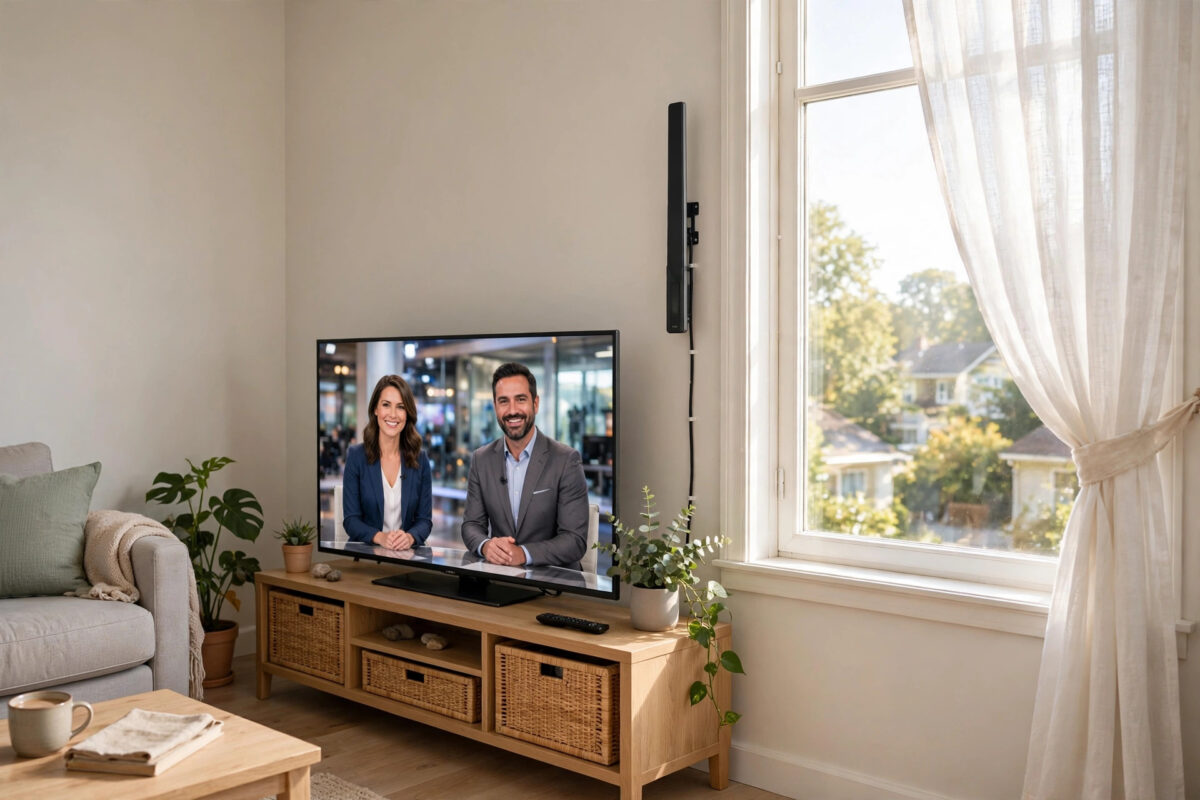
Cord-cutting saves real money, but many people hesitate because they do not want to lose local channels — the regional news, local sport, and live events that streaming apps do not always carry. The good news is that local channels are the easiest part of TV to get for free: they are broadcast over the air, and your smart TV almost certainly has the tuner built in already. This guide covers antennas, built-in tuners, and the streaming alternatives.
Quick Answer
To watch local channels without cable, connect an indoor or outdoor TV antenna to your smart TV’s antenna (ANT IN) socket, then run the channel scan in Settings > Broadcasting/Channels > Auto Tuning. In most towns and cities this gives you all your local and national free channels in HD at no cost. Streaming apps from the channels themselves, and live TV streaming services, are the alternatives where antenna reception is poor.
The Free Option: Over-the-Air Broadcast TV
Broadcast television never went away. In the US, networks like ABC, CBS, NBC, FOX, PBS, and The CW transmit free in HD (and increasingly in the newer ATSC 3.0 “NextGen TV” standard in many cities). In the UK, Freeview carries 70+ channels including all BBC, ITV, Channel 4, and Channel 5 services plus local stations. Most countries have an equivalent. Your smart TV has a built-in tuner for its region — all you add is an antenna and five minutes of scanning.
Step 1: Choose the Right Antenna
- Flat indoor antennas (£15–£40 / $20–$50): Stick to a wall or window near the TV. Ideal in towns and cities within roughly 25–35 miles of the transmitters. Amplified versions help in flats and weaker areas.
- Attic or outdoor antennas: Bigger, higher, and far more capable — the right choice in suburbs and rural areas, for distances beyond 35 miles, and for homes where an indoor antenna finds only a few channels.
- What not to buy: Antennas advertising absurd ranges (“500 miles”) are marketing fiction — physics limits reception to around 70–100 miles in perfect conditions. Buy based on your distance to transmitters, not box claims. Sites like the FCC’s DTV reception maps (US) or Freeview’s coverage checker (UK) show exactly which channels your address should receive and in which direction the transmitters lie.
Step 2: Connect and Scan
- Screw or push the antenna’s coaxial cable into the TV’s ANT IN / AERIAL socket.
- Position the antenna: near a window, as high as practical, on the wall facing your transmitters. You will fine-tune after the first scan.
- On the TV, open Settings > Broadcasting (or Channels / Live TV) > Auto Tuning / Auto Scan, choose Antenna/Air (not Cable), and start the scan.
- Wait for it to finish — usually 3–10 minutes — and browse the results.
- If channels are missing or broken up, move the antenna (even a metre, or to a different window), then scan again. Reception is very position-sensitive.
If your TV was set up only for streaming and you skipped this stage, our walkthrough of setting up a smart TV for the first time covers the same channel-scan step in the full setup sequence.
Step 3: Improve Weak Reception
- Height and windows win: Every metre higher and every wall fewer between antenna and transmitter helps more than a bigger amplifier.
- Amplifiers are double-edged: An amplifier helps long cable runs and weak-but-present signals; in strong-signal city areas it can overload the tuner and reduce channels. Try with and without.
- Check cables and splitters: Old, kinked coax and cheap splitters eat signal. Every split halves power — feed the main TV directly where possible.
- Weather and seasons matter: Heavy rain and summer foliage can weaken marginal channels; an outdoor antenna is the durable answer to borderline reception.
- Consider a network tuner: Devices like HDHomeRun or Tablo connect the antenna once and stream the channels to every TV, phone, and tablet in the house over Wi-Fi — ideal when the best antenna spot is nowhere near the main TV, and they add DVR recording.
The Streaming Alternatives
Where antennas fail (deep rural valleys, basement flats, listed buildings), the internet fills the gap:
- Free broadcaster apps: BBC iPlayer, ITVX, Channel 4, and My5 (UK) or the network apps and PBS app (US) stream local and national channels live and on catch-up, free (a TV licence is required for live TV in the UK).
- Free ad-supported streaming (FAST): Services like Freeview Play, Pluto TV, Tubi, and Samsung TV Plus / LG Channels — built into most smart TVs — include local news channels in many regions.
- Paid live TV services: YouTube TV, Hulu + Live TV, Fubo (US) and similar carry true local affiliates with cloud DVR. They cost a fraction of cable but are not free; choose them when local sport or specific affiliates matter. Check the service’s own channel lookup by postcode/ZIP before subscribing — “local channels included” varies by address.
Common Mistakes to Avoid
- Scanning on the Cable setting: The tuner must be set to Antenna/Air, or it searches the wrong frequencies and finds nothing.
- Judging the antenna in one position: Always try two or three placements with a fresh scan each time; differences are dramatic.
- Believing range claims on the box: Use an official coverage checker for your address instead.
- Forgetting the TV guide data: Some TVs need an internet connection for the full programme guide even though the channels themselves are over the air.
- Splitting the signal to many rooms from one weak indoor antenna: Use a network tuner or a properly amplified distribution setup instead. If picture break-up persists on streamed channels rather than antenna ones, that is a different fault — see our guide on why streaming apps stutter and freeze on smart TVs.
Adding a Programme Guide and Channel Organisation
After the scan, spend five minutes making the channel list pleasant to live with. Most TVs let you build a favourites list — put your most-watched local and national channels in it so the guide opens on what matters. Delete or hide shopping and duplicate channels if your TV offers channel editing; the list can exceed 100 entries and half of them may be channels you never open. Check the electronic programme guide (EPG) shows a full week of listings; if it only shows “now and next”, connect the TV to the internet, because many models pull extended guide data online. Some TVs and network tuners also offer series-link style recording from the guide, which pairs your antenna with DVR convenience. Finally, re-run the auto scan every few months: broadcasters occasionally shuffle channel numbers and launch new services, and a fresh scan keeps your list current.
Conclusion
Local channels without cable are simpler than most people expect: an inexpensive antenna, the tuner already inside your TV, and one channel scan. Check a coverage map, place the antenna high and near a window, and rescan after moving it. Where reception truly cannot reach, broadcaster apps and live TV streaming services cover the same local news and events over the internet.
Frequently Asked Questions
Are local channels really free with an antenna?
Yes. Over-the-air broadcasts are free by design — your cost is the antenna itself. In the UK you still need a TV licence to watch live broadcasts, but there is no subscription for Freeview. In the US there is no licence requirement at all.
How many channels will I get?
It depends on your distance from transmitters and terrain. Urban viewers typically receive 40–100+ channels including all major networks in HD; rural viewers may receive fewer. An official coverage checker for your exact address gives a reliable prediction before you buy anything.
Can I record local channels without cable?
Yes. Some TVs record to a USB hard drive, and network tuners like HDHomeRun (with its DVR service) or Tablo record antenna TV and stream it around your home. Broadcaster catch-up apps also cover most programmes for a week or more after broadcast.
My smart TV has no antenna socket. What can I do?
A small number of tuner-less displays exist. Use a network tuner (HDHomeRun/Tablo) with its app on the TV, an external set-top tuner box over HDMI, or the streaming options — broadcaster apps and live TV services need no tuner at all.
Why do some antenna channels break up in the evening?
Marginal signals weaken with weather, atmospheric changes, and electrical interference from household devices and LED lighting. Improve antenna position and height, check cable quality, and if one multiplex stays unreliable, an outdoor antenna usually settles it.

Leave a Reply