
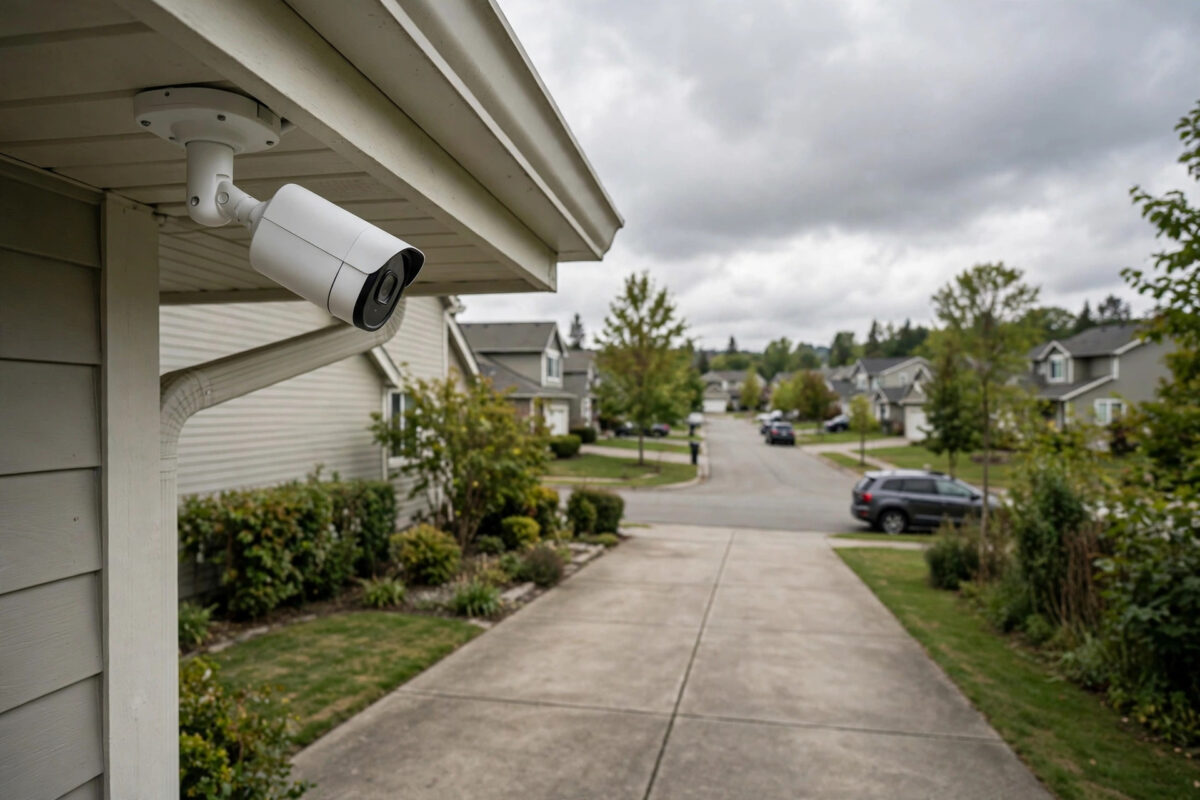
Outdoor security cameras live in the worst possible places for Wi-Fi: on the far side of brick walls, at the end of the garden, above garages and driveways. The result is familiar — cameras that disconnect at night, miss motion events, or show a spinning wheel instead of the live feed. The fix is rarely a new camera. It is almost always about getting a stronger, cleaner signal to where the camera sits.
Quick Answer
Boost the Wi-Fi signal for outdoor cameras by moving your router closer to the camera side of the house, adding a mesh Wi-Fi node or outdoor access point near the cameras, using the 2.4GHz band, and reducing obstructions. Test the signal at each camera position with your phone before drilling anything — you want at least a stable mid-strength 2.4GHz signal for reliable recording.
Why Outdoor Cameras Struggle
Wi-Fi weakens with distance and with every obstacle. Exterior walls are the worst: brick, stone, foil-backed insulation, and metal doors strip far more signal than interior partitions. Add rain, a neighbour’s competing networks, and the fact that most cameras have small antennas tucked inside weatherproof cases, and a camera 10 metres from the router can receive a weaker signal than a laptop 25 metres away indoors. Cameras also upload constantly — streaming video outwards — and upload is where weak connections break first. Night-time disconnections, like those we explore in our article on why CCTV cameras lose connection at night, often trace back to marginal signal plus other networks getting busier.
Step 1: Measure Before You Spend
- Stand at each camera position with your phone connected to your 2.4GHz network.
- Check the signal: use the Wi-Fi details in settings or a free analyser app. You are looking for roughly -65 dBm or stronger (closer to zero is better). Below -75 dBm, expect dropouts.
- Run a speed test there, and note the upload speed — cameras need a stable 2–5 Mbps upload each.
- Note the dead zones: garden corners, detached garages, and the far side of extensions are the usual ones.
This five-minute survey tells you whether you need a small adjustment or new hardware, and where that hardware should go.
Step 2: Move and Tune the Router You Have
- Relocate the router: Moving it from a back-office corner to a central spot on the camera side of the house can transform outdoor coverage. Height helps — on a shelf, not the floor.
- Use 2.4GHz for cameras: It travels further and through walls better than 5GHz. Give cameras their own 2.4GHz network name if your router allows separate bands, and connect them deliberately to it.
- Pick a cleaner channel: In the router settings, set the 2.4GHz channel to 1, 6, or 11 — whichever a Wi-Fi analyser shows as least crowded in your street.
- Update the router firmware: Updates often improve stability and range handling.
Step 3: Add a Mesh Node or Access Point
If moving the router is not enough, extending the network is the reliable fix:
- Mesh Wi-Fi kit: Add a node inside the house near the wall closest to your cameras — for example, in the room overlooking the driveway or garden. Mesh keeps one network name, so cameras connect seamlessly to the strongest node.
- Wired access point: If you can run an Ethernet cable (through a wall to an outbuilding, for instance), a wired access point in a garage or garden office gives cameras a full-strength local network. This is the best solution for detached buildings.
- Outdoor access point: Weatherproof access points mounted under eaves are the professional answer for large gardens, farms, and outbuildings. They are designed for exactly this job.
- Wi-Fi extender (budget option): A plug-in extender placed halfway to the cameras works, but cheap extenders halve speeds and create a second network name cameras may not roam to. Use one only for a single nearby camera.
The FCC’s consumer broadband guidance covers similar placement and equipment basics for squeezing reliable coverage out of home networks.
Step 4: Help the Camera Itself
- Check the camera’s reported signal: Most camera apps show Wi-Fi strength in device settings. After any change, confirm the number actually improved.
- Reduce the load: If a distant camera still struggles, lower its recording resolution or frame rate slightly — a reliable 1080p feed beats a 4K feed that drops half its events.
- Prefer wired where possible: For a fixed camera near the house, a PoE (Power over Ethernet) camera removes Wi-Fi from the equation entirely. Our guide on connecting a security camera to your phone covers both wired and wireless setup paths.
- Position with signal in mind: A metre of height or moving a camera from behind a metal downpipe to open wall can matter more than any gadget.
Common Mistakes to Avoid
- Buying a “signal booster” antenna first: Most cameras do not accept external antennas, and the money works harder in a mesh node.
- Testing signal indoors: Always test at the camera’s exact outdoor position; indoor readings lie.
- Putting cameras on 5GHz: Faster band, far worse reach. Cameras belong on 2.4GHz.
- Extender at the camera: An extender placed in the dead zone has nothing to extend — it must sit where the signal is still decent, halfway out.
- Forgetting uploads: Ten cameras streaming up can saturate slow broadband; check your upload speed, not just downloads.
Special Cases: Long Driveways, Farms, and Thick Stone Walls
Some properties defeat the standard fixes. For very long driveways or gates hundreds of metres away, a point-to-point wireless bridge — two small directional units aimed at each other — carries your network across distances ordinary Wi-Fi cannot, and the far unit feeds a local access point or a wired camera directly. For thick stone or listed buildings where drilling is restricted, a mesh node in a window facing the cameras often outperforms one buried mid-house, because glass blocks far less signal than masonry. Solar-powered cameras with 4G SIM cards are another legitimate answer for truly remote spots such as field gates and construction sites: they skip Wi-Fi entirely and stream over the mobile network, at the cost of a data plan. Choose these when the survey in Step 1 shows signal below -80 dBm even after router tweaks — at that point you are extending infrastructure, not adjusting settings, and the investment is justified.
Conclusion
Outdoor cameras fail from weak signal far more often than from faulty hardware. Measure at the camera, squeeze the most from your existing router with position, band, and channel choices, then extend coverage with a mesh node or wired access point where needed. With a stable -65 dBm or better at each camera, dropouts, missed events, and night-time disconnects largely disappear.
Frequently Asked Questions
What Wi-Fi signal strength do outdoor cameras need?
Aim for -65 dBm or stronger (closer to zero) at the camera on 2.4GHz, with at least 2–5 Mbps of stable upload per camera. Between -65 and -75 dBm most cameras work but may drop in bad weather; below that, expect regular disconnections.
Is a mesh system or an extender better for cameras?
Mesh, almost always. It keeps one network name, manages connections intelligently, and does not halve speeds like cheap extenders. Extenders are acceptable only for one nearby camera on a tight budget.
Can I use an outdoor access point with my existing router?
Yes, if it connects by Ethernet cable to your router or a switch. Mount it under eaves pointed at the camera area. It then broadcasts your network outdoors at full strength regardless of the house walls.
Why does my camera disconnect more at night?
Marginal signals fail when conditions worsen: neighbours’ networks get busier in the evening, doors close, and some cameras switch on power-hungry infrared LEDs. Improving base signal strength is the durable fix.
Will a Wi-Fi 6 or Wi-Fi 7 router fix camera range on its own?
It can help modestly with efficiency and handling many devices, but physics still rules: exterior walls block signal whatever the standard. Newer routers help most as part of a mesh system rather than as a single box.


Leave a Reply