
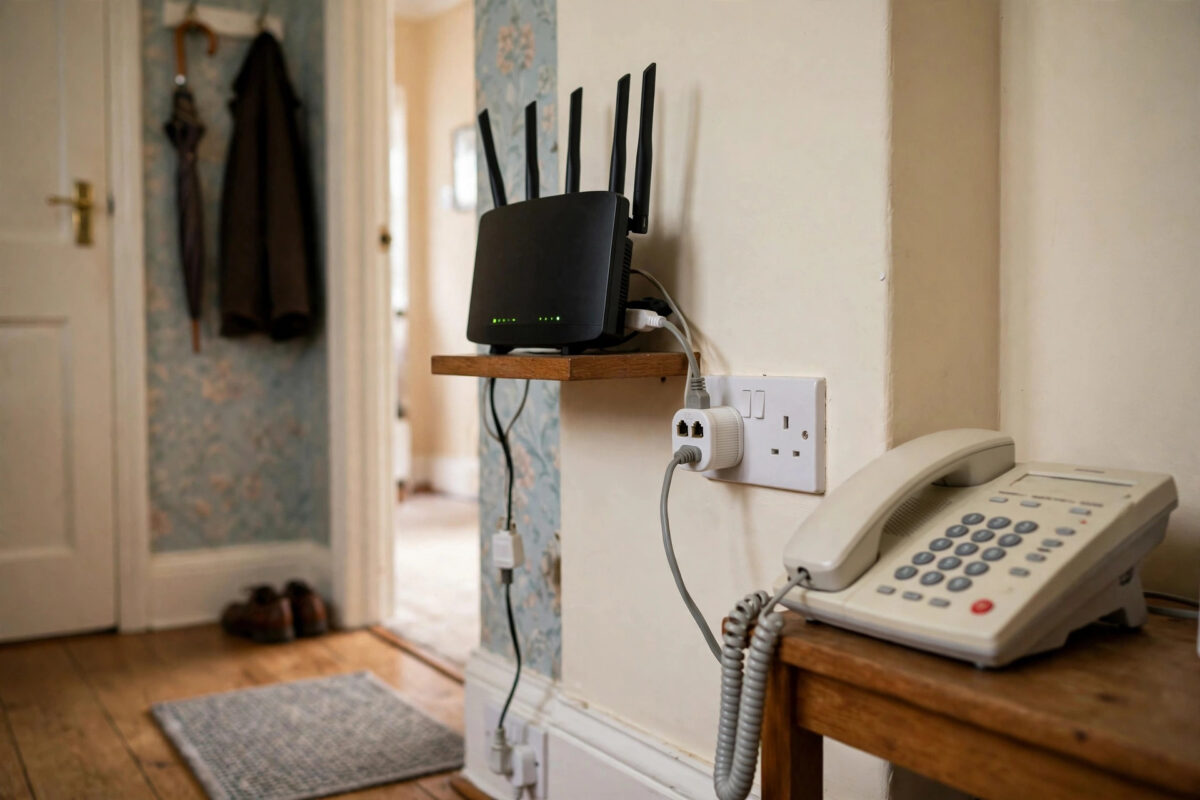
You are in the middle of a download or a video call, the landline rings in the hallway, and your internet drops without warning. A minute later it reconnects, until the phone rings again.
On DSL broadband, that pattern is not a coincidence and it is rarely your provider’s fault. It is one of the most fixable faults in home networking once you understand what is happening on the line.
This guide explains why an incoming call knocks DSL offline, how to test the cause in minutes, and the exact fixes that solve it for good.
Quick Answer
On DSL, your broadband and phone share the same copper line on different frequencies. When the phone rings, a faulty, missing, or incorrectly placed microfilter lets the ringing signal interfere with the broadband frequencies, so the router loses sync. Fitting a working filter on every phone socket almost always fixes it.
How DSL and Your Phone Share One Line
DSL was designed to squeeze internet access out of the ordinary telephone line you already had. It does this by splitting the line into separate frequency bands.
Your voice calls use the low frequencies, roughly 0 to 4 kHz. DSL uses much higher frequencies, from about 25 kHz up to 1.1 MHz on ADSL and even higher on VDSL services like fiber to the cabinet.
What a Microfilter Actually Does
A microfilter, also called a splitter, is a small plug that sits between the wall socket and your phone. It blocks the high-frequency broadband signal from reaching the phone, and stops phone signals from disturbing the broadband.
Every device that connects to a phone socket needs filtering: phones, answering machines, fax machines, Sky boxes, and monitored alarm systems. Miss just one, and that unfiltered device can destabilize the whole line.
Why Ringing Is the Trigger
An incoming ring is not a gentle signal. The exchange sends a ringing voltage of around 75 to 90 volts AC at about 20 to 25 Hz down the line to make the phone ring.
If filtering is faulty, that surge and the electrical noise created when the handset is lifted leak into the DSL frequencies. The router sees a sudden burst of errors, loses synchronization with the exchange equipment, and has to retrain the connection from scratch, which takes 30 seconds to two minutes.
The technical background in the explanation of DSL filters and how they separate voice and data shows the frequency split in detail if you want to dig deeper.
The Most Common Causes, in Order
In practice, nine out of ten cases come from the same short list. Work through them in this order and you will usually find the fault without calling an engineer.
A Missing or Failed Microfilter
Filters fail silently with age, heat, and small power surges. A filter can look perfect and still let interference through, which is why swapping in a known good filter is always the first test.
Also check the obvious: extensions in bedrooms, the phone in the kitchen, and devices added months ago by someone else in the house. The unfiltered socket is often one nobody remembers using.
Filtering Done the Wrong Way Round
The router should connect either directly to the master socket or through the broadband side of a filter, never through the phone side. Double-filtering the router, with two filters in a chain, can also weaken the signal badly.
If you have a modern filtered faceplate on your master socket, you do not need plug-in filters on that socket at all. Mixing a filtered faceplate with extra plug-in filters on the same line is a frequent source of confusion.
Faulty Extension Wiring and the Ring Wire
Old internal extension wiring picks up electrical noise from mains cables and other appliances. In older UK installations, the bell wire, pin 3 in the extension wiring, acts like an aerial for interference and is a classic cause of drops when the phone rings.
That is why the fault often appears only in homes with several extensions. A single master socket with no extensions rarely suffers from it when filters are correct.
Our step-by-step guide to fixing broadband that keeps disconnecting covers the wider line tests to run if filtering turns out not to be the cause.
How to Diagnose the Problem Step by Step
Do these tests in order, changing only one thing at a time. Keep notes, because if you do need an engineer, this evidence saves a wasted visit fee.
- Unplug every phone, extension, and device from every socket in the house, leaving only the router connected to the master socket.
- Use the connection for an hour, then call your landline from a mobile and watch whether the router’s DSL light stays solid.
- If the connection now survives ringing, reconnect one phone at a time through a filter, testing with a call after each one.
- Swap the filter on any socket that brings the fault back, and test again before blaming the phone itself.
- If the fault happens even with only the router connected, plug the router into the test socket behind the master socket faceplate and repeat the call test.
- Check the router’s status page for sync speed and error counts before and after each test, and write the figures down.
Reading the Router Lights and Logs
A flashing or red DSL or Internet light at the exact moment the phone rings confirms loss of sync, not a Wi-Fi problem. Wi-Fi drops feel similar but leave the DSL light untouched.
Most routers keep a log under Status or Advanced settings. Look for entries like DSL down, loss of sync, or retrain at the time of a call, that timing is the strongest clue you can get.
The Fixes That Actually Work
Once your tests point to a socket or device, the fix is usually cheap and permanent. Start with filters, then wiring, then hardware.
- Replace all plug-in microfilters with new, good quality ones, not the cheapest unbranded pack you can find.
- Fit a filter to every socket in use, including sockets for alarms, care pendants, and set-top boxes.
- Move the router to the master socket with the shortest possible cable, ideally under 2 metres, and avoid long flat extension leads for the router.
- If you have a filtered master socket faceplate, use its dedicated broadband port and remove redundant plug-in filters.
- Replace any cracked, loose, or corroded socket or lead you find during testing.
When the Fault Is Outside Your Home
If the disconnects continue from the test socket with everything else unplugged and a new filter fitted, the fault is almost certainly on the external line or at the exchange. At that point, further home tinkering will not help.
Report it to your provider with your test results and ask for a line test. Mention specifically that drops coincide with incoming calls and that you have tested from the test socket, engineers prioritize faults described that clearly.
Common Mistakes to Avoid
The most common mistake is filtering only the socket next to the router and forgetting every other phone in the house. One unfiltered phone anywhere on the line can cause exactly this fault.
Another is blaming Wi-Fi and buying a new router. A new router on a badly filtered line will drop in exactly the same way, because the problem is on the copper line, not in the air.
People also stack adapters, splitters, and extension reels between the socket and the router. Every extra joint adds noise and resistance, so keep the router’s path to the master socket as short and direct as possible.
Finally, do not open or rewire the master socket beyond removing the faceplate to reach the test socket. The network side of that socket belongs to the line provider, and altering it can lead to charges.
Conclusion
When DSL internet drops as the phone rings, the cause is almost always interference crossing between the voice and broadband frequencies on your line, and a missing or failed microfilter is responsible in most homes.
Test methodically from the master socket, replace filters on every socket in use, and keep the router’s cabling short and simple. If the fault survives the test socket, hand your notes to your provider with confidence, you have already proved the problem is theirs to fix.
Frequently Asked Questions
Why does my internet drop when I answer the phone, not just when it rings?
Lifting the handset changes the electrical load on the line just as ringing does. With a faulty filter, that change injects noise into the DSL frequencies and forces the router to resync, so drops on answering point to the same filtering fault.
Do I need a microfilter if I have fiber broadband?
If you have full fiber to your home, your broadband does not use the phone line at all, so filters are irrelevant. If you have fiber to the cabinet with the last stretch on copper, DSL rules still apply and every phone socket still needs filtering unless you have a filtered faceplate.
Can a faulty phone itself cause the disconnects?
Yes. A damaged phone, answering machine, or alarm dialer can inject noise even through a working filter. Your one-device-at-a-time test will identify it, and replacing that single device fixes the line for everything else.
How many microfilters do I actually need?
One for every socket that has anything plugged into it, except where a filtered faceplate already does the job. Sockets with nothing connected need no filter, but the moment you plug a phone into one, it needs a filter first.
Will a new router fix this problem?
Only in the rare case where the old router itself is faulty. Test from the test socket with known good filters first. If drops continue there, report a line fault, a new router would almost certainly behave the same way.



Leave a Reply