
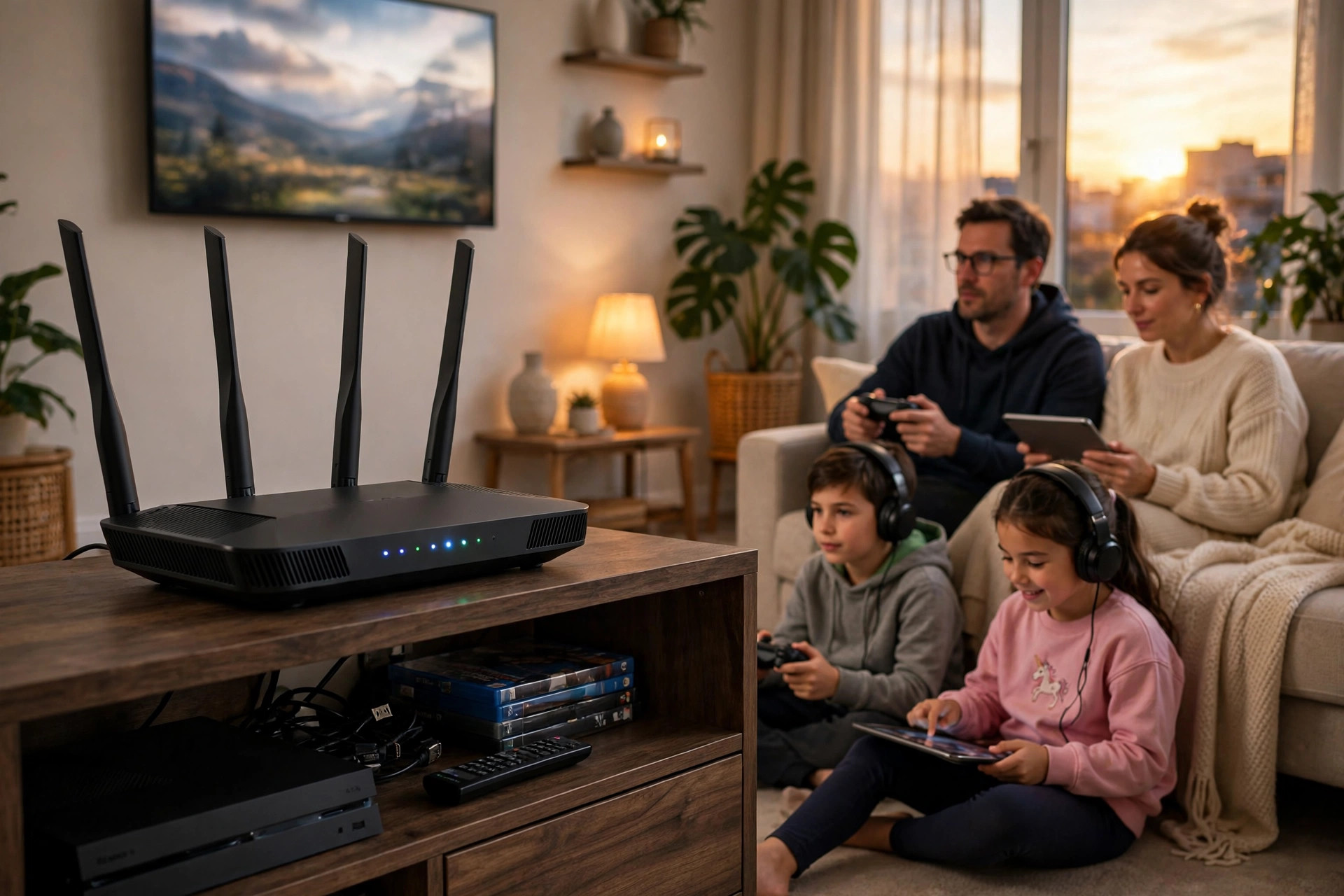
Every few years, a new Wi-Fi standard arrives with a faster-sounding name and a fresh wave of marketing. Wi-Fi 6 is one of the most talked-about upgrades of the last decade, and router boxes in every electronics store now carry the logo. But what does Wi-Fi 6 actually do, how is it different from the Wi-Fi 5 router sitting in your hallway, and — the question that really matters — do you genuinely need to buy a new router to get it?
The short answer is that Wi-Fi 6 is a real improvement, especially for homes full of phones, laptops, smart TVs, and gadgets all fighting for bandwidth. But it is not magic, and for some households it will barely change day-to-day browsing. In this guide we will explain what Wi-Fi 6 is in plain English, walk through its key technologies, compare it with older standards, and give you a simple checklist to decide whether an upgrade is worth your money.
What Is Wi-Fi 6, Exactly?
Wi-Fi 6 is the marketing name for the IEEE 802.11ax wireless standard, released in 2019 and certified by the Wi-Fi Alliance. Before this naming scheme, standards were identified by confusing letters: 802.11n became Wi-Fi 4, 802.11ac became Wi-Fi 5, and 802.11ax became Wi-Fi 6. A newer extension called Wi-Fi 6E adds the 6GHz band, and Wi-Fi 7 (802.11be) routers are now appearing too, but Wi-Fi 6 remains the sweet spot of price and performance for most homes.
Wi-Fi 6 works on both the 2.4GHz and 5GHz bands — unlike Wi-Fi 5, which only used 5GHz for its fastest mode. Its theoretical top speed is around 9.6 Gbps shared across all connected devices, compared with roughly 3.5 Gbps for Wi-Fi 5. You will never see those numbers on a single phone or laptop, because they are laboratory totals, but the underlying technologies make real networks noticeably smoother when many devices are active at once. If you want the deep technical background, the overview of the Wi-Fi 6 standard and its features on Wikipedia is a solid reference.
The Three Technologies That Make Wi-Fi 6 Different
OFDMA: Serving Many Devices in One Transmission
The biggest leap in Wi-Fi 6 is a technology called OFDMA (Orthogonal Frequency Division Multiple Access). Older routers talk to one device at a time, like a waiter who walks to one table, takes an order, delivers it, then walks to the next table. OFDMA lets the router split a single channel into smaller sub-channels and serve several devices in one trip. In a home with thirty connected gadgets, this dramatically cuts waiting time and lag, especially for small, frequent data like messages, smart bulb commands, and voice calls.
MU-MIMO on Both Bands
MU-MIMO allows a router to exchange data with multiple devices simultaneously using multiple antennas. Wi-Fi 5 offered a limited version on the 5GHz band for downloads only. Wi-Fi 6 expands it to both bands and to uploads as well, which matters for video calls, cloud backups, and online gaming where your device is sending as much as it receives.
Target Wake Time: Better Battery Life
Target Wake Time (TWT) lets the router and a device agree on a schedule for waking up and exchanging data. Instead of your phone constantly listening for the router, it can sleep between check-ins. For phones this saves a little battery; for battery-powered smart home sensors that check in a few times an hour, it can extend battery life significantly.
Wi-Fi 6 vs Wi-Fi 5: What You Will Actually Notice
On a single laptop sitting near the router, a Wi-Fi 6 upgrade might improve speed test results by 20 to 40 percent if your internet plan and laptop both support it — nice, but not life-changing. Where you really feel the difference is a busy household at 8 p.m.: one person on a Zoom call, another streaming 4K Netflix, a teenager gaming, and phones backing up photos. Wi-Fi 5 networks often stutter in that scenario because devices queue for airtime. Wi-Fi 6 handles the crowd far more gracefully, so calls stay clear and streams stay sharp.
Wi-Fi 6 also brought mandatory support for WPA3 security on certified devices, stronger encryption, and better performance at the edges of your home where the signal is weak. For more help tuning the network you already have, browse the practical networking walkthroughs in Network Ustad’s home networking guides and tutorials.
Do You Need a Wi-Fi 6 Router? A Simple Checklist
Upgrade Makes Sense If…
You have more than 15–20 connected devices, your current router is four or more years old, you regularly see buffering or call drops when the house is busy, you have a gigabit or faster fibre plan that your old router cannot deliver, or you have recently bought Wi-Fi 6 devices (most phones and laptops from 2020 onward support it) and want them to perform at their best.
You Can Wait If…
Your home has only a handful of devices, your internet plan is under 100 Mbps, and everything currently works without complaints. A new router will not make a slow internet plan faster — it only removes bottlenecks inside your home. In that case, money is often better spent on better router placement or a plan upgrade first.
What to Look for When Buying a Wi-Fi 6 Router
Look for the speed rating on the box: AX1800 suits small homes, AX3000 is the mainstream sweet spot, and AX5400 or higher benefits large, busy households. Dual-band is standard; tri-band models add a second 5GHz band that helps in device-heavy homes. Confirm the router supports WPA3, check that it has gigabit (or 2.5G) Ethernet ports if you use wired connections, and prefer models from brands with a track record of firmware updates. The Wi-Fi Alliance’s Wi-Fi CERTIFIED 6 program page explains what certification guarantees if you want to verify a model before buying.
Common Mistakes and Tips
The most common mistake is expecting a Wi-Fi 6 router to fix problems it cannot: a slow ISP plan, a router hidden in a cupboard, or a house that simply needs a mesh system. Second, remember both ends need Wi-Fi 6 — an old laptop with Wi-Fi 5 will connect fine (Wi-Fi 6 is backwards compatible) but at Wi-Fi 5 speeds. Third, do not throw away a good setup chasing Wi-Fi 7 unless you have a specific need; Wi-Fi 6 hardware is cheaper and mature. Finally, after upgrading, update the firmware on day one and set a strong, unique admin password.
Conclusion
Wi-Fi 6 is less about raw top speed and more about handling the modern, crowded smart home without breaking a sweat. If your household streams, games, works, and studies all at once — and your router is ageing — a Wi-Fi 6 router is one of the most worthwhile upgrades you can make. If your setup is small and trouble-free, your current router can serve you a while longer. Either way, you now know exactly what the logo on the box means.
Frequently Asked Questions
Will a Wi-Fi 6 router increase my internet speed?
It can increase speeds inside your home and reduce congestion, but it cannot exceed the speed of your internet plan. If your plan is 200 Mbps, no router will give you 500 Mbps from the internet.
Are Wi-Fi 6 routers backwards compatible with old devices?
Yes. Wi-Fi 6 routers work with Wi-Fi 5, Wi-Fi 4, and older devices. Older devices simply connect at their own maximum speed.
What is the difference between Wi-Fi 6 and Wi-Fi 6E?
Wi-Fi 6E adds a third band at 6GHz, offering more uncongested channels and lower latency. It is excellent but requires 6E-capable devices and usually costs more.
How many devices can Wi-Fi 6 handle?
Thanks to OFDMA and improved MU-MIMO, a good Wi-Fi 6 router comfortably handles 50 or more connected devices in a typical home, far more than older routers manage smoothly.
Do I need to replace my modem too?
Only if your modem is a separate, ageing unit that cannot handle your plan speed. Many homes use an ISP modem-router combo; a new Wi-Fi 6 router can often be connected to it in access point or bridge mode.


Leave a Reply