
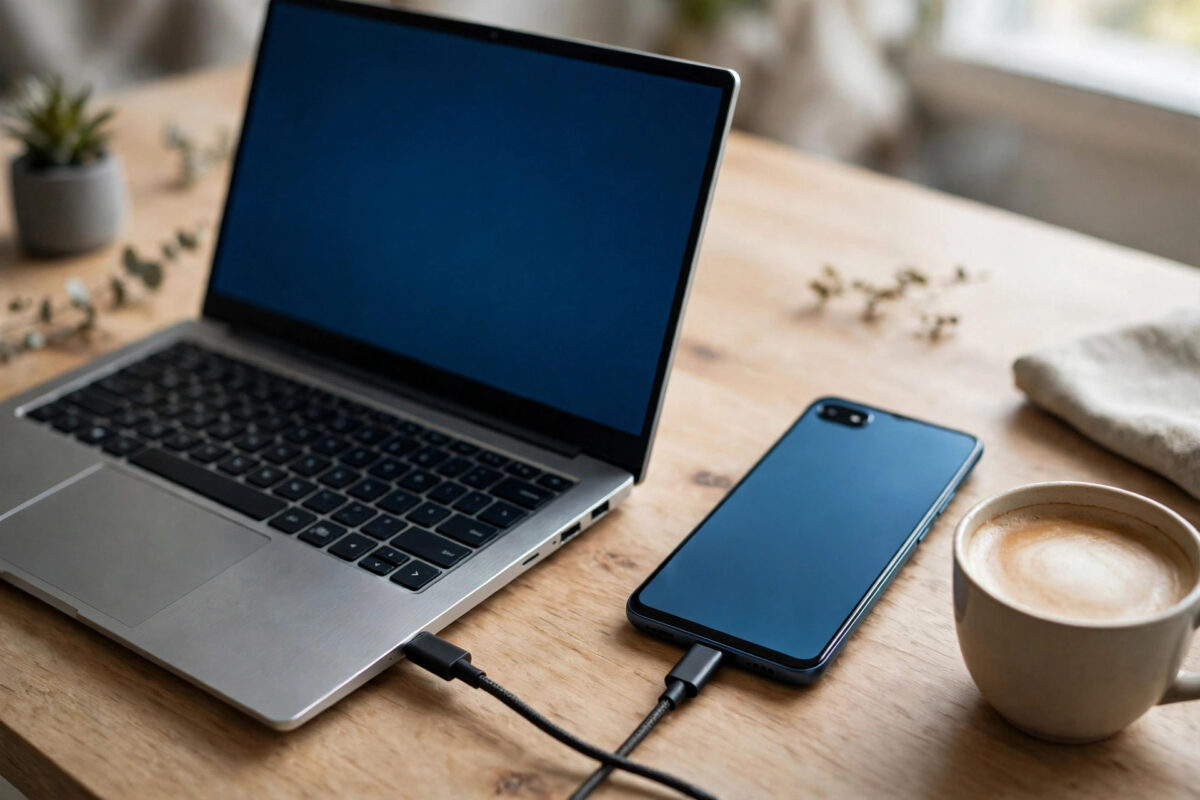
You connect your Android phone to your Mac, open Android File Transfer, and get the same grey message everyone gets: “No Android device found.” Restarting the app does nothing. The phone charges happily and otherwise pretends the Mac does not exist.
Here is the part Google does not advertise: Android File Transfer has been abandoned. Google quietly removed it and stopped development, and on modern macOS — especially on Apple Silicon machines — it clashes with drivers, security rules and other software. You can sometimes coax it back to life, but the honest answer is that switching to a maintained alternative is the real fix.
Quick Answer
First make sure the phone is unlocked and its USB mode is set to File Transfer, and try a known data cable. Then check for the classic conflict: Samsung Smart Switch and Kies install background drivers that block Android File Transfer — uninstall them fully. If it still refuses, stop fighting it and use a modern replacement such as OpenMTP (free, built for Apple Silicon) or MacDroid, which connect reliably on current macOS.
Step 1: Rule Out the Phone and Cable Basics
- Unlock the phone and keep it unlocked. An Android phone with a locked screen presents no storage to any computer.
- Set the USB mode to File Transfer. Swipe down, tap the “Charging this device via USB” notification, and select File Transfer. This resets to charge-only on many phones every time you plug in.
- Swap the cable. Use the cable that came with the phone. Charge-only cables are the silent cause of a large share of these failures.
- Plug directly into the Mac. Skip hubs and docks for the test; some pass power but negotiate data poorly with phones.
- Restart both devices once. Not glamorous, but a stuck media service on either side clears with a reboot.
Step 2: Remove the Smart Switch Conflict
The most notorious cause of “No Android device found” on Macs is Samsung’s software. Smart Switch and the older Kies install a background USB driver that grabs Android phones before Android File Transfer can see them. If you have ever connected a Samsung phone to this Mac, open Smart Switch and run its uninstaller completely — dragging the app to the Trash is not enough, because the driver stays behind. Restart the Mac afterwards, then try again. Owners of Samsung phones face a genuine either/or: Smart Switch and Android File Transfer cannot peacefully coexist, so pick the tool you actually use.
Step 3: Use a Maintained Alternative
If the basics and the cleanup fail, you are not missing a trick — the app is simply old. These replacements are what most people end up using:
- OpenMTP — free and open source, designed for modern macOS including Apple Silicon, with a dual-pane interface and support for large files. For most people this is the answer.
- MacDroid — a polished paid option that mounts the phone in Finder like a drive, which feels the most natural.
- Commander One — a Finder alternative with Android support built in, if you already use a dual-pane file manager.
- LocalSend or a similar local-network app — skips cables entirely and transfers over your Wi-Fi, handy for a few files at a time.
- adb (Android Debug Bridge) — if you are technical, the command-line tool from Google’s Android Help ecosystem and SDK platform tools pulls and pushes files reliably when every GUI fails.
Install OpenMTP, connect the phone, set File Transfer mode, and the phone’s storage appears — internal memory and SD card both visible. The experience is what Android File Transfer should have been in 2024 and later. Similar detection problems exist on the Windows side for other phones; our guide to fixing “USB device not recognized” when connecting a Pixel to Windows covers the driver-side equivalent.
Common Mistakes to Avoid
- Reinstalling Android File Transfer repeatedly. A fresh copy of an abandoned app has the same bugs. Install it once, test, and move on if it fails.
- Dragging Smart Switch to the Trash and calling it uninstalled. The blocking component is a background driver. Use the official uninstaller and reboot.
- Testing with a locked phone. Every connection test with the screen off is a false negative. Unlock first, every time.
- Blaming Apple Silicon itself. The chip is not the problem — unmaintained software and driver conflicts are. Modern tools work perfectly on M-series Macs.
- Granting full disk access to random transfer apps. Stick to known tools from their official sites. File transfer apps ask for deep access; choose ones with a reputation to lose.
Wireless Routes When the Cable Wins the Argument
Sometimes the pragmatic answer is to stop using the cable. LocalSend, a free app available for both Android and macOS, transfers files over your own Wi-Fi network with a simple send-and-accept flow and no accounts — for documents and photo batches it is faster than troubleshooting drivers. Android phones can also connect to a Mac-shared folder or a NAS over SMB using a capable file manager app, turning the transfer into a network copy you control from the phone. For large libraries, a USB-C flash drive remains the unsung hero: copy from the phone to the drive, plug the drive into the Mac, copy again. Two hops, zero drivers, no abandoned software anywhere in the chain.
Whichever route you settle on, make it your standard. The real cost of the Android File Transfer era was not one failed evening — it was re-solving the same connection problem every few months as macOS updates landed. A maintained tool or a cable-free habit ends that cycle permanently. And if you are setting up a household where phones meet Macs regularly, install OpenMTP on day one and skip the archaeology entirely.
A final note for households with several Android brands: the driver conflicts multiply when Samsung, Google and other vendors’ tools share one Mac. Audit what is installed once — Launchpad and the uninstallers will show you — and keep only the transfer tools you actively use. A Mac with one phone utility is a Mac whose phone connections simply work, every time, without a ritual.
Also worth knowing: none of these alternatives needs your phone to be rooted, your Mac’s security settings weakened, or your data routed through anyone’s cloud. Everything in this guide happens locally, between your two devices, under your control — which is exactly how a simple file copy should have worked all along.
Conclusion
Android File Transfer is a dead app walking, and on a modern Mac it fails for reasons no amount of restarting will cure. Rule out the cable, the USB mode and the Smart Switch driver conflict, and if it still will not see your phone, switch to OpenMTP or MacDroid and never look back. Your phone was never the problem.
Frequently Asked Questions
Did Google really discontinue Android File Transfer?
Effectively, yes. Google removed the download and stopped maintaining it, steering users toward other options. It may still launch on some systems, but it is unsupported and increasingly incompatible with new macOS versions.
Is OpenMTP safe and really free?
Yes — it is an open-source project distributed free, and its code is publicly auditable. Download it only from the project’s official site to avoid bundled junk from repackaging sites.
My phone shows up but the window is empty. Why?
Usually the USB mode is set to charge-only or the phone re-locked after connecting. Unlock it, re-select File Transfer from the USB notification, and refresh the app.
Can I transfer files bigger than 4GB?
With OpenMTP or MacDroid, yes — they handle large files properly. The old Android File Transfer was famous for failing on files over 4GB, one more reason to replace it.
Does this also fix my phone not appearing in Finder?
Android phones never appear in Finder natively — macOS has no built-in Android file browsing. You always need an app such as OpenMTP or MacDroid, which is exactly what this guide sets up.
[…] so often finishes the job. Mac users hit a sibling problem with different tools; our guide to fixing Android File Transfer detection on Apple Silicon Macs covers that […]