
Encryption keys and recovery codes are small pieces of text with enormous power. They can unlock your backups when everything else fails, but in the wrong hands they can unlock them for a stranger too. Where you keep them decides whether they save you one day or cause a disaster.
This guide compares the safest storage options, from password managers to sealed paper copies and trusted family arrangements, and shows you how to combine them so one fire, theft, or forgotten password cannot lock you out forever.
Quick Answer
Store your backup encryption keys and recovery codes in two separate safe places: a trusted password manager as your main copy, and an offline copy such as a sealed printed envelope kept securely at home or with a trusted person. Never store the only copy inside the same cloud account the codes protect, and never keep them in plain photos or notes.
What Is at Stake
An encryption key is not like a normal password. If you forget a website password, the company can usually reset it. If you lose the key to an encrypted backup, nobody can open that backup, not even the company that made the software. The maths that protects your files does not have a back door.
Recovery codes carry a similar risk in the other direction. They are designed to bypass your normal sign-in when you are locked out. That makes them extremely useful to you in an emergency, and extremely useful to anyone who steals them.
So your storage plan must solve two problems at once. The keys must survive house fires, lost phones, and your own forgetfulness, while staying hidden from thieves, scammers, and casual snooping. No single place does both perfectly, which is why the answer is always two copies in two different kinds of place.
Option One: A Password Manager
For most people, a reputable password manager is the best main home for keys and codes. It encrypts them, syncs them safely between your devices, and keeps them behind one strong master password plus two-factor authentication.
- Create a separate entry for each backup service, clearly named.
- Paste the encryption key or recovery codes into the secure notes field.
- Add a note saying which backup the key belongs to and when it was created.
- Protect the manager itself with a long master password and two-factor authentication.
- Set up the manager recovery process and store that separately too.
The weakness is obvious: if you lose access to the manager, you lose the keys inside it. That is why the manager should be one copy, not the only copy. Our guide on how to use a password manager safely explains how to protect the manager itself with a strong master password and recovery plan.
Option Two: An Offline Paper Copy
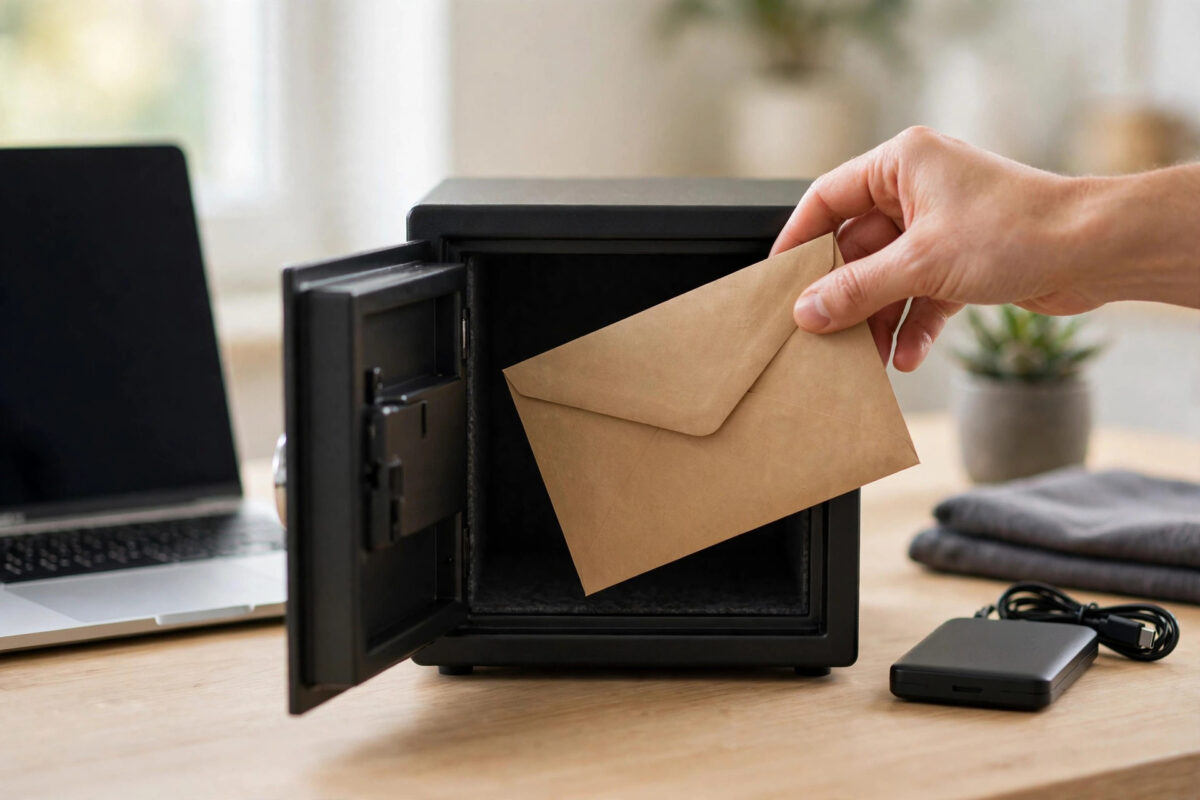
Paper sounds old-fashioned, but it cannot be hacked, phished, or hit by ransomware. A carefully made paper copy is the classic second storage place for keys and codes.
- Print or write clearly: Keys are long and exact. One wrong character makes them useless, so print if you can, and check every character.
- Use a sealed envelope: Mark it so you would notice if someone opened it, and write only a vague label on the outside.
- Choose the place well: A locked drawer, home safe, or safety deposit box beats a desk or a kitchen noticeboard.
- Consider fire and water: A fireproof pouch or safe protects the copy from the disasters your backup is meant to survive.
- Update it when keys change: Destroy the old sheet properly when you replace it, by shredding or burning it.
Apple explains a similar offline idea for its own system in its support guide on setting up an account recovery key for your Apple Account, where the key must be kept somewhere safe because Apple cannot replace it for you.
Option Three: A Trusted Person or Second Location
A copy outside your home protects you if your home itself is the problem, for example after a fire or burglary. Many people keep a sealed envelope with a parent, adult child, or close friend, or in a bank safety deposit box.
Choose the person with care. They should be trustworthy, organised, and likely to stay in your life long-term. Give them the sealed envelope only, not the password to your accounts. The envelope gives them nothing usable on its own unless they also know which accounts it belongs to and your other details, so avoid writing your email address and passwords on the same sheet.
Tell them plainly what the envelope is and when it should be opened: only when you ask for it, or if something happens to you. Review the arrangement once a year. Relationships and addresses change, and a copy held by someone you no longer trust should be collected and destroyed.
Places You Should Never Keep Keys and Codes
- Inside the account they protect: A note in the same cloud storage is useless when you are locked out, and dangerous if the account is hacked.
- In photos or screenshots: Phone photo libraries sync to the cloud and are often shared automatically.
- In plain email: Email stays on servers for years and is a top target for attackers.
- In an unprotected text file: Malware and anyone using your computer can read it instantly.
- On a sticky note near the computer: Anyone in the room, including visitors and repair staff, can copy it in seconds.
- Only in your memory: Long keys cannot be memorised reliably, and memory fails exactly when stress is highest.
Google gives the same warning for its backup codes in its help on signing in with backup codes, advising users to keep codes somewhere safe but accessible, like printed codes stored securely.
Build Your Two-Copy System
Putting it together is simple. Follow this plan once and then review it yearly:
- Collect every key and code set you own and label each with its service and date.
- Save the full set in your password manager.
- Print the set, check it, seal it, and store it offline at home.
- For your most important backup, add a third sealed copy outside your home.
- Write a short index, without secrets, saying where each copy lives.
- Test one code or key each year to confirm the copies still work.
- Replace and destroy old copies whenever a service gives you new codes.
This layered approach means no single event can defeat you. Lose your phone and the manager is on your computer. Forget the manager password and the paper copy saves you. Lose the paper copy in a move and the manager still has everything.
Common Mistakes to Avoid
- Keeping only one copy: One loss then means permanent loss of the backup.
- Storing all copies together: Two envelopes in the same drawer are really one copy for fire and theft purposes.
- Forgetting to update copies: Old codes often stop working when new ones are generated.
- Writing vague labels: A key with no note about which backup it opens can be useless years later.
- Trusting memory for the password manager: Protect the manager recovery details with the same care as the keys themselves.
Conclusion
Keep backup encryption keys and recovery codes in two different kinds of safe place: an encrypted password manager for daily security, and a sealed offline paper copy for true emergencies, with a trusted second location for your most important backup. Avoid the account itself, photos, and plain notes. Set the system up once, label everything clearly, and review it once a year.
Frequently Asked Questions
Is a password manager really safe for recovery codes?
Yes, a reputable manager encrypts your data and is far safer than notes, photos, or email. Protect it with a long master password and two-factor authentication, and keep an offline copy as well.
Should I store keys on a USB stick?
You can, if the stick is encrypted and stored safely, but USB drives are easy to lose and can fail over time. Treat it as one copy among several, never the only one.
How many copies should I keep?
Two is the minimum: one digital in a password manager and one offline on paper. For very important backups, a third copy in a different location adds real protection.
What happens if I lose all copies of an encryption key?
Sadly, an encrypted backup usually cannot be opened without its key. No support team can bypass real encryption. That is exactly why the two-copy system matters so much.
Should family members know where my codes are?
At least one trusted person should know the paper copy exists and where it is, in case you are ill or unavailable. They do not need your account passwords for the system to work.


Leave a Reply