
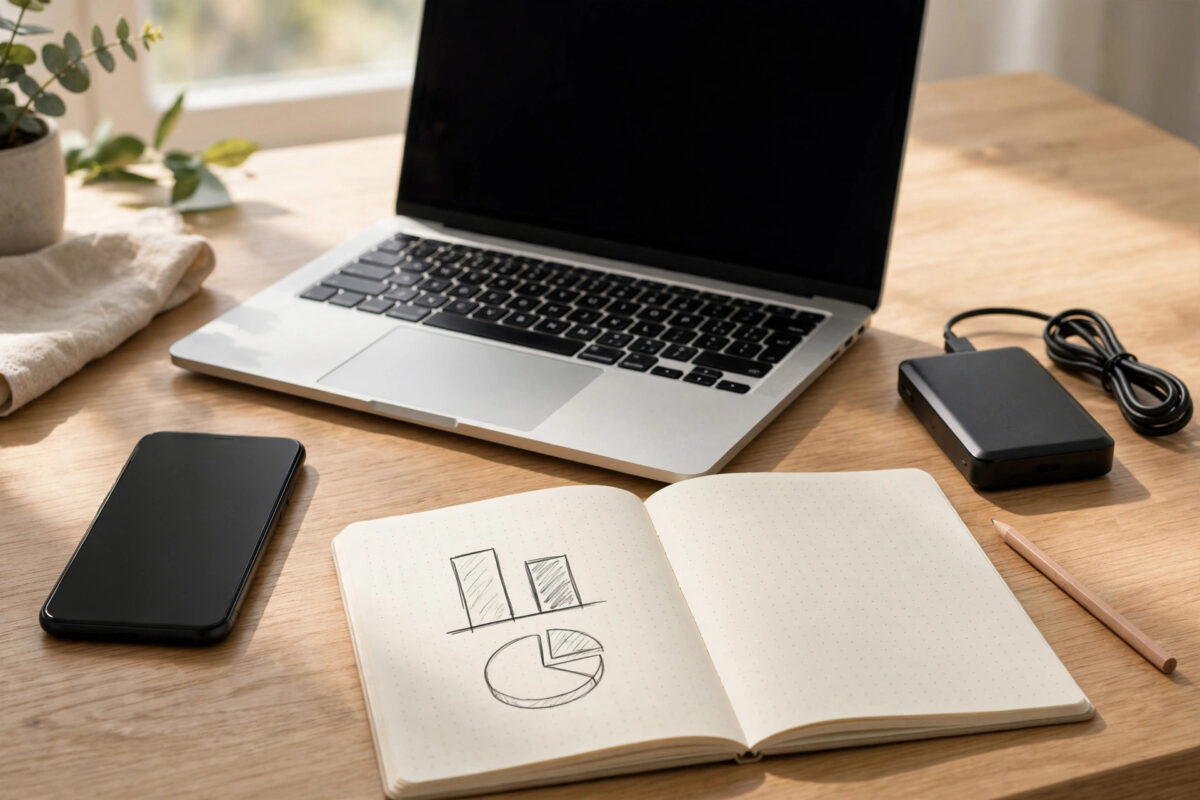
iCloud, Google One, and a simple hard drive all store your files, but they solve different problems. Choosing the wrong one can mean paying every month for space you do not need, or saving money with a drive that gives you no backup when it matters most.
The right answer depends on your phones, your computers, how much data you have, and how you feel about monthly bills. This guide compares the three options honestly so you can decide with clear numbers.
Quick Answer
Choose iCloud if you mainly use iPhone and Mac, Google One if you use Android, Windows, or a mix of devices, and buy a hard drive if you have a large, mostly fixed collection you rarely access away from home. Many people get the best value from a small cloud plan for everyday files plus a hard drive for bulk backup.
What Each Option Really Gives You
iCloud
iCloud is built into Apple devices. It backs up your iPhone automatically, syncs photos between your phone, iPad, and Mac, and stores documents without much setup. Paid plans are called iCloud+. The strength is convenience inside the Apple world. The weakness is that it works poorly on Windows and Android, and family or work sharing outside Apple devices can feel limited.
Google One
Google One is the paid plan for Google Drive, Google Photos, and Gmail storage combined. It works well on almost every device, sharing files with anyone is easy, and plans can be shared with family members. It is a strong all-rounder, especially if your email and photos already live with Google. Its downside is that everything depends on an internet connection and a continuing subscription.
An external hard drive
A hard drive is a one-time purchase. You own the space, there is no monthly fee, and large drives are very cheap per terabyte. It is excellent for huge video collections and full computer backups. The weaknesses are real, though: no automatic access from your phone when you are away, no protection if the drive is lost or damaged, and you must remember to plug it in and back up yourself.
Compare the True Cost Over Three Years
Cloud storage looks cheap because the monthly price is small. Add it up over three to five years, though, and the picture changes. A mid-size cloud plan paid for three years often costs more than a large external drive bought once.
Use this simple method:
- Check how much storage you use today in your phone and cloud settings.
- Estimate growth: photos and videos for most people add tens of gigabytes a year.
- Multiply the monthly cloud price by 36 to get the three-year cost.
- Compare that with the one-time price of a drive with at least double your current data size.
- Remember that a drive may need replacing after four or five years, while a cloud plan can be cancelled anytime.
Our guide on how to check how much cloud storage you actually need helps you measure your real usage before you spend anything. Official plan details also change often, so check Apple’s official iCloud storage plans and pricing page and Google’s official Google One membership plans page before deciding.
Questions That Point You to the Right Choice
Which devices do you use every day?
If your life runs on iPhone and Mac, iCloud removes the most friction. If you mix Android, Windows, and Chromebook, Google One fits better because its apps are strong everywhere. A drive does not care about brands, but it also does not sync anything by itself.
Do you need your files away from home?
Cloud storage wins here. Your documents, photos, and backups are available on any device with your login. A hard drive sitting in a drawer at home cannot help you show a contract or photo while travelling.
How much data do you really have?
Under about 200 GB, a cloud plan is usually simple and fairly priced. Above 1 or 2 TB, especially with video files, cloud costs climb quickly and a drive becomes far better value for the bulk of your data.
What happens if you stop paying?
With cloud plans, a missed payment can stop backups and, after a grace period, put files at risk of deletion. With a drive, your files stay yours forever, but the drive itself can fail without warning. Neither option is risk-free; they just fail in different ways.
Who else needs access?
Families often find shared cloud plans easiest, because everyone gets private space plus shared folders. A single drive passed around a house is cheaper, but version mix-ups and accidental deletions are common.
The Hybrid Option Most People Should Consider
You do not have to pick only one. A popular, sensible setup looks like this:
- A modest cloud plan for phone backups, recent photos, and documents you need anywhere
- An external hard drive for a full backup of your computer and your large, old files
- An automatic reminder, monthly, to plug in the drive and update the backup
This gives you convenience day to day and a safety net if your cloud account is hacked, locked, or cancelled. It also keeps your monthly bill low because you are not paying cloud prices for terabytes of archive material.
Tips for Getting Better Value Whichever You Choose
- Clean before you upgrade: Delete duplicate photos, old downloads, and forgotten videos first. Many people drop a whole price tier after one tidy-up.
- Buy yearly if you are sure: Annual cloud billing is often cheaper than monthly, but only commit after a month of testing the plan.
- Buy a bigger drive than you need: Storage fills faster than expected. Double your current size is a good rule.
- Label and date your drives: Write the purchase date on the drive so you know its age and when to replace it.
- Keep one copy off-site: A drive stored at home does not protect against fire or theft. A cloud copy or a drive at a trusted relative’s home fixes that gap.
- Review once a year: Your devices and data change. A short yearly review stops you overpaying out of habit.
A Quick Decision You Can Make Today
If you are still unsure, start with the option that matches the phone in your pocket and test it for one month. Watch how often you actually open files away from home, how fast your storage fills, and whether anyone else in the house needs access. Real use answers these questions better than any comparison table, and both cloud services let you change or cancel plans without losing the files you have already downloaded to your own devices.
Conclusion
Pick iCloud for an all-Apple life, Google One for mixed devices and easy sharing, and a hard drive for cheap bulk storage you control. For most households, a small cloud plan plus one good external drive beats any single option. Measure your real usage, compare three-year costs, and choose the mix that protects your files without wasting money.
Frequently Asked Questions
Is a hard drive safer than cloud storage?
Neither is automatically safer. Cloud providers protect against drive failure but depend on your account and payments. A drive is under your control but can fail, be stolen, or be damaged, so each option needs a second copy somewhere.
Can I use iCloud on Android or Windows?
Basic web access exists, and there is a Windows app, but the experience is limited compared with Apple devices. If you mainly use Android or Windows, Google One is usually the more practical paid choice.
How big a hard drive should I buy?
Buy at least double the data you have now. If you store lots of video, go bigger, because drive prices rise slowly with size while running out of space forces a second purchase sooner.
What happens to my files if I cancel Google One or iCloud+?
You normally keep a grace period, then backups stop and storage above the free limit is at risk. Download anything important before cancelling, and confirm your phone has a working backup elsewhere.
Can my family share one plan?
Yes. Both iCloud+ and Google One support family sharing, where each person keeps private files while the storage pool is shared. It is often the cheapest way to cover several phones at once.

Leave a Reply