
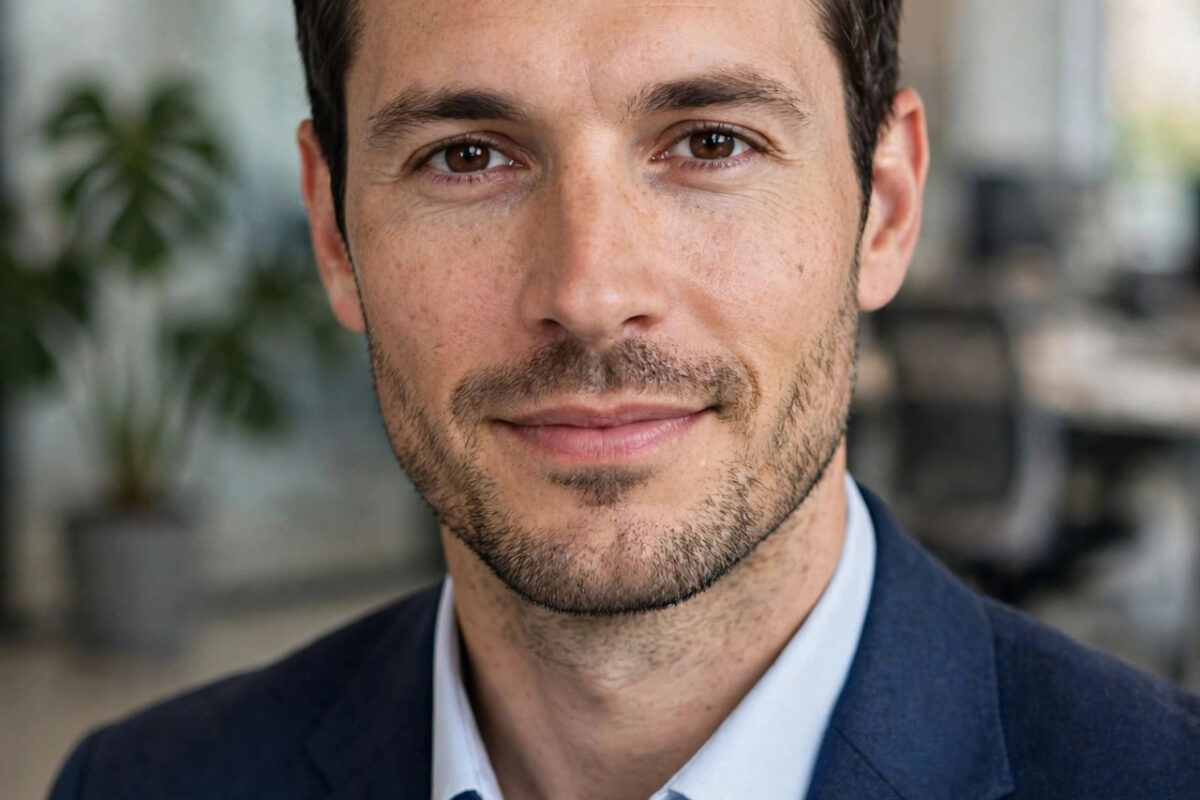
Your LinkedIn photo is often the first impression you make on a recruiter, client, or future colleague, and it appears everywhere from search results to comments and connection requests. A clear, confident, professional photo builds trust in seconds. The problem is that a traditional studio shoot costs time and money, and many people end up using a cropped group photo or an old selfie instead. That is why AI headshot generators have become so popular.
These tools turn a handful of your everyday photos into polished studio-style portraits. Done well, the result looks like you on a good day, in good light, wearing smart clothes. Done badly, it looks like a plastic version of someone else. This guide explains what the best AI headshot generator for a professional LinkedIn photo should do, how to choose one, and how to get a result you can use with confidence.
What Makes a LinkedIn Headshot Look Professional?
Before comparing tools, it helps to know what you are aiming for. A professional headshot is not about looking like a model. It is about clarity, approachability, and consistency with the job you want.
The Basics Every Good Headshot Shares
Your face should fill most of the frame, with your head and shoulders visible and nothing distracting behind you. Lighting should be even, with no harsh shadows across your face. Your expression should be natural, usually a relaxed smile, and your eyes should look toward the camera. Clothing should match your industry: a blazer or smart shirt for corporate roles, something cleaner and simpler for creative and tech roles. The background should be plain or softly blurred, like an office or studio setting.
On LinkedIn itself, profile photos also need to work at a very small size. Recruiters often see a tiny circle first. If your face is too far away or the background is busy, you disappear. Any generator you choose should produce a high-resolution image that still looks sharp when cropped into that circle. For general platform guidance, LinkedIn’s official platform regularly emphasizes complete, professional profiles, and the photo is the most visible part of that.
What AI Can and Cannot Fix
AI can improve lighting, replace a messy background, change an outfit, and create a consistent studio look from casual photos. It cannot fix a set of poor input photos. If all your uploads are blurry, heavily filtered, or taken from extreme angles, the output will look strange no matter which tool you use. Good inputs are the single biggest factor in a believable result.
How AI Headshot Generators Work
Most services follow the same pattern. You upload a set of selfies or portraits, the system learns your facial features, and then it generates new portraits in different styles, outfits, and backgrounds. You pick the best ones and download them.
Upload, Training, and Generation
Typically you upload between five and twenty photos showing different angles and expressions, all with a clear view of your face. The tool then takes some time to build your model, from a few minutes to longer on busy services. After that, it produces a gallery, often dozens or hundreds of images. Expect variation: some will look excellent, some will look slightly off, and a few will be unusable. That is normal. You only need two or three strong finals for LinkedIn and other profiles.
Free vs Paid Tiers in Plain Terms
Most generators offer a free preview, a watermarked sample, or a very limited trial, with full galleries, high-resolution downloads, and commercial use on paid tiers. Think of free as a way to test whether the likeness looks like you, and paid as the tier that gives you usable, print-quality files and more style choices. Be cautious of any service that promises unlimited perfect results completely free, because quality generation is expensive to run and free offers usually come with strict limits.
What to Look for When Choosing a Generator
Since tools change quickly and new names appear every month, judge any service by criteria rather than hype. The best choice for a consultant in finance may differ from the best choice for a designer, but the following points apply to almost everyone. For broader career and workplace technology advice, Network Ustad’s career and AI guides cover similar decisions in practical detail.
Likeness and Natural Skin Texture
Likeness is the top priority. The photo must be recognizably you, not a younger, thinner, or heavily smoothed version. Look at sample galleries critically: does the skin still have natural texture, do teeth and hands look normal, and do the eyes look real? Over-smoothed skin is the fastest giveaway of a cheap AI portrait. A good generator preserves character while cleaning up temporary flaws like harsh light or a tired expression.
Style Range, Backgrounds, and Outfits
Look for a range of professional styles rather than glamorous or dramatic ones. You want several backgrounds, such as plain studio, modern office, and outdoor blurred city, and outfits that suit your field. More styles are not automatically better. Fifty usable corporate looks beat two hundred fashion-editorial looks if you are applying for accounting roles.
Privacy, Ownership, and Turnaround
Read the privacy terms before uploading. Check how long the service keeps your photos, whether your images are used to train other models, and whether you can delete your data. Also confirm you receive rights to use the final images commercially on profiles and websites. Finally, check turnaround time and support. If you need a photo for an application deadline tomorrow, a slow service is the wrong choice even if its quality is slightly better.
Step-by-Step: Getting a Headshot You Can Actually Use
Step 1: Prepare Strong Input Photos
Choose recent photos in good light, with no sunglasses, hats, or heavy beauty filters. Include different angles, a few smiles and a few neutral expressions, and at least one photo in the kind of clothing you would wear to work. Avoid group photos where other faces confuse the system, and avoid very old photos if your appearance has changed.
Step 2: Generate Broadly, Then Shortlist Ruthlessly
Generate the full gallery, then shortlist quickly. Delete anything with distorted features, odd hands, strange jewellery, or an expression that does not feel like you. Show your top five to a friend or colleague and ask a simple question: does this look like me on a professional day? Outsiders spot AI oddness that you may miss because you have stared at the images too long.
Step 3: Crop, Check, and Upload Correctly
Crop so your face is centered and fills the frame, leaving a little space above your head. Check the image at small size, because that is how most people will see it. Upload the highest resolution version LinkedIn accepts, and use the same final photo across your CV, company page, and other professional profiles for a consistent personal brand.
Common Mistakes and Practical Tips
Mistakes That Make AI Headshots Backfire
The most common mistake is choosing the most glamorous image instead of the most believable one. Recruiters notice when a profile photo looks heavily artificial, and it can raise doubts rather than build trust. Another mistake is picking a style that clashes with your industry, such as a dramatic dark portrait for a friendly customer-facing role. A third mistake is uploading poor inputs and blaming the tool, when better photos would have fixed most of the problems.
Tips for a Natural, Trusted Result
Prefer light retouching over full transformation. Keep your usual hairstyle and glasses if you wear them daily, because people should recognize you in a video call or interview. Update your headshot if your appearance changes significantly. And keep one or two backup styles from the same gallery, so you can refresh your profile later without paying for a new session.
Conclusion
The best AI headshot generator is the one that produces a natural, recognizable, high-resolution portrait in styles that fit your industry, while treating your photos responsibly. Judge tools on likeness, skin texture, style range, privacy terms, and turnaround, not on advertising claims. Prepare good input photos, shortlist ruthlessly, and choose believability over glamour. Done that way, an AI headshot can give you a professional LinkedIn presence in an afternoon, without a studio booking.
Frequently Asked Questions
Are AI headshots acceptable on LinkedIn?
Yes, as long as the photo genuinely looks like you. Many professionals now use them. Problems only arise when the image is heavily altered or misleading, because people expect to recognize you in meetings and interviews.
How many photos do I need to upload?
Most tools ask for five to twenty clear photos with different angles and expressions. Quality matters more than quantity, so choose sharp, well-lit, recent images without filters, sunglasses, or other people in the frame.
Can I use a free AI headshot generator for LinkedIn?
Free tiers are useful for testing likeness, but they usually limit resolution, add watermarks, or restrict downloads. For a final profile photo you will likely need a paid tier to get clean, high-resolution files.
What should I wear in an AI-generated headshot?
Choose outfits that match the roles you want. A blazer, smart shirt, or simple knit works for most professional settings. Avoid loud patterns and logos, and pick styles you would realistically wear to an interview.
How long does it take to get the final images?
It varies by service, from a short wait to several hours when demand is high. Check the stated turnaround before ordering if you have a deadline, and allow extra time to review and shortlist the gallery properly.



Leave a Reply